
 Bitaigen Research
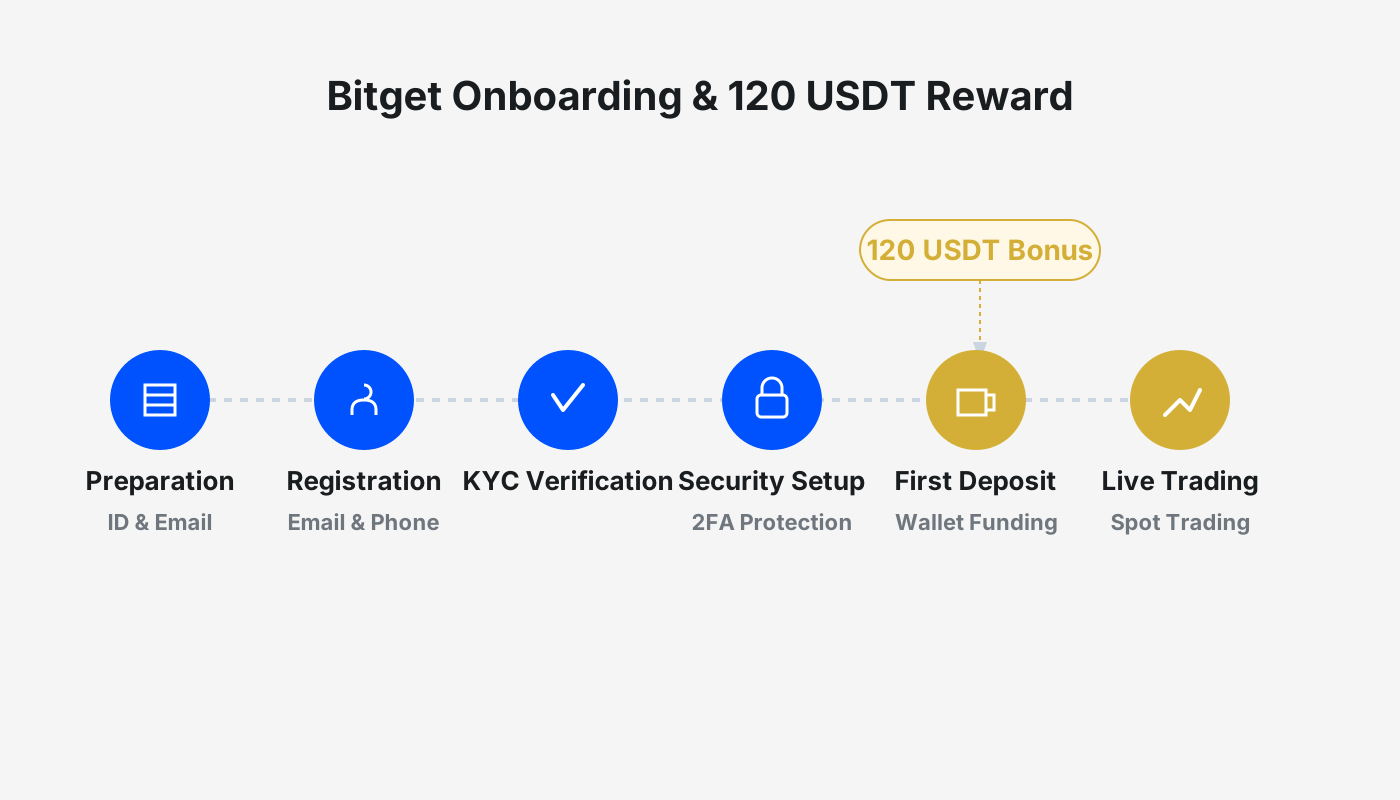
 This article provides a detailed walkthrough of the registration and identity verification processes on the Bitget exchange, as well as instructions on how to claim a 120 USDT trial reward.
Log in to the official Bitget website, register an account using an email address or mobile number, and after completing identity verification you can claim the 120 USDT trial reward, which can be used for futures or leveraged trading.
In this guide we break down every step of Bitget’s sign‑up and KYC (Know‑Your‑Customer) procedures, and we place special emphasis on how to obtain the platform’s trial‑fund reward. The tutorial covers the full set of actions and frequently asked questions, enabling newcomers to quickly start futures or margin trading after reading. Once you finish, you will be able to open an account on your own and begin your digital‑asset journey.
Registration Process
- Access the registration page through Bitget’s official link.
- Enter the invitation code `vxje` to receive a permanent 20 % fee rebate.
- Choose to register with either email or mobile number; the example below demonstrates the email option.
- Input your email address, set a password (minimum 8 characters, including numbers, uppercase letters and special symbols), tick the User Agreement, and click Create Account.
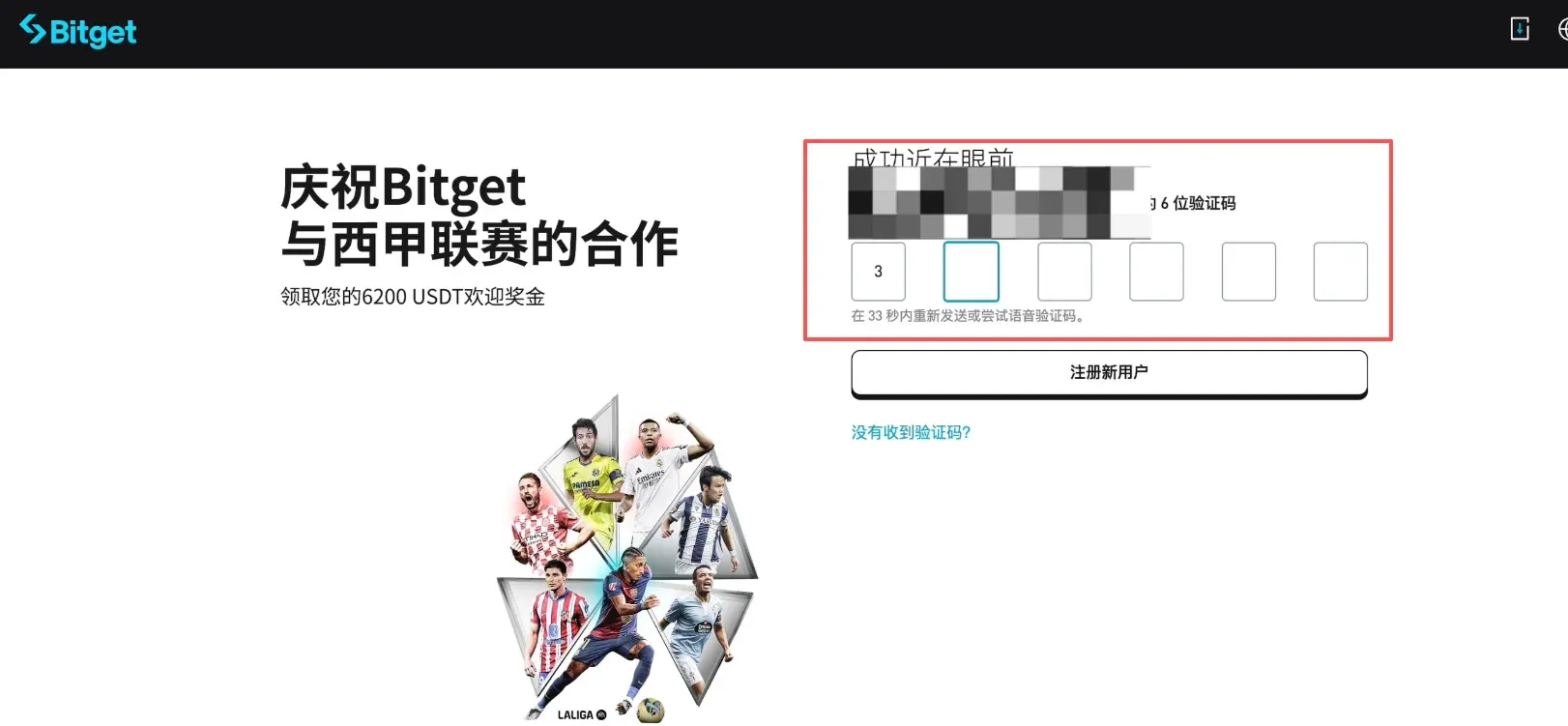
- The system will send a 6‑digit verification code to your email. Retrieve it and enter the code on the page to finish verification.
Identity Verification
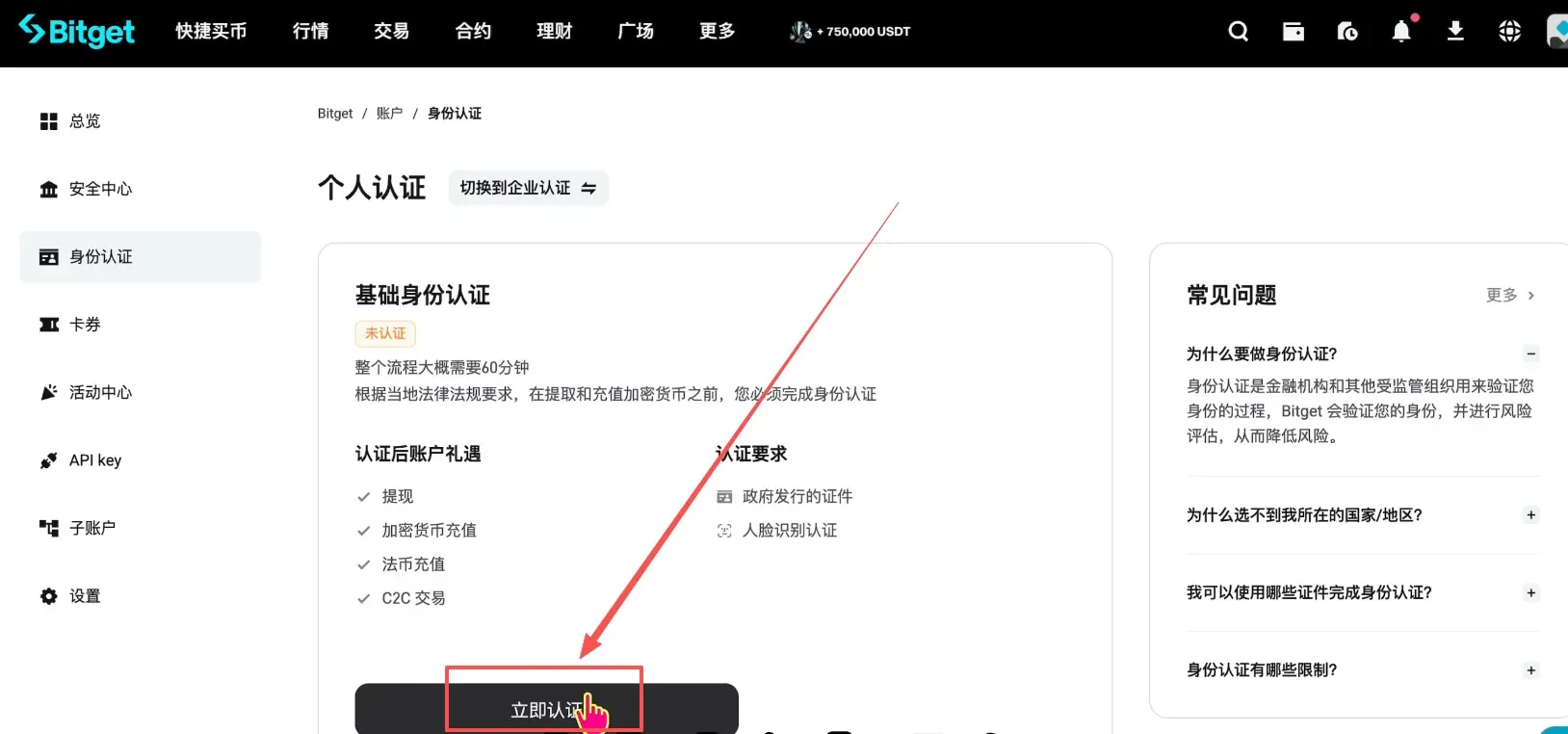
- After logging in, click Verify Now at the top‑right corner of the screen.
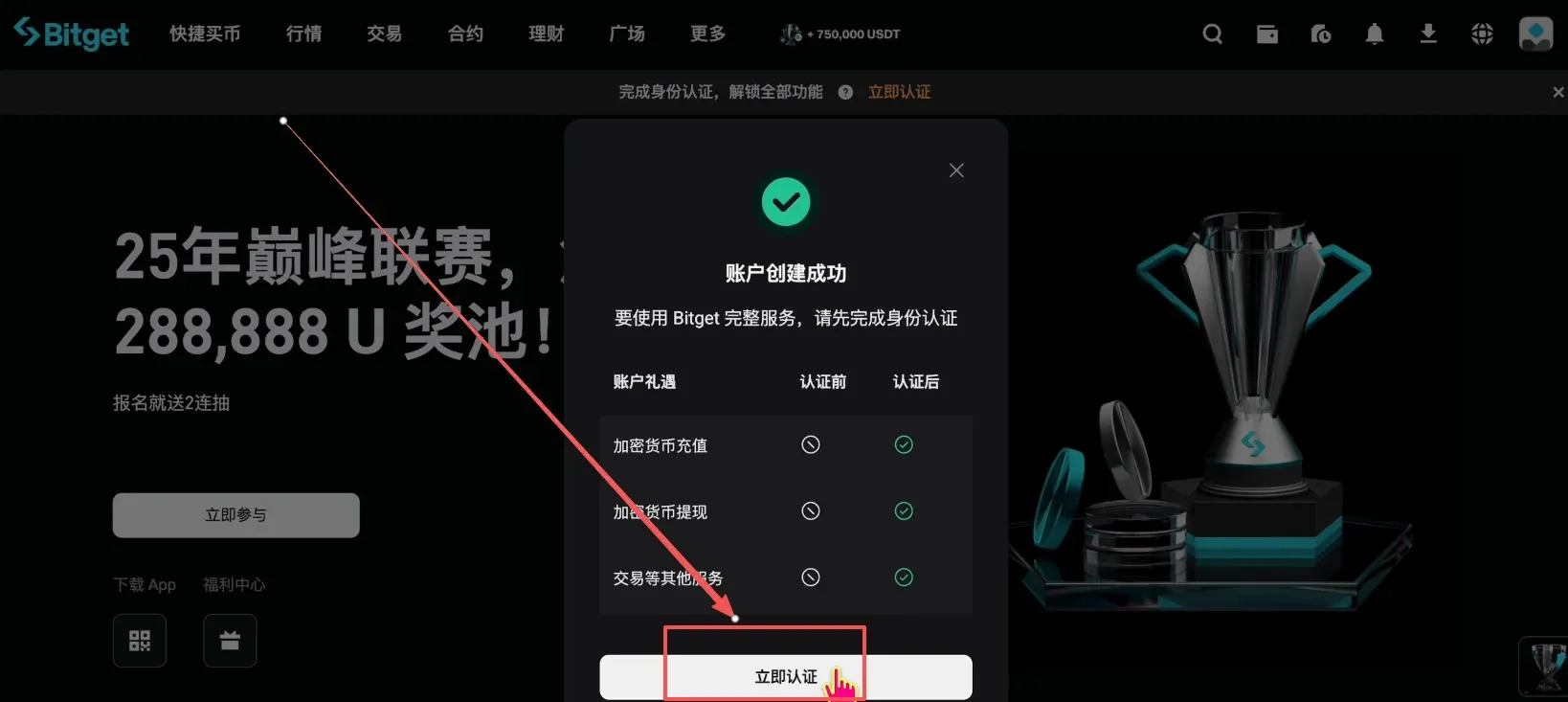
- The verification page will prompt you to upload a government‑issued identification document and to perform a facial‑recognition check. Click Start Verification.
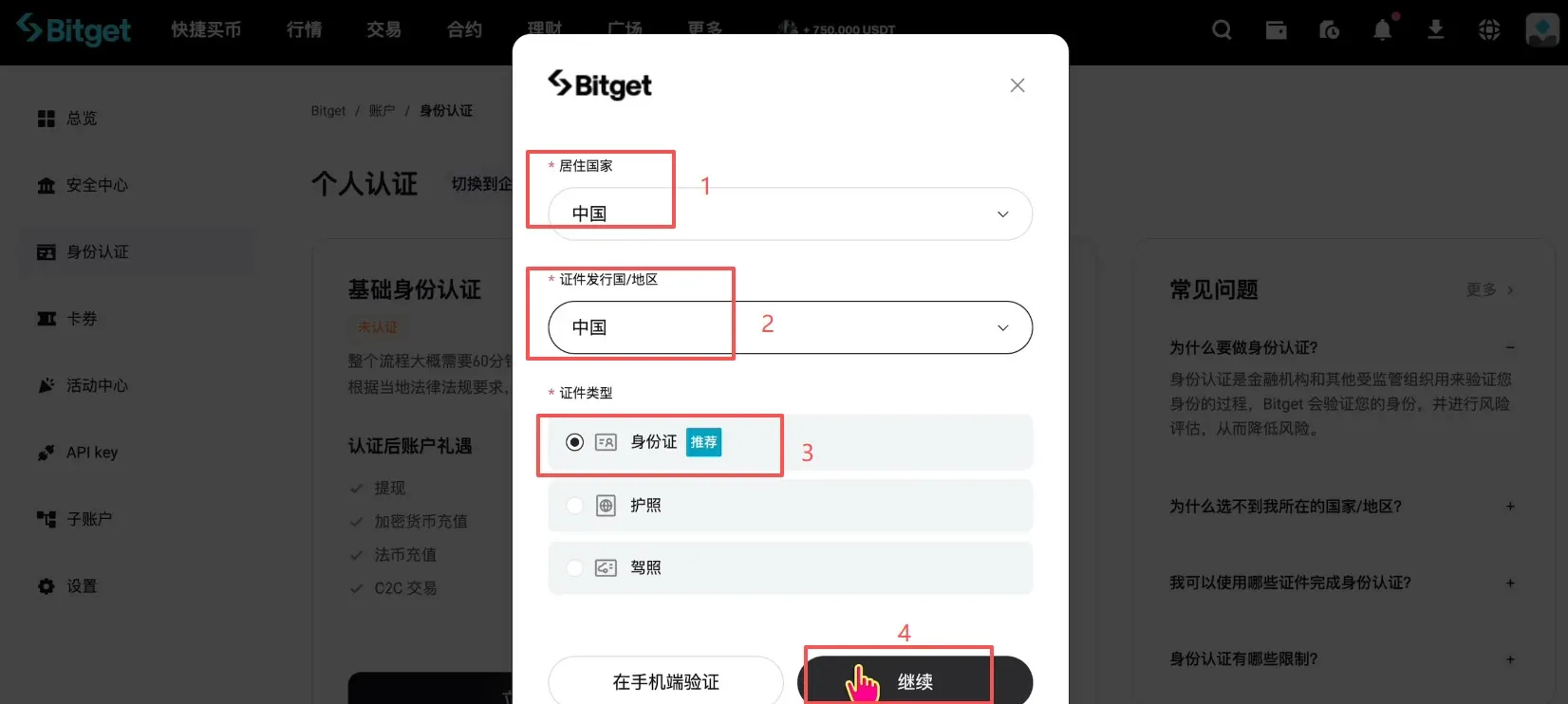
- Select China as both your residence country and the document‑issuing country. The recommended document type is the National ID Card (passports or driver’s licenses are also accepted). Click Continue.
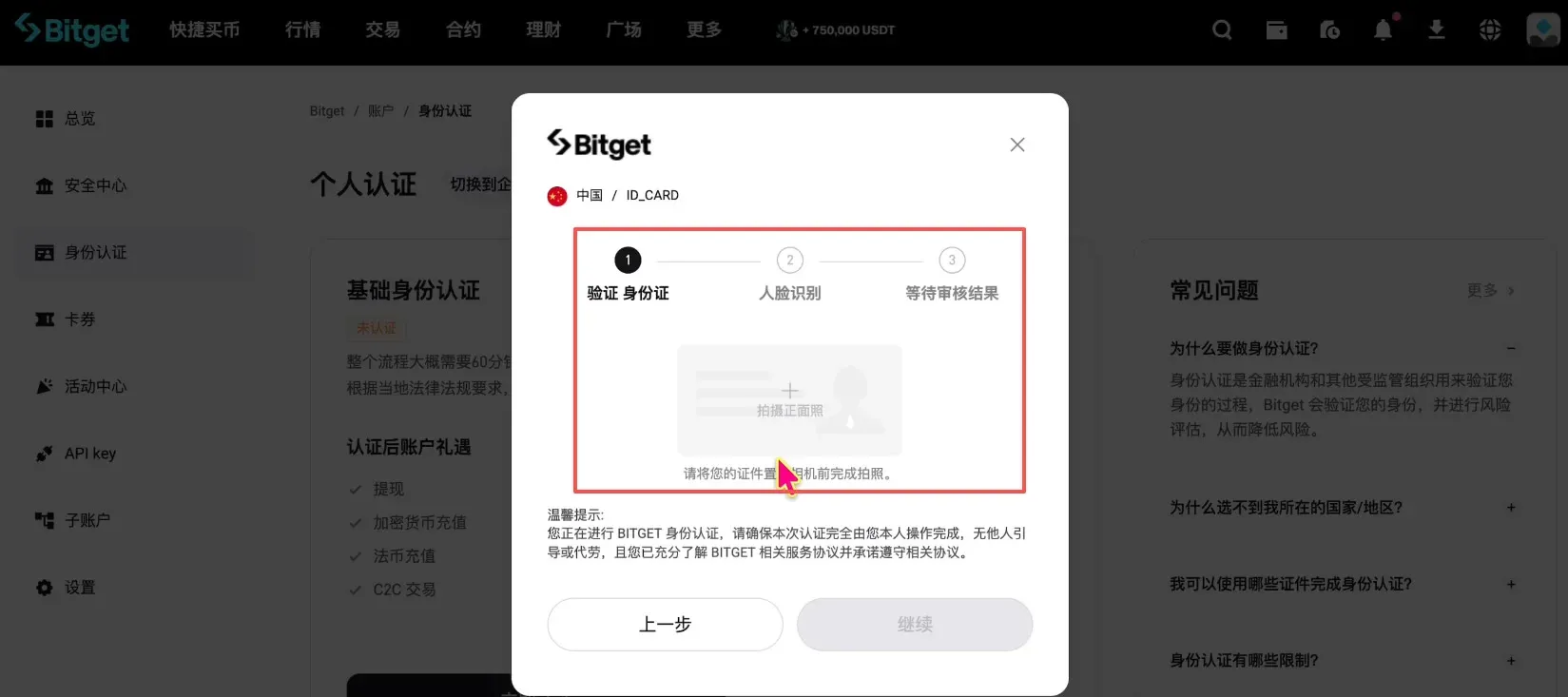
- Upload clear photos of the front and back of your ID card, then complete the facial‑recognition sequence (e.g., opening the mouth, blinking).
Claiming the 120 USDT Trial Reward
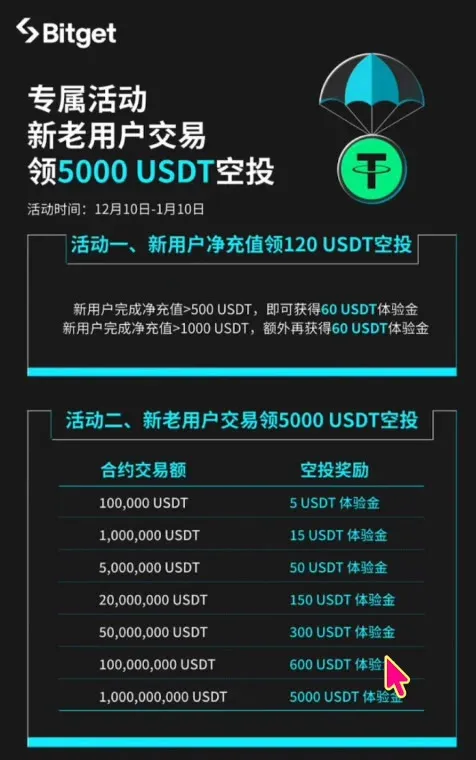
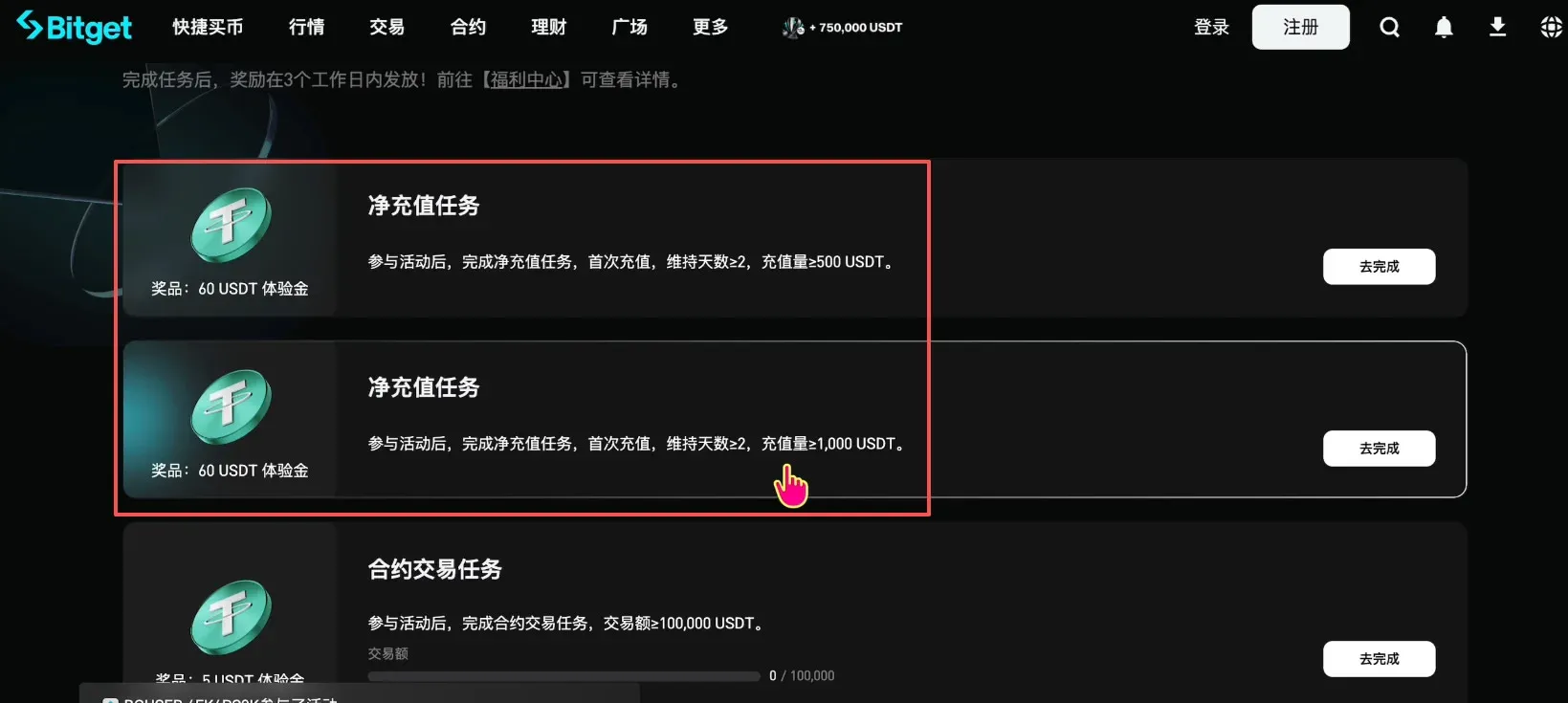
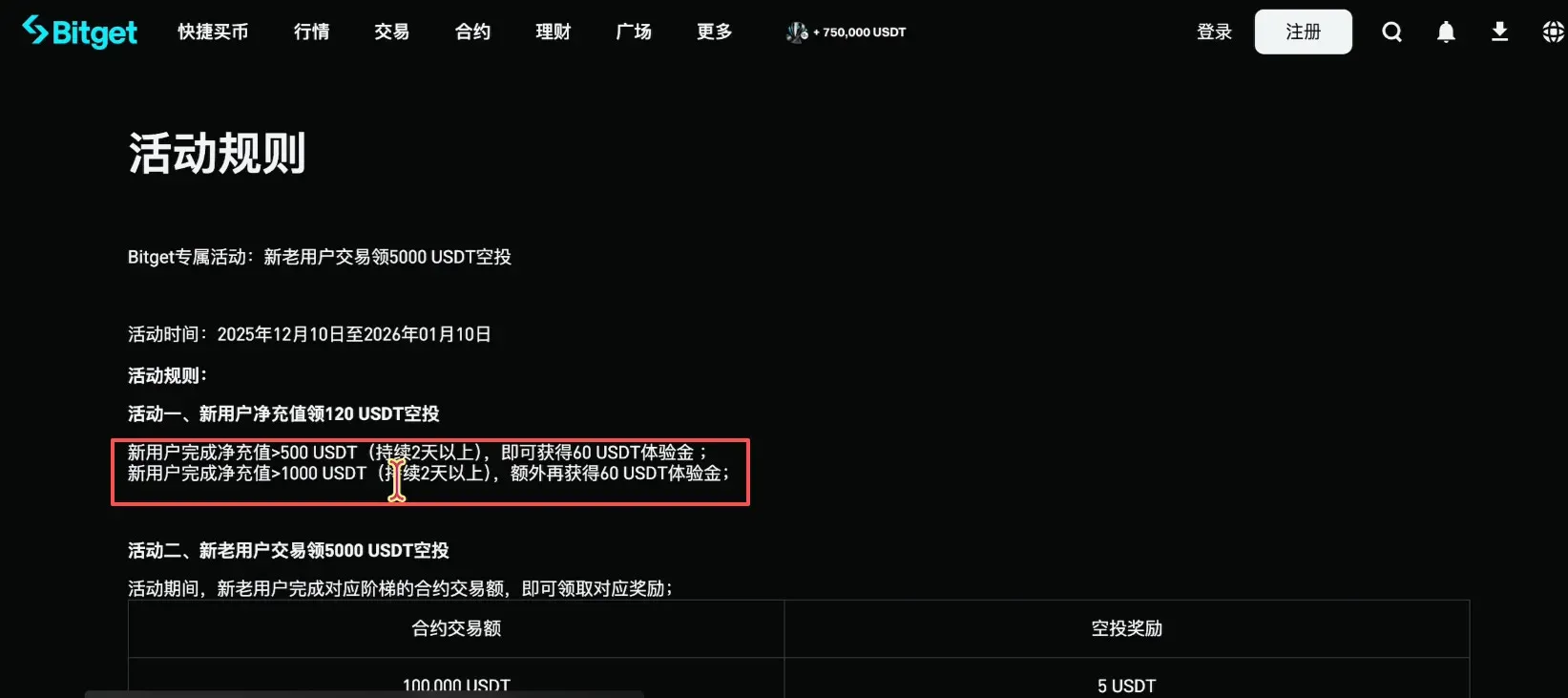
- Navigate to the Promotion page, where you will see two sub‑events: Net Deposit Promotion and Trading Promotion. To avoid unnecessary trading volume, we recommend participating in the Net Deposit Promotion.
- Depositing ≥ 500 USDT grants a 60 USDT reward; depositing 1 000 USDT also grants 60 USDT. For simplicity, directly deposit 1 000 USDT.
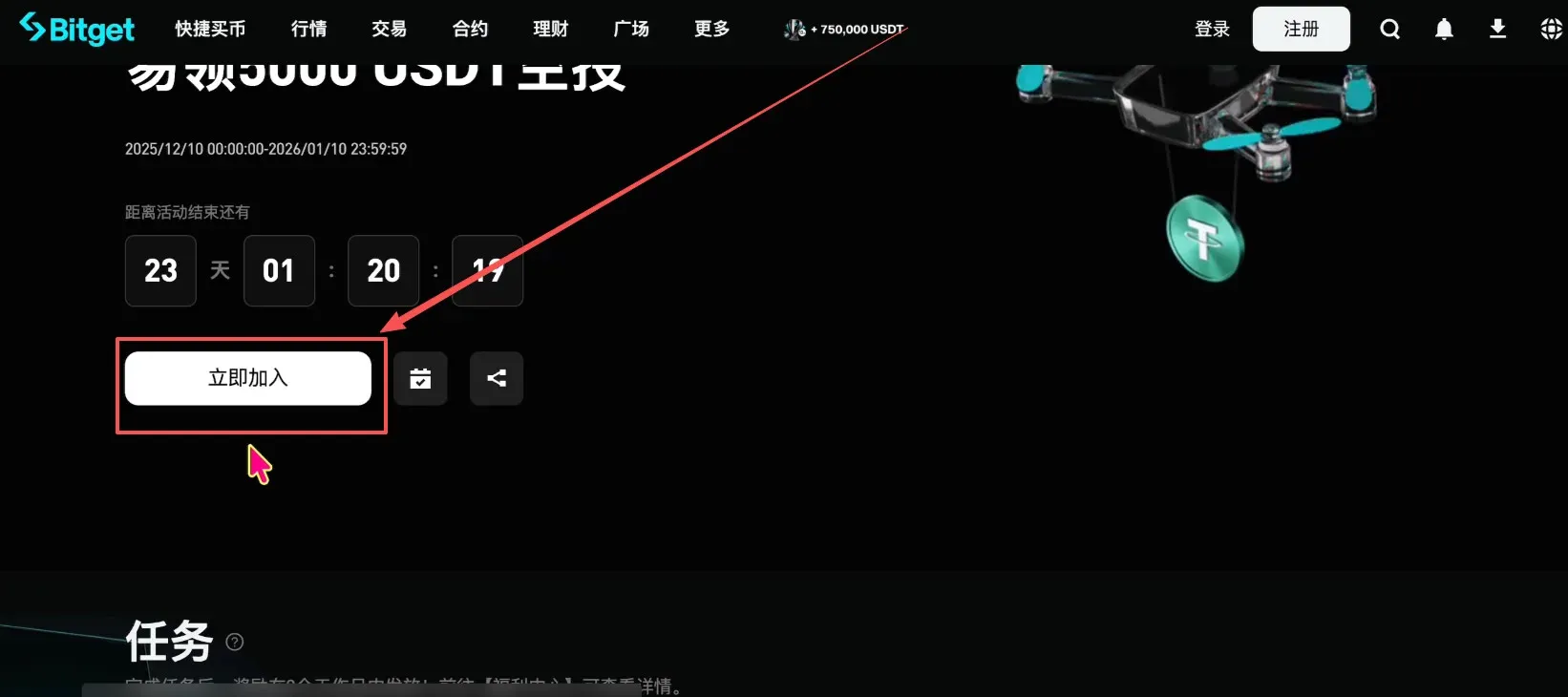
- Click the Join Now button at the top of the page. You must register for the promotion first, otherwise the system will not record your deposit.
Depositing USDT to Bitget
The following example shows how to transfer USDT from OKX (used here as the sending platform).
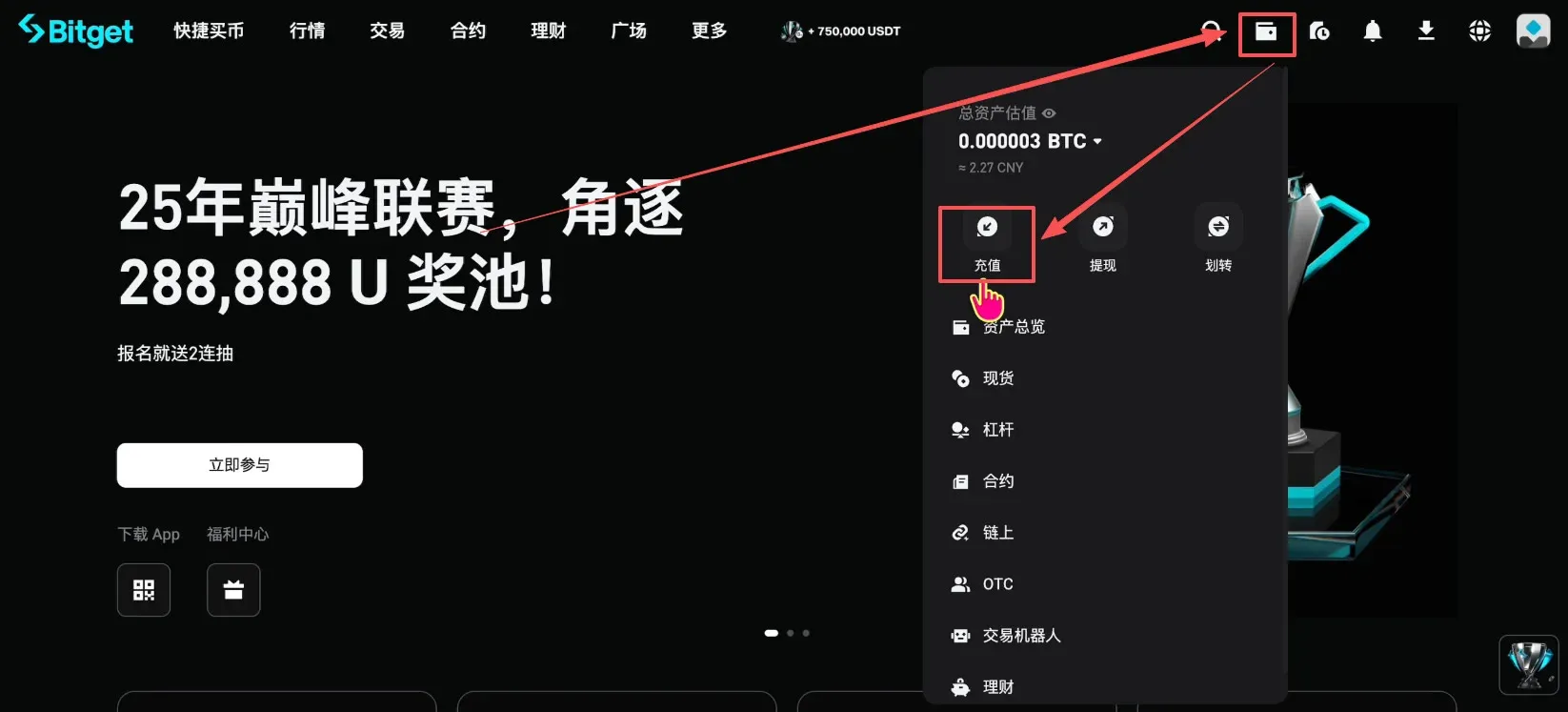
- Log in to Bitget, then click Wallet → Deposit at the upper‑right corner.
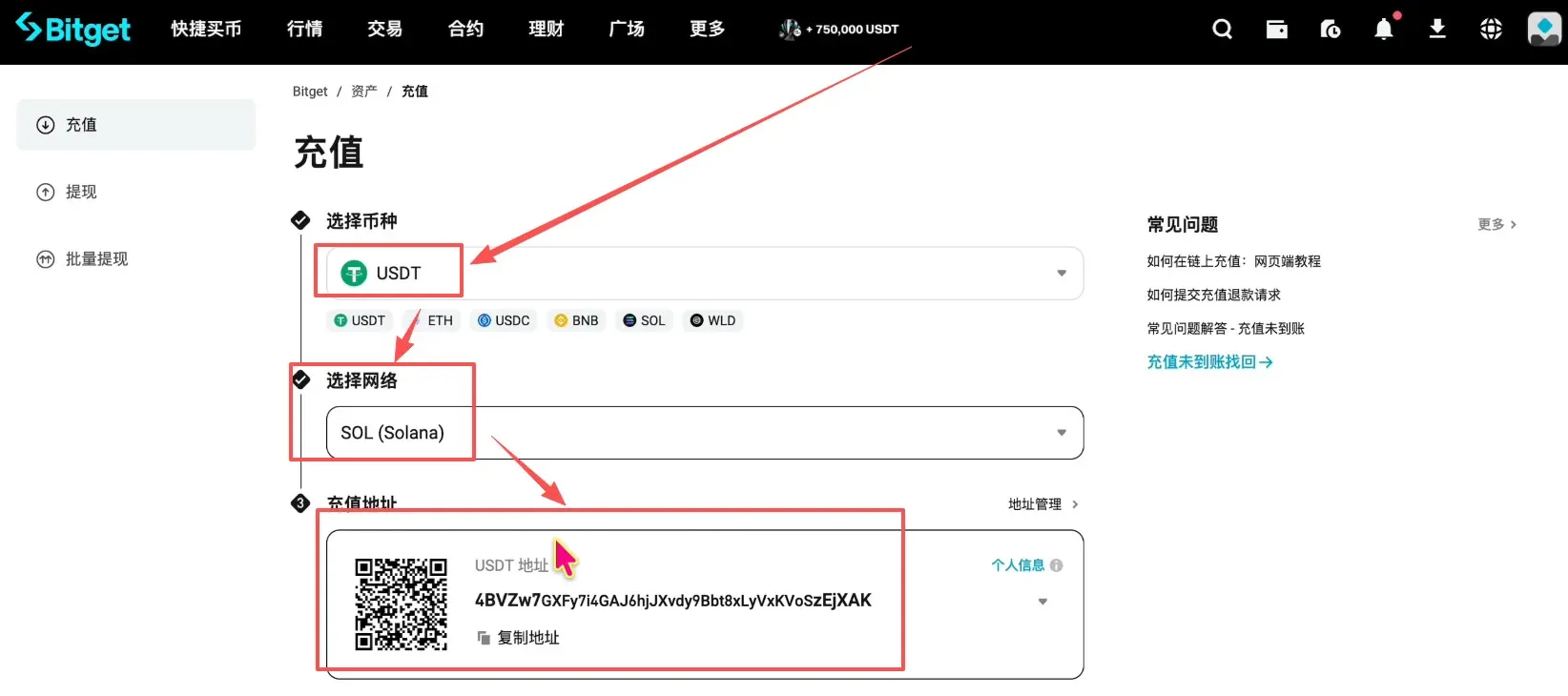
- Choose the USDT token, select the SOL (Solana) network, and the system will generate a deposit address and QR code. Copy the address.
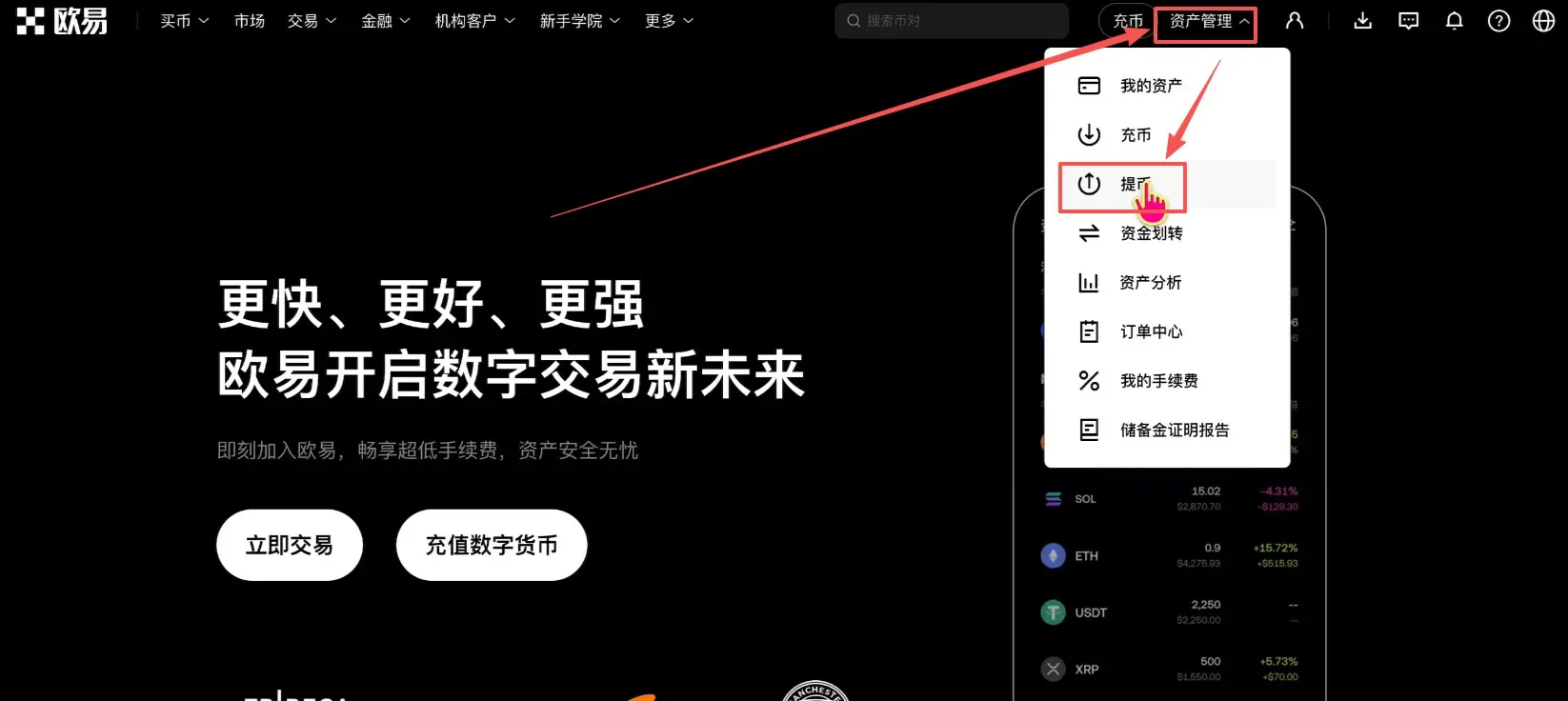
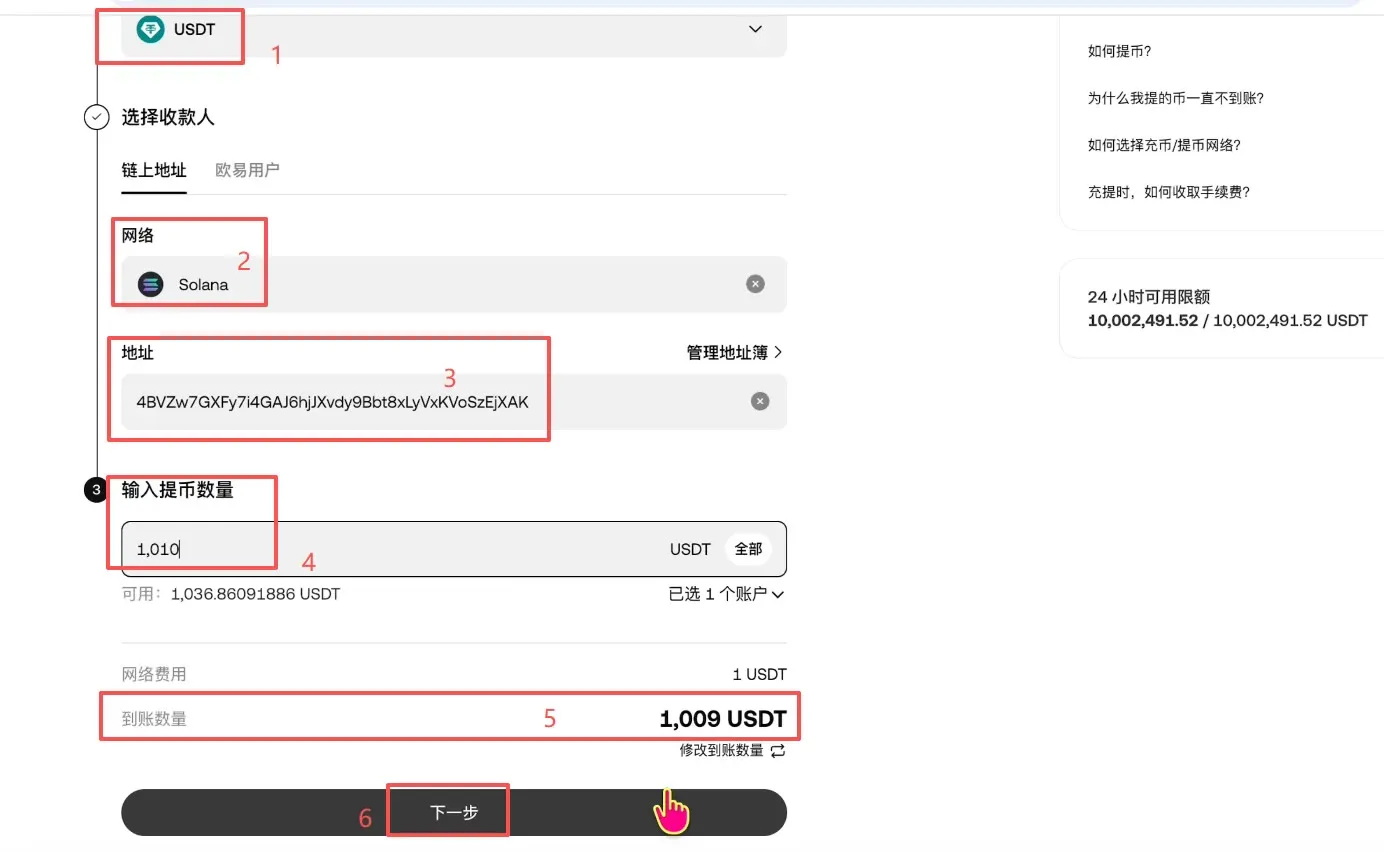
- Log in to OKX, go to Assets → Withdraw.
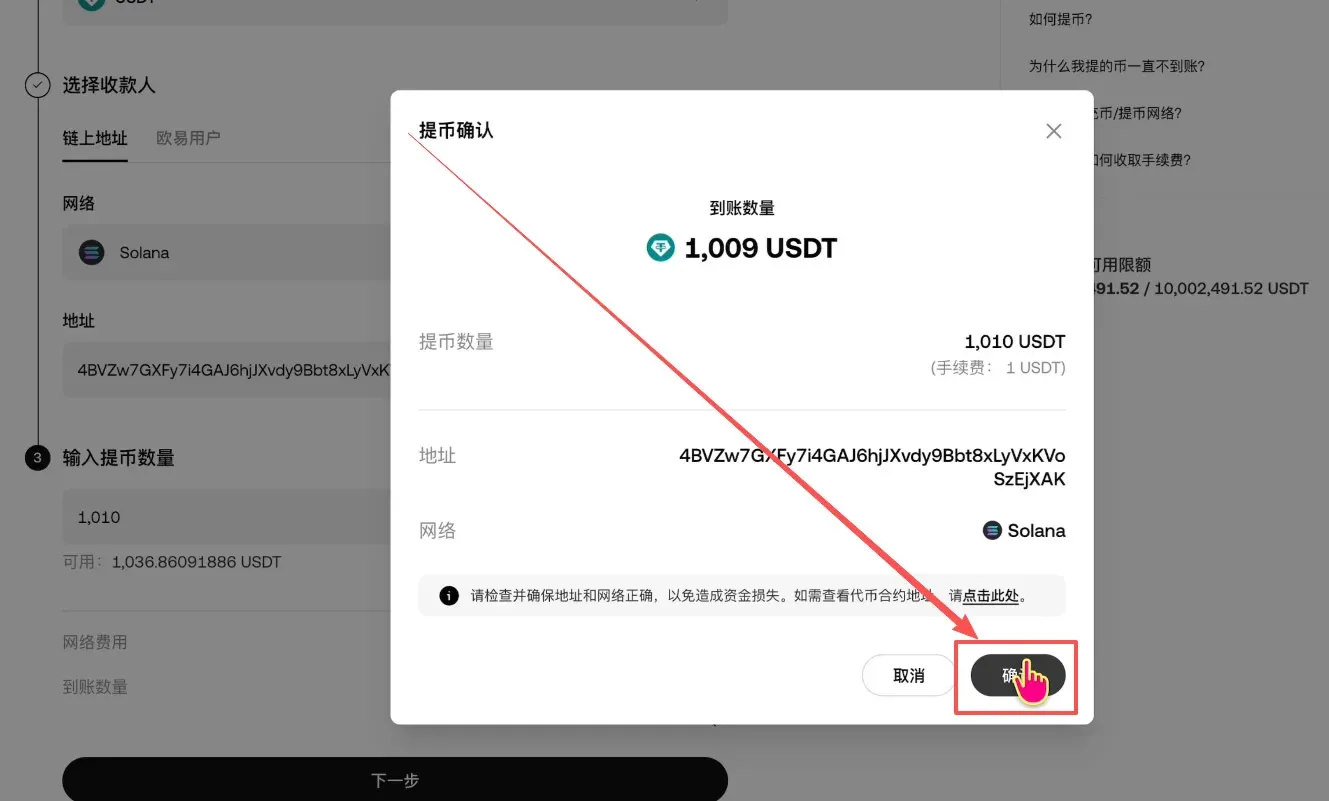
- Select USDT, pick the SOL network, paste the Bitget deposit address, and enter the withdrawal amount (the example uses 1 010 USDT). The platform will display the estimated net amount after deducting a 1 USDT network fee.
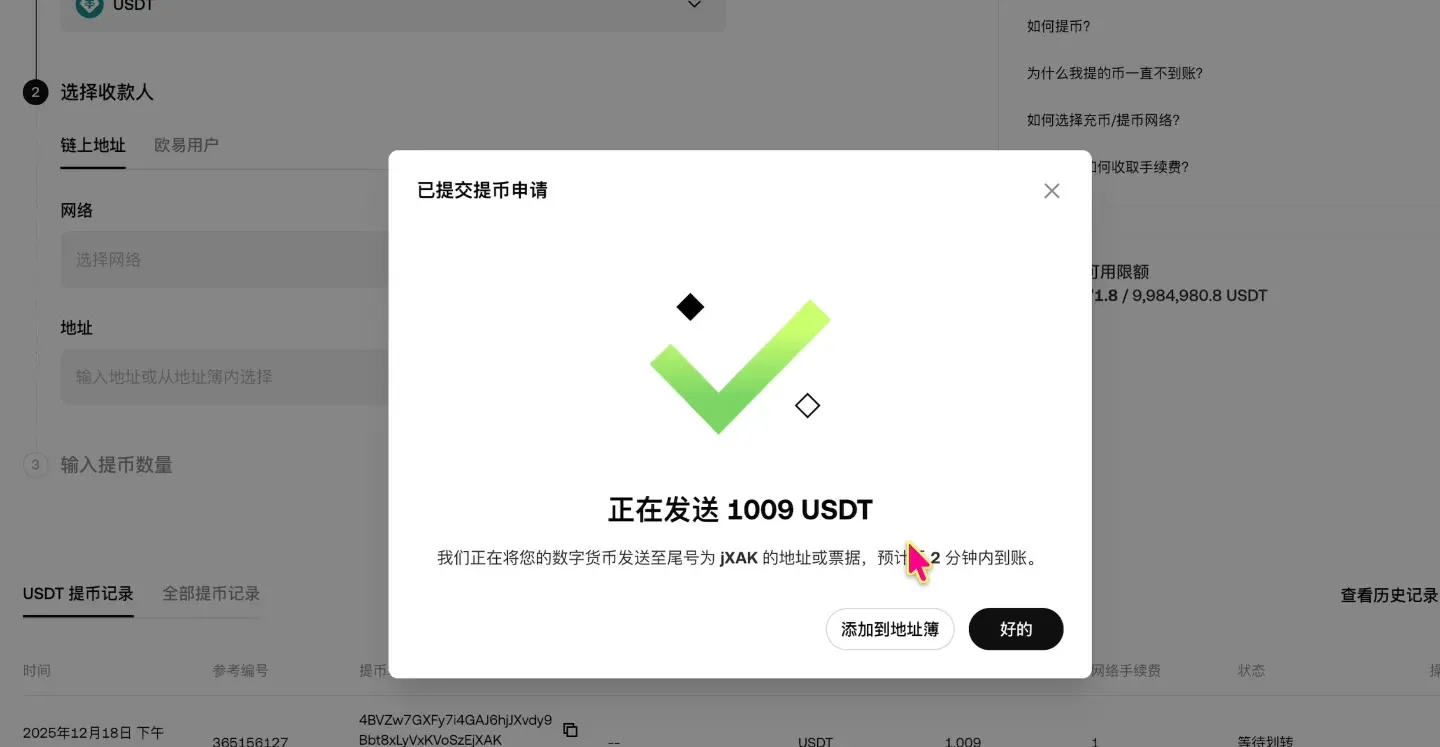
- Confirm the withdrawal and wait for the blockchain transaction to finalize.
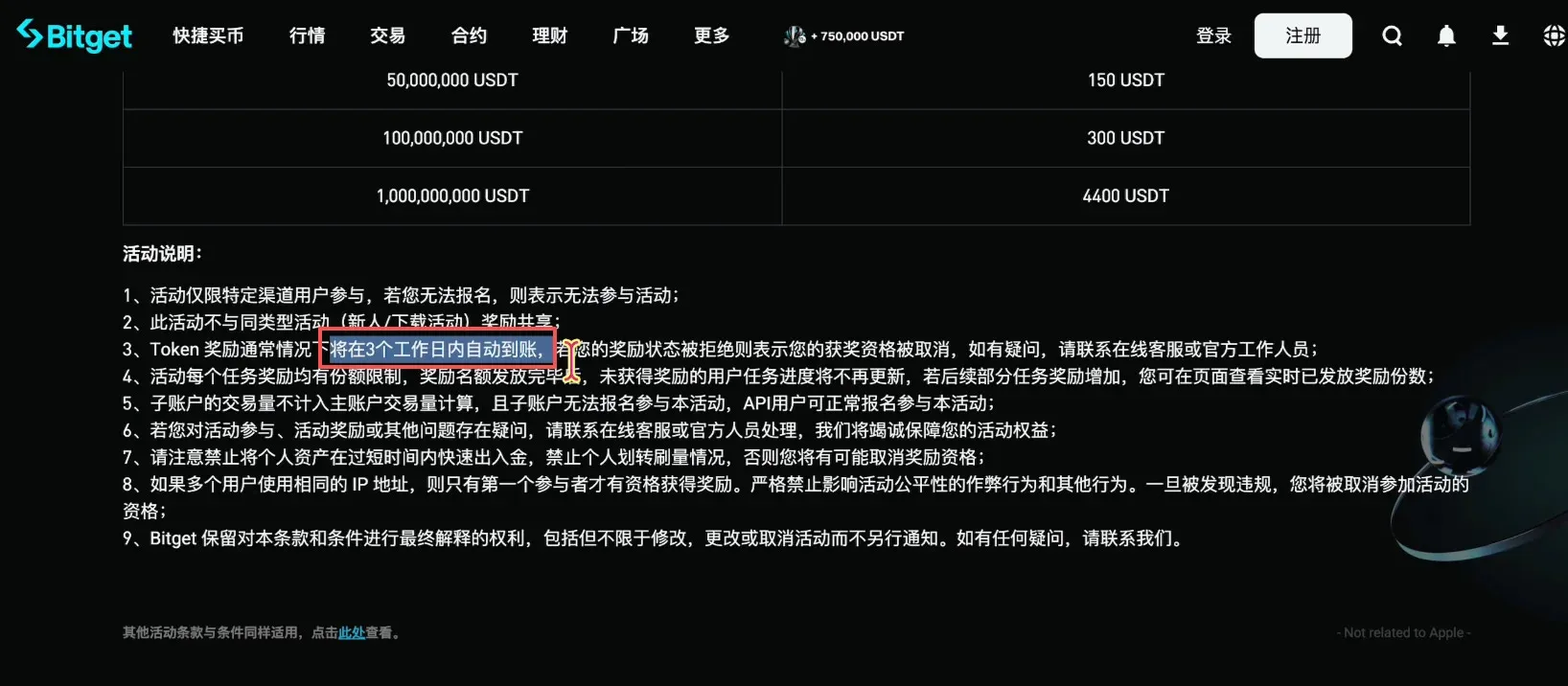
- Once the transfer is complete, return to the Bitget promotion page. The system will indicate that the deposited funds must be held for at least 2 days, with the reward expected to be credited after approximately 3 business days.
Activating and Using the 120 USDT Trial Reward
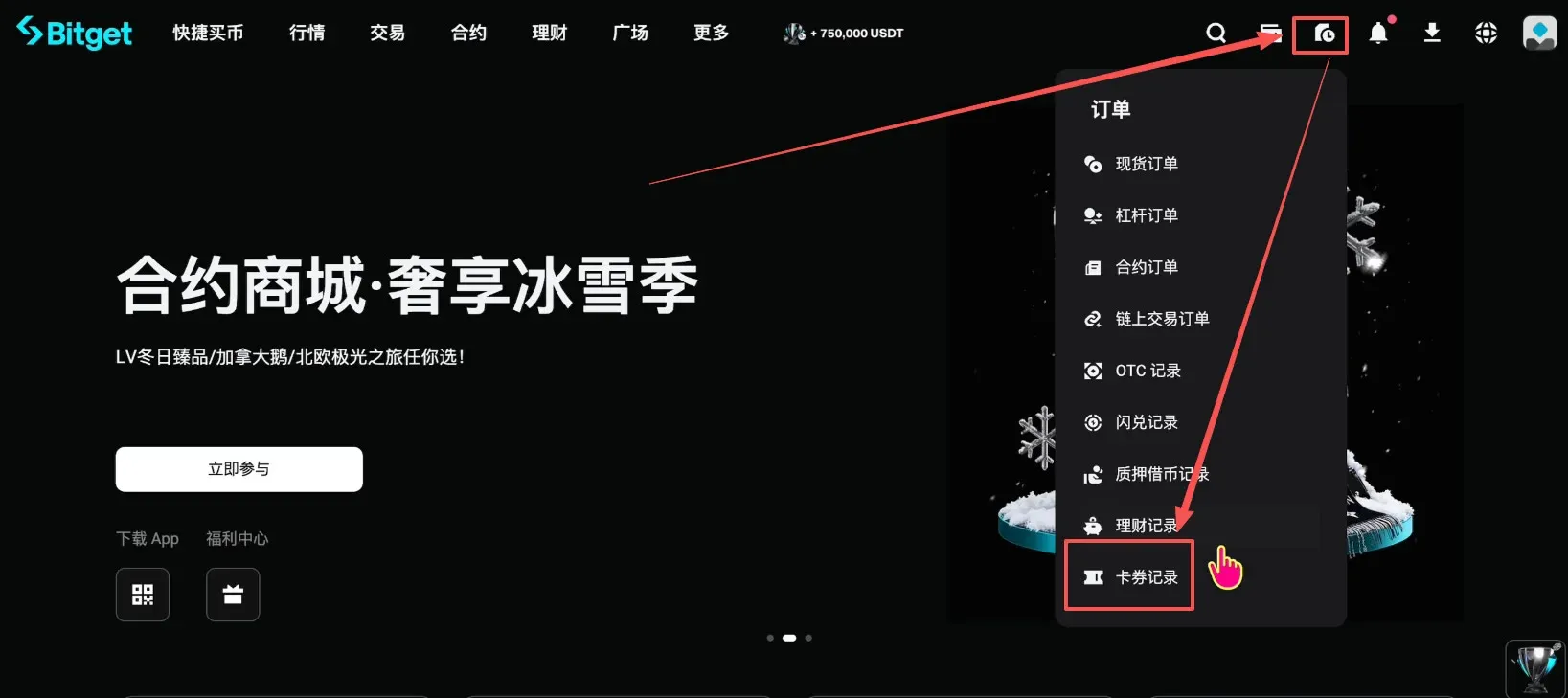
- Log in to Bitget and click the small square icon at the top‑right to open Coupon History.
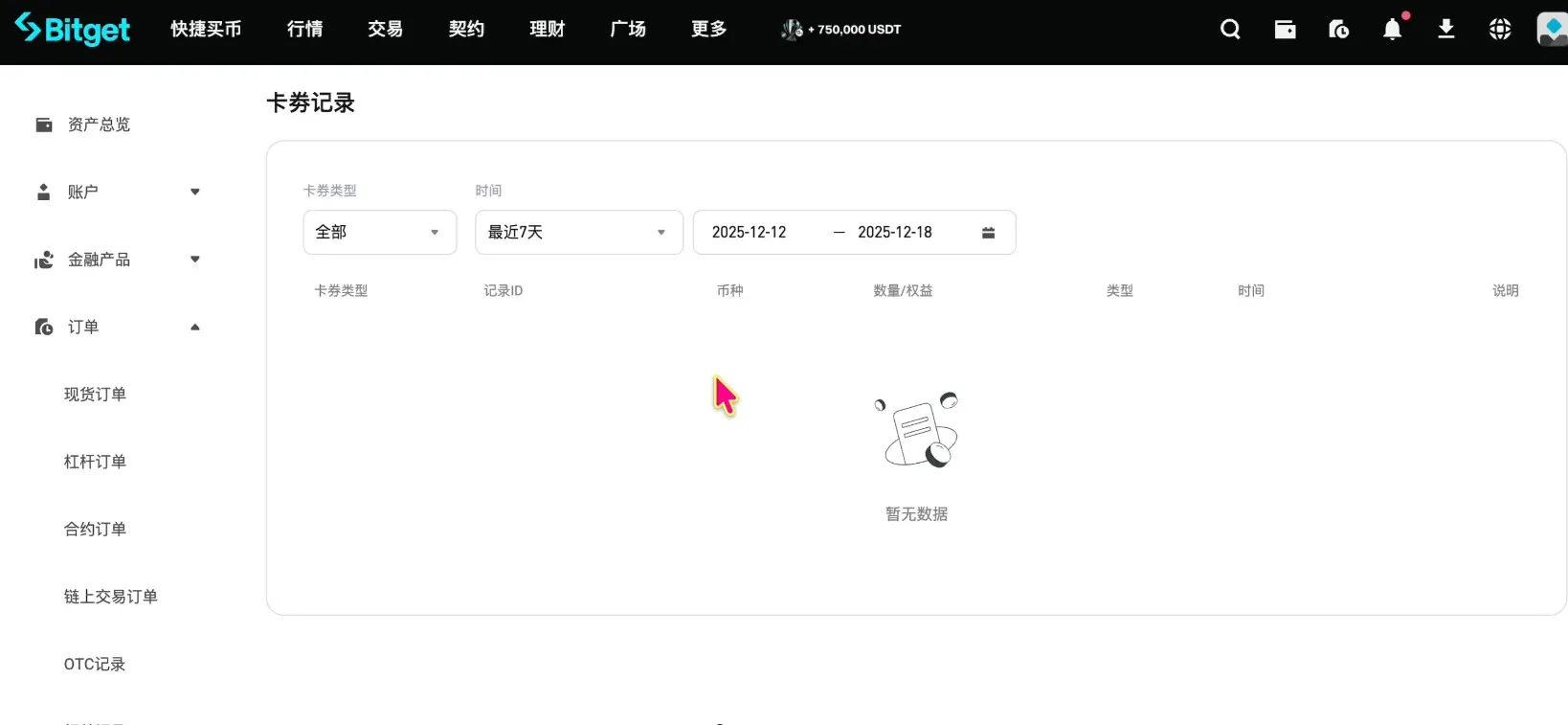
- Locate the 120 USDT trial reward in the coupon list and click Activate (if you are an existing user the reward may already be claimed; new users can claim it directly).
Futures Trading Example (BTC/USDT Perpetual Contract)
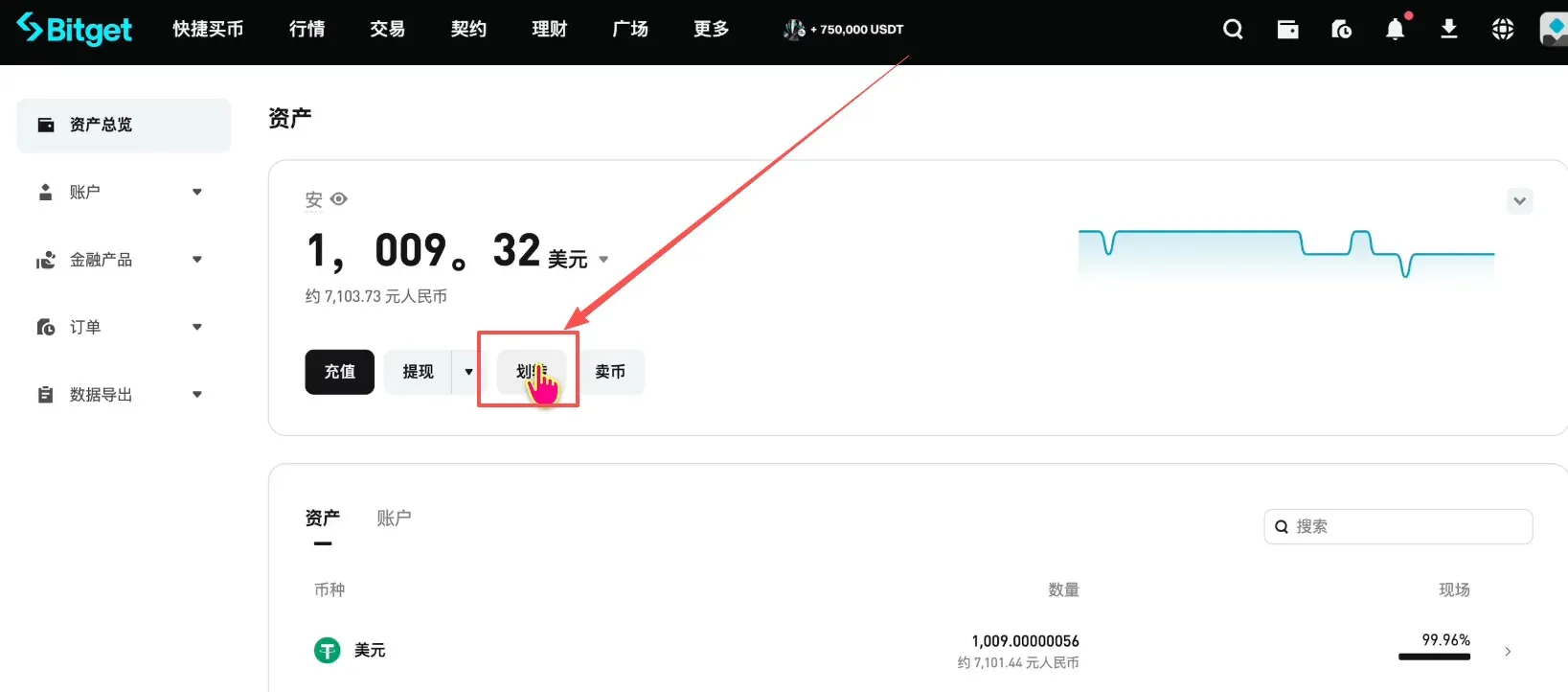
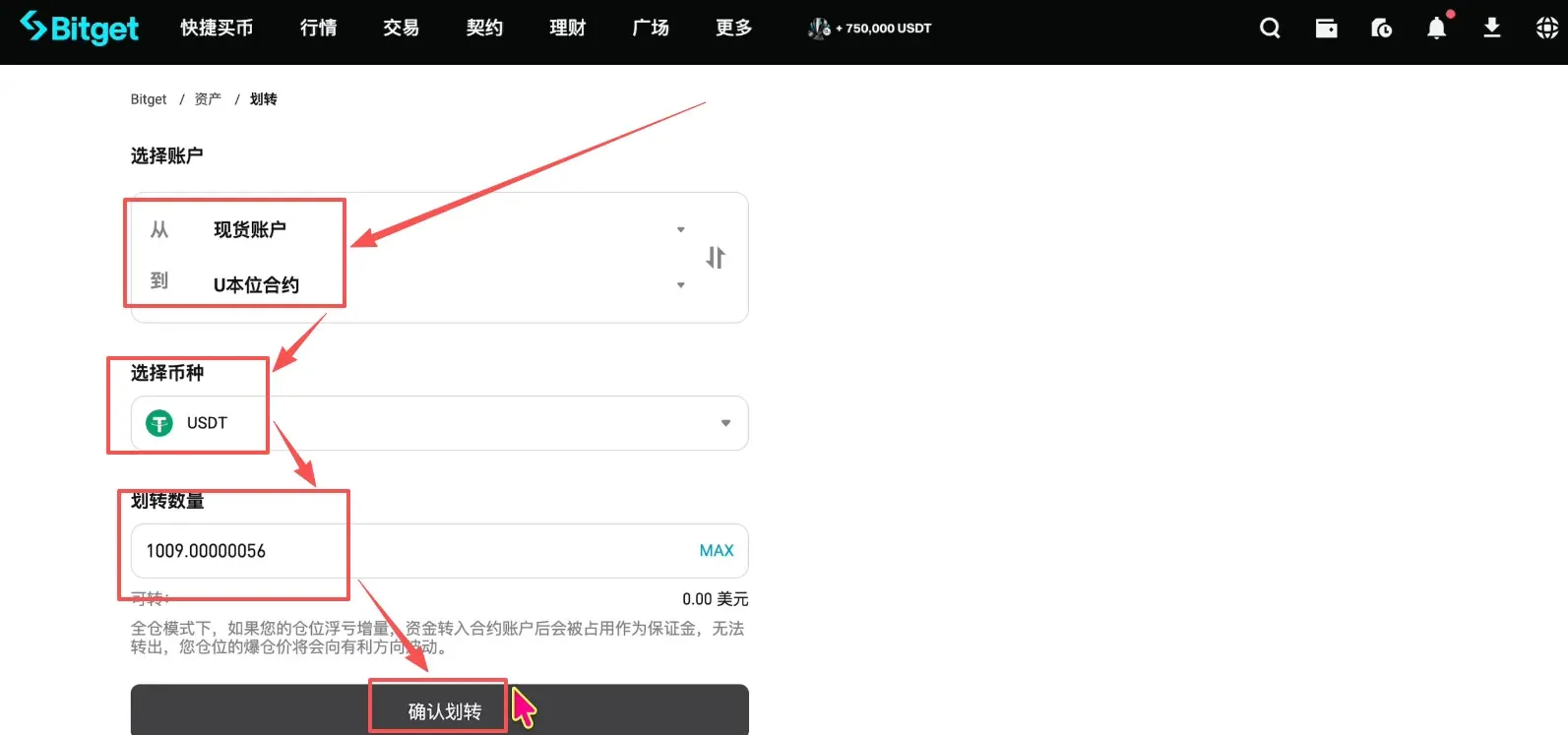
- On the Assets page click Transfer, move all USDT from the Spot Account to the USDT‑Margined Futures Account, then confirm the transfer.
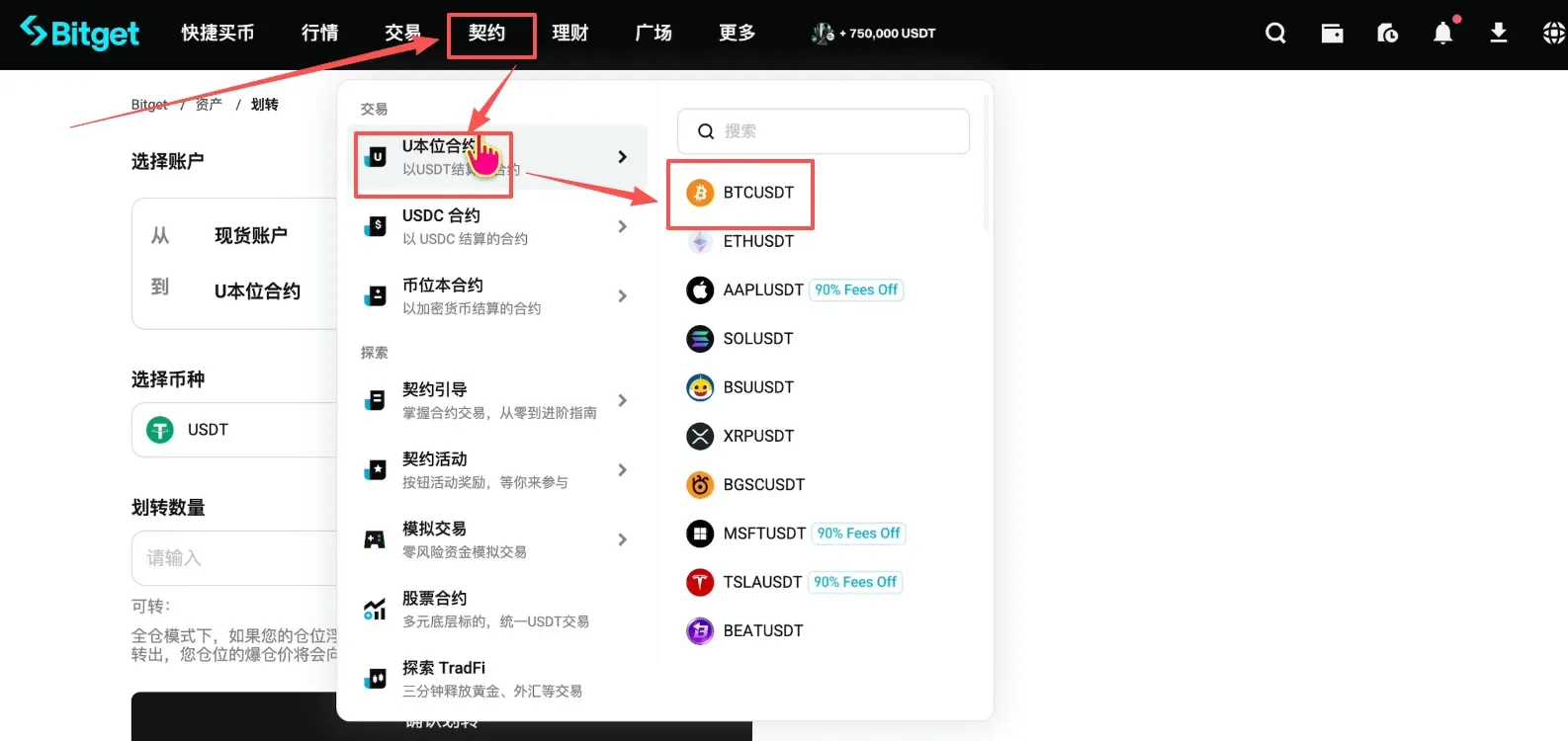
- Return to the main screen, click Derivatives → USDT‑Margined Futures, search for and select the BTCUSDT perpetual contract.
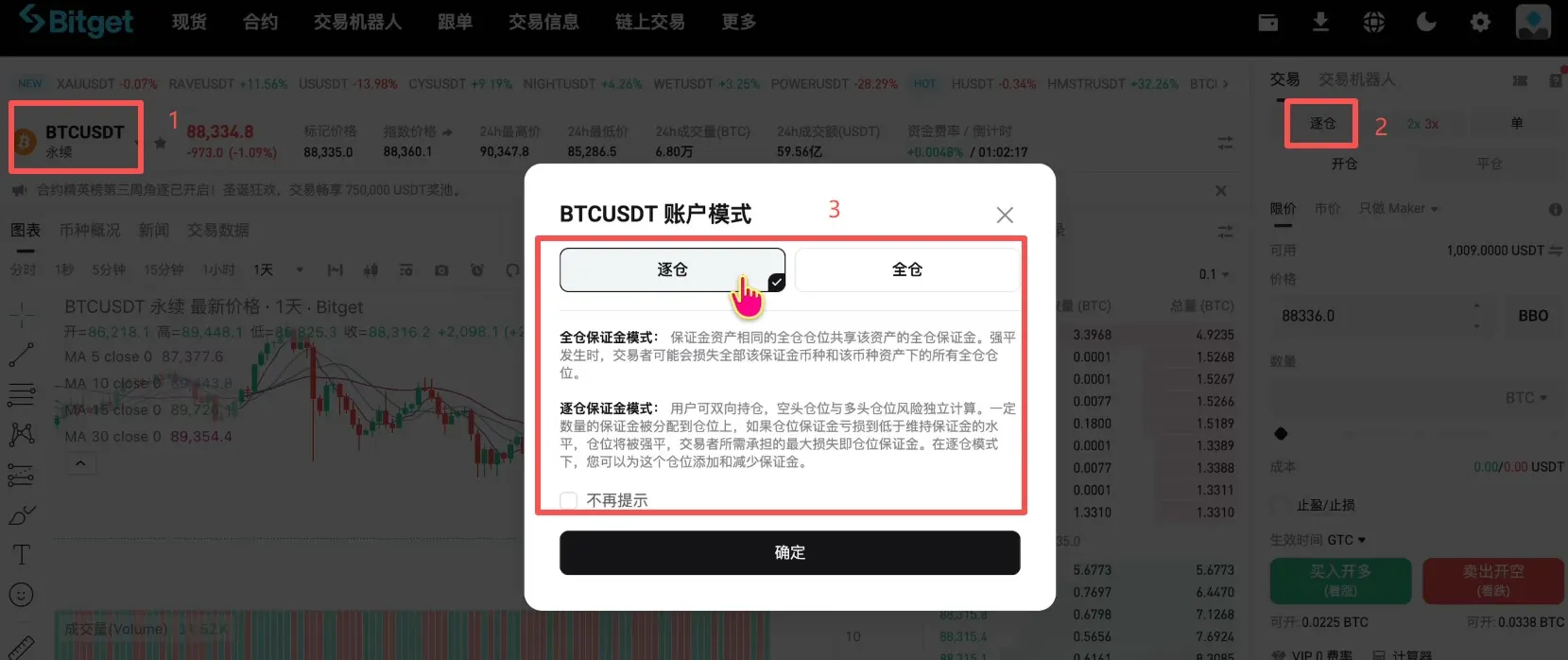
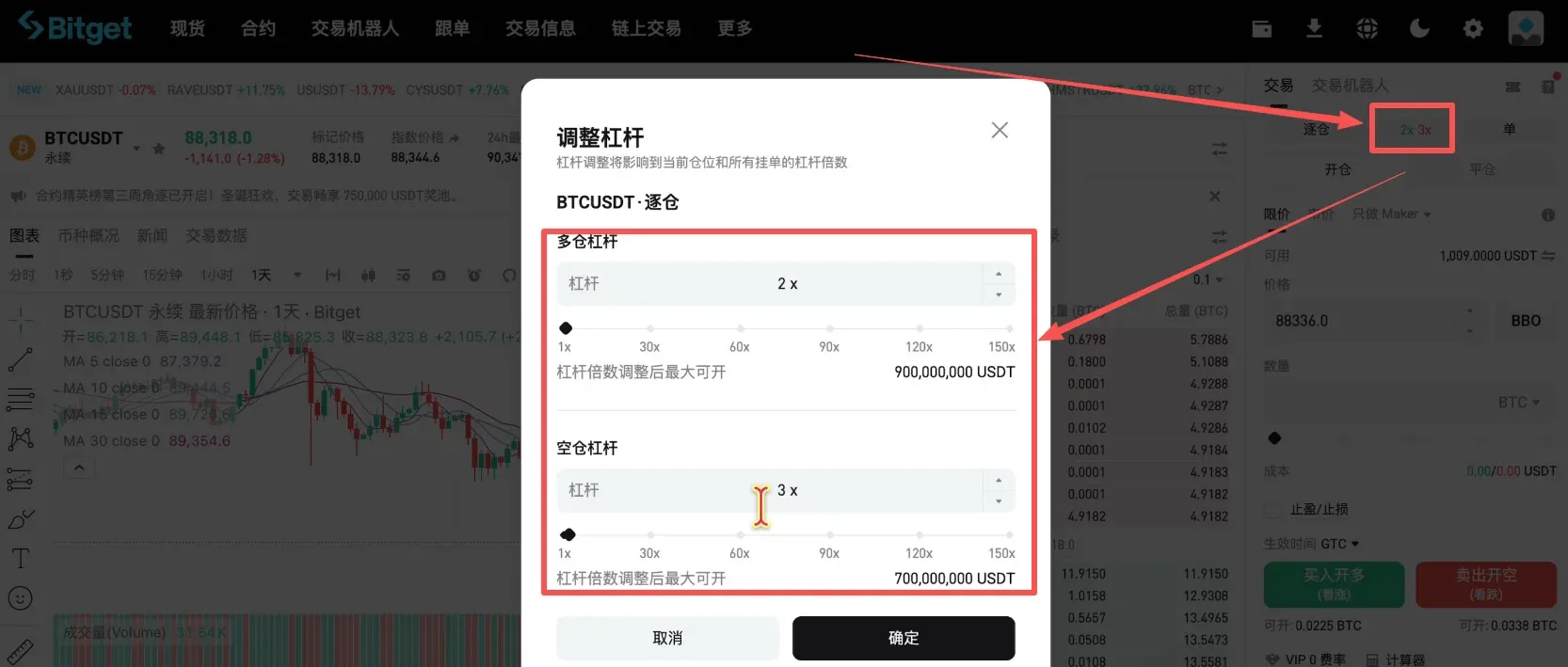
- Choose Isolated Margin (recommended) or Cross Margin; set the leverage (commonly 2‑3×, with a maximum of 150×), and select Long or Short.
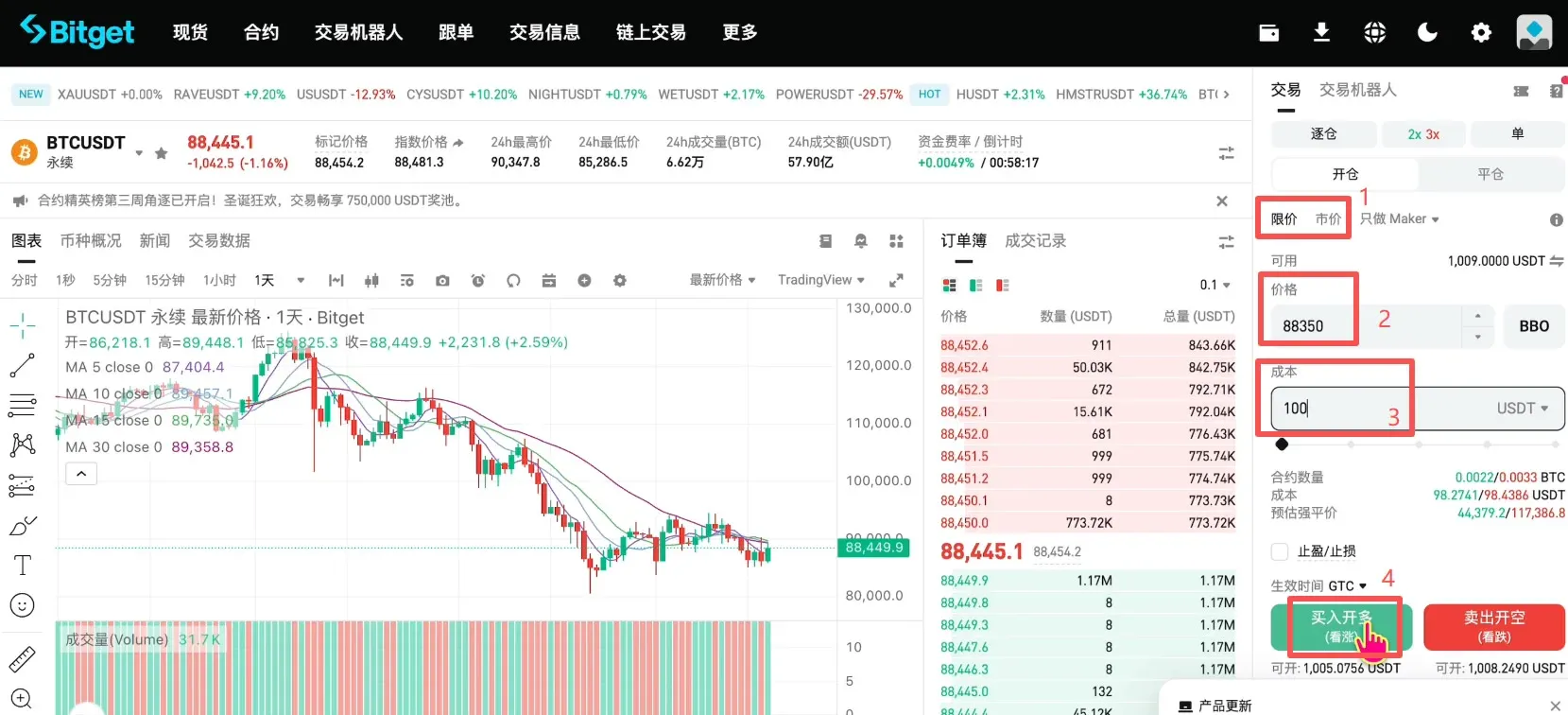
- Choose the order type: Limit (specify a target price) or Market (execute immediately). For example, to go long at a price of 88 350 USDT, input the price and the order amount, then click Buy / Open Long.
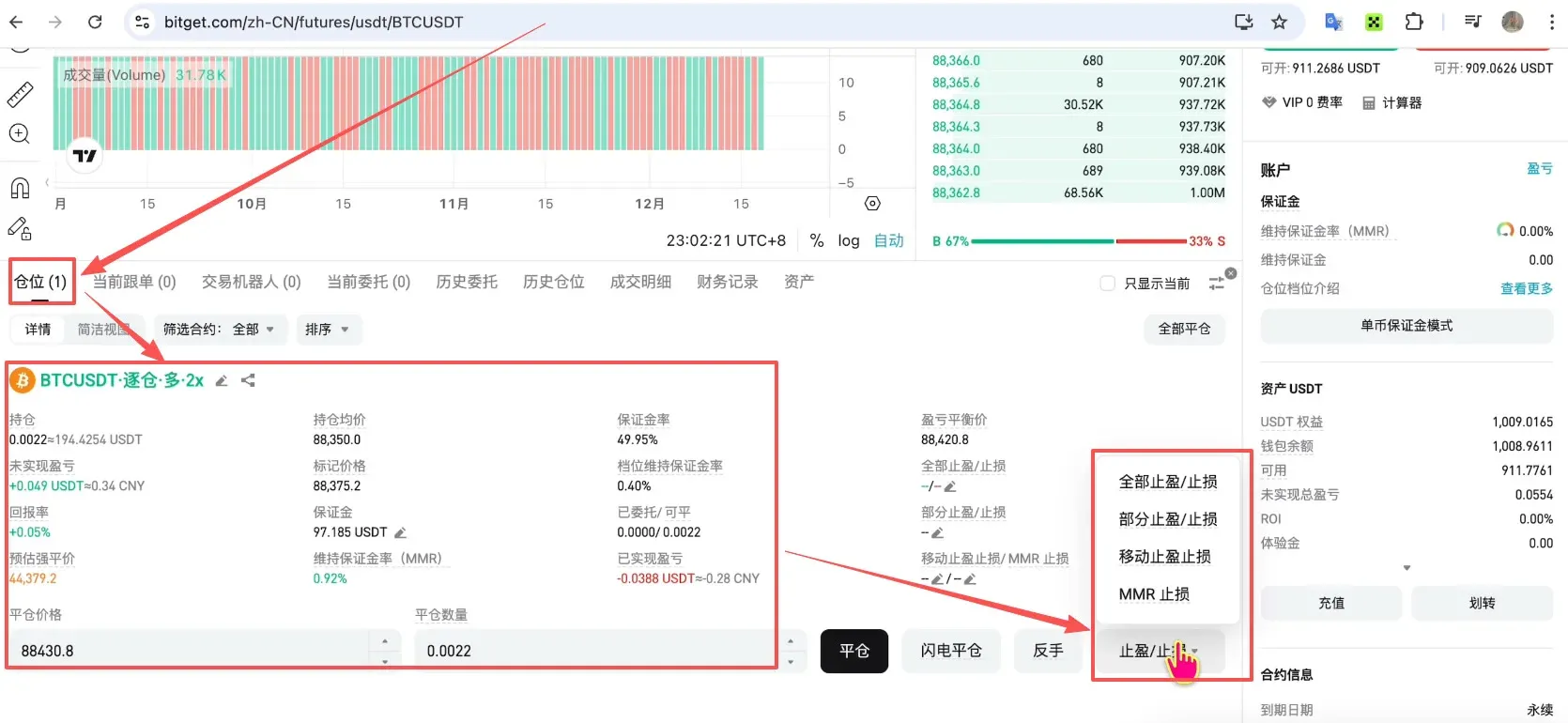
- The Position panel at the bottom displays your open position. Use the Take‑Profit / Stop‑Loss buttons to manage risk.
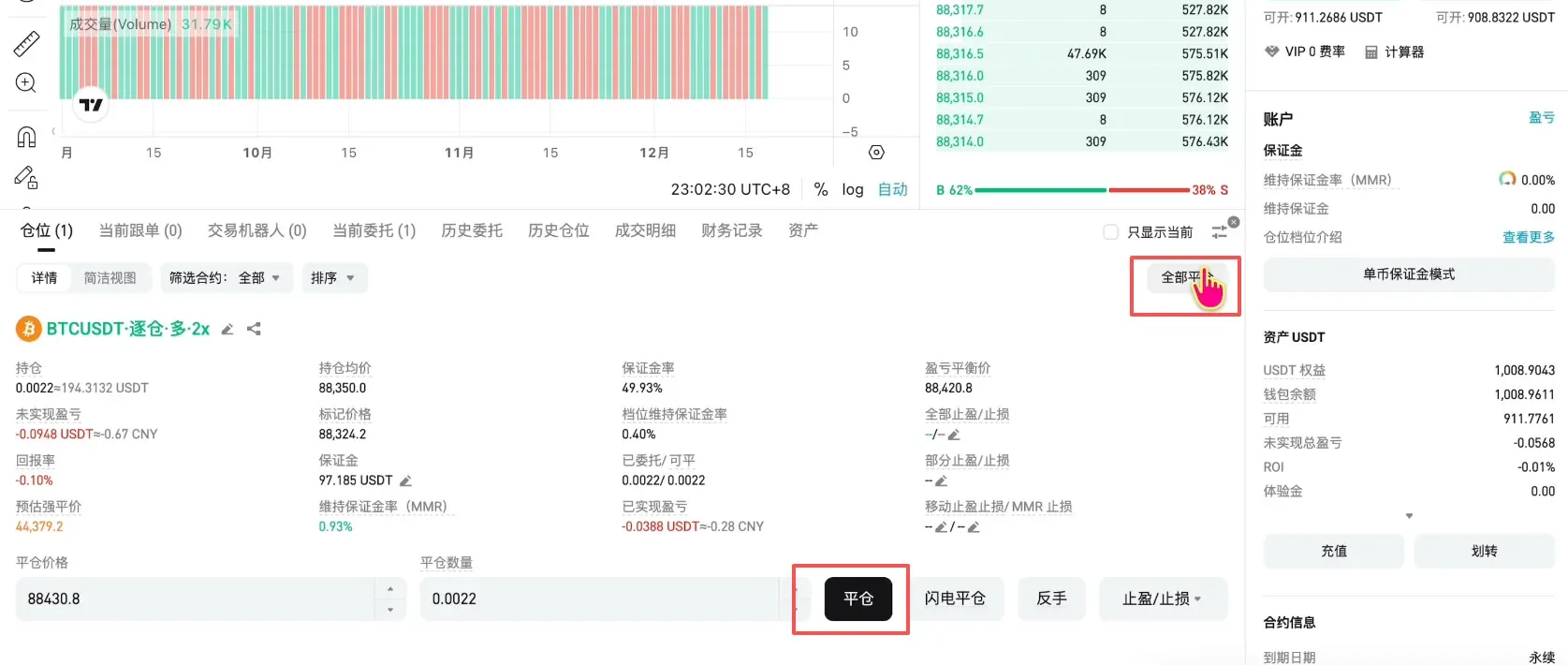
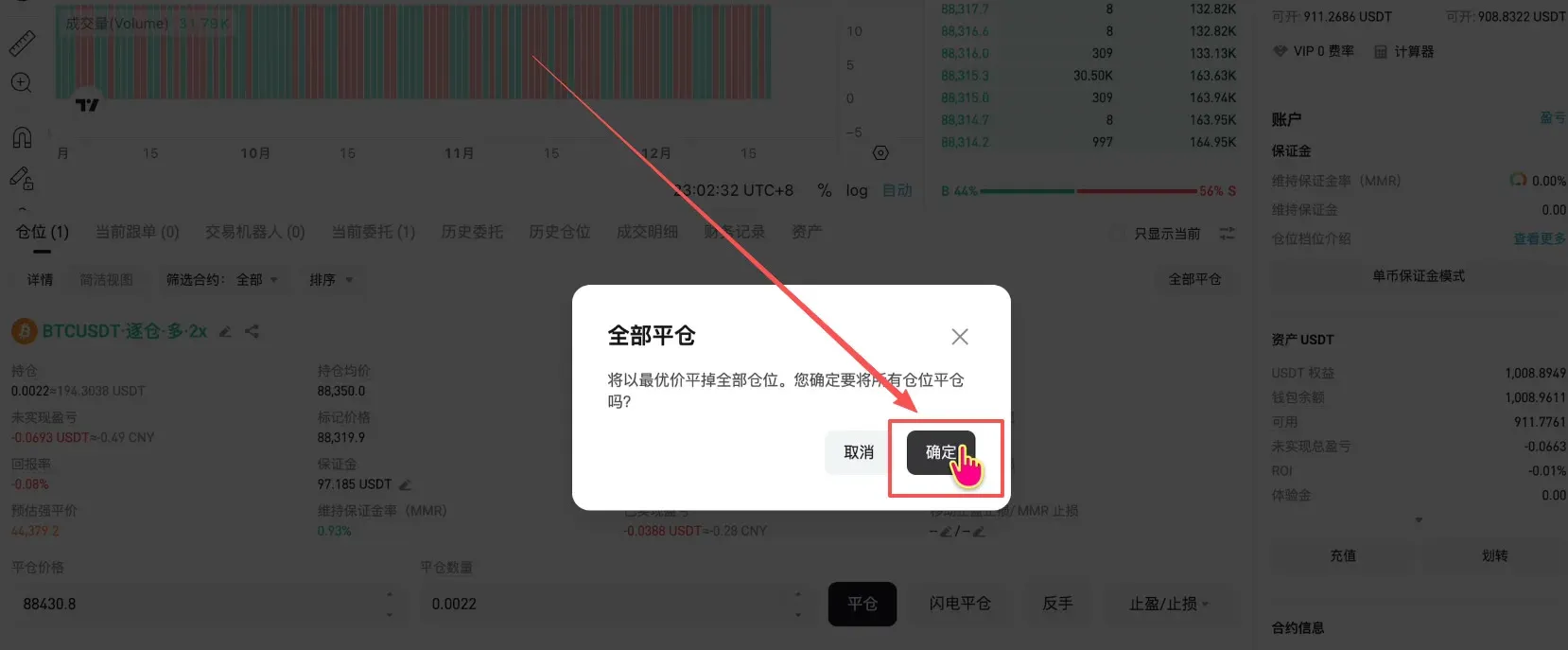
- To close the position, click Close or Close All, confirm, and the order will be executed.
Withdrawing Funds to Another Platform
Bitget does not support direct fiat (e.g., CNY) deposits or withdrawals, so you will need to transfer USDT back to a platform such as OKX for conversion to fiat.
- Go to Wallet → Asset Overview, click Transfer, and move the funds back to the Spot Account. Confirm the full transfer.


