
 Bitaigen Research
 The complete process for a Chinese resident to purchase Bitcoin is: download an exchange app, exchange RMB for USDT (or USDC), swap the stablecoin for Bitcoin, and finally withdraw to a personal Web3 wallet.
Many people ask me how to buy Bitcoin safely, legally, and conveniently while residing in China. This article provides a detailed, step‑by‑step guide covering downloading the exchange app, converting RMB to USDT/USDC, swapping USDT for Bitcoin, and transferring the Bitcoin to a Web3 wallet.
Bitcoin has delivered outstanding performance over the past decade, attracting a large number of investors. However, common risks during purchase and custody include account freezes, theft of funds, counterfeit coins, and exchange insolvency. Understanding these risks and taking appropriate counter‑measures is essential for a safer, smoother acquisition and long‑term holding experience.
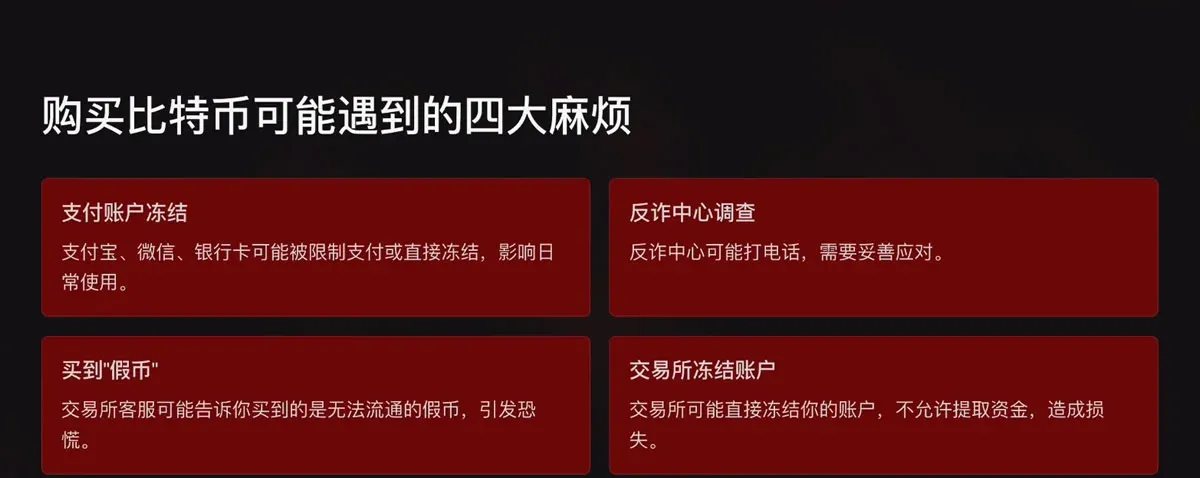
The four major stages of buying Bitcoin
- Download the exchange app
- Convert RMB to a stablecoin (USDT/USDC)
- Swap the stablecoin for Bitcoin
- Withdraw Bitcoin to a personal Web3 wallet
Each stage contains details that can trip up beginners. The sections below expand on each step in turn.
In this tutorial we systematically outline the full workflow for Chinese users—from installing the exchange app, converting fiat to USDT/USDC, turning those stablecoins into Bitcoin, and finally moving the coins to a personal Web3 wallet. By providing meticulous operational instructions and risk warnings, we help newcomers avoid typical pitfalls, improve compliance, and enhance the security of their asset management. The guide is worth a careful read.
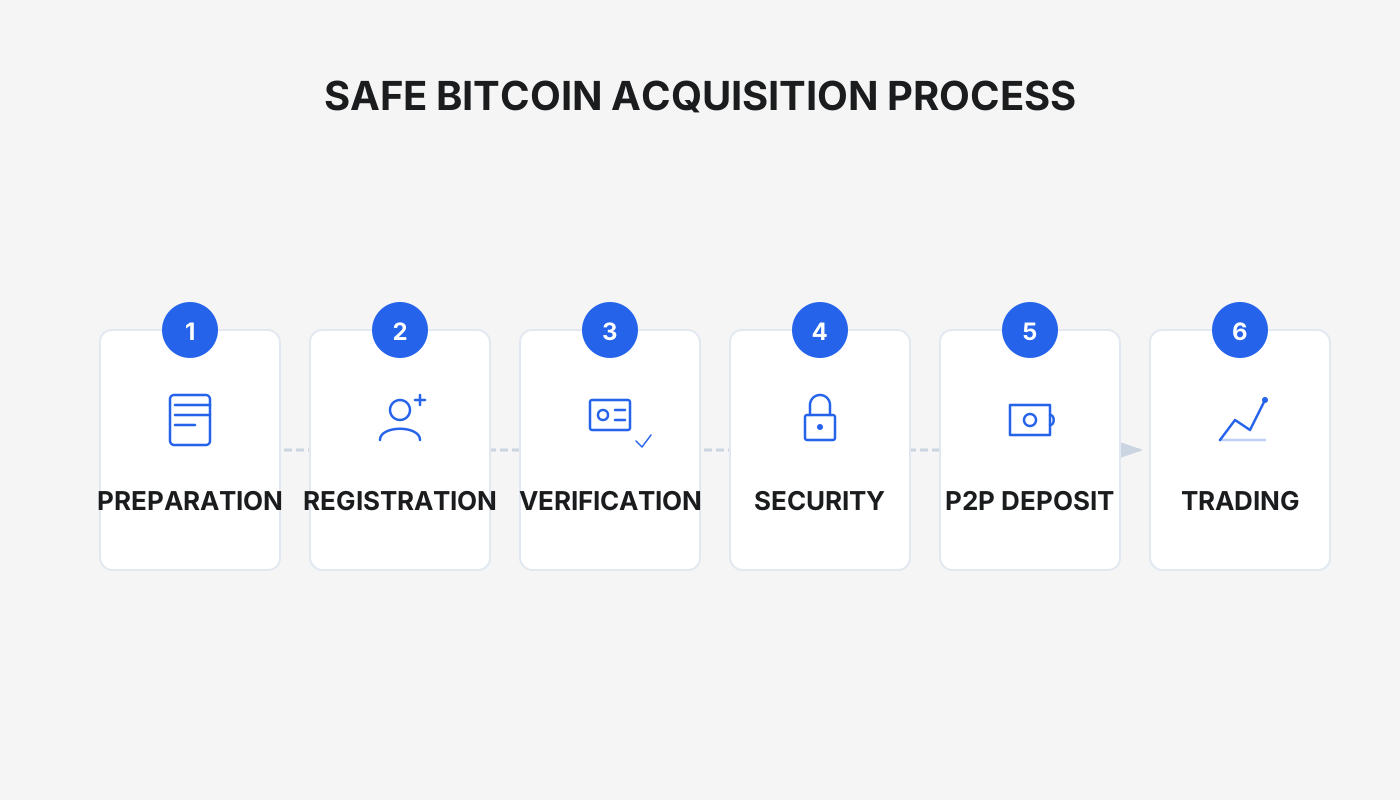
Step 1: Download the exchange app correctly
The main risks at this stage fall into two categories:
- Unable to locate an official download channel, which leads to failed installation.
- Accidentally downloading a counterfeit app, which creates a security vulnerability.
The mainstream exchanges Binance and OKX (formerly OKEx) have their mobile apps blocked on the mainland, so you must obtain them by alternative means:
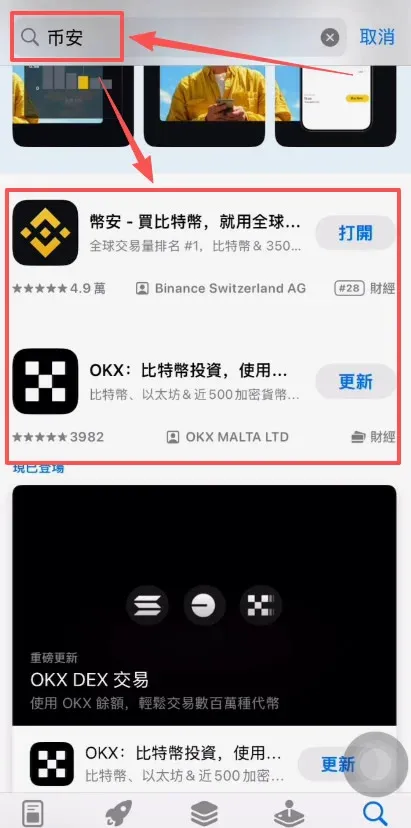
1️⃣ iPhone users
- Register or purchase a Taiwan‑region Apple ID (you can follow the tutorial “How to register an overseas Apple ID for iPhone?”).
- Switch the App Store to that Apple ID, then search for “Binance” or “OKX”.
- Download the official app. Apple’s review process is relatively strict, so counterfeit apps are less common.
2️⃣ Android users
- Prefer Google Play for the official app; if your device does not have Play pre‑installed, you can reach it via a VPN.
- If Play is unavailable, download the official APK directly from the exchange’s website (`binance.com`, `okx.com`).
Friendly reminder: Using the referral links provided below grants a permanent 20 % trading‑fee discount.
- Binance referral link: <https://accounts.binance.com/register?ref=B2345>
- OKX referral link: <https://www.okx.com/zh-hans/join/B2345>
After the download completes, proceed to the registration flow.
3️⃣ Registration demo (using Binance as an example)
- Open the Binance app and tap [Register / Login].
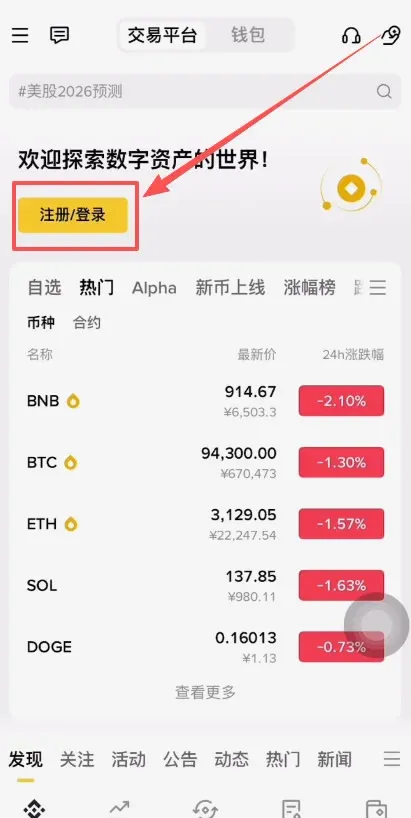
- Choose [Create a Binance Account].
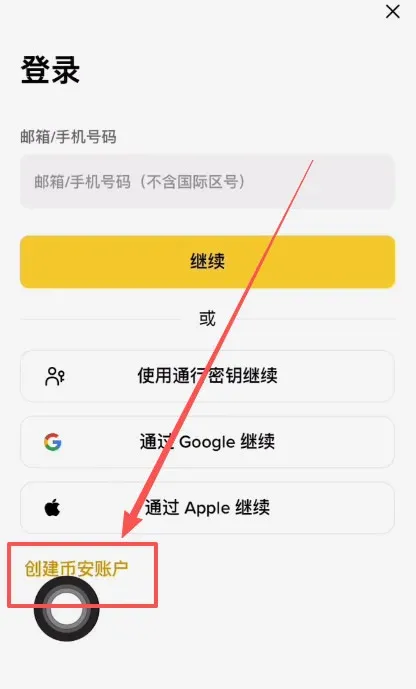
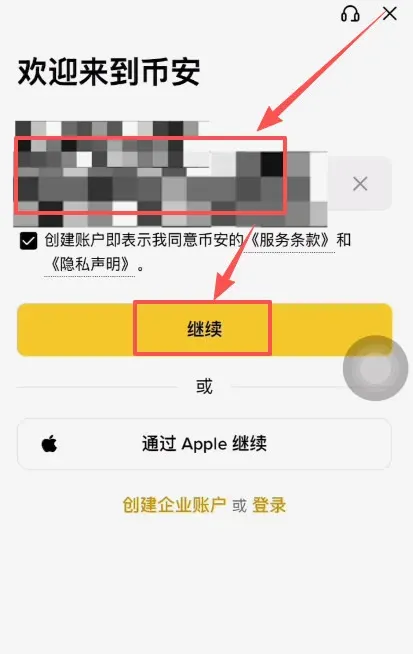
- Enter a +86 phone number or a commonly used email address (e.g., 163, Outlook, Gmail) and tap [Continue].
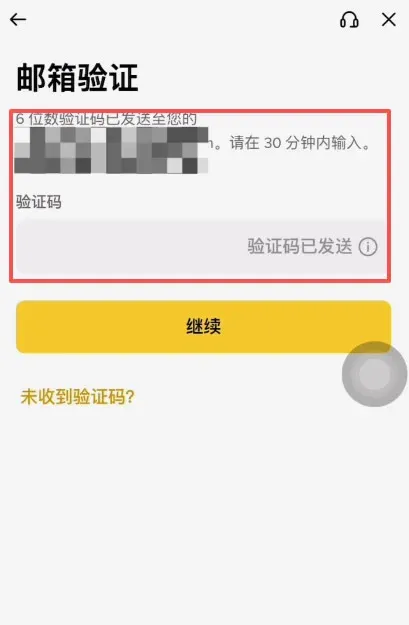
- Input the 6‑digit verification code you receive and complete the verification.
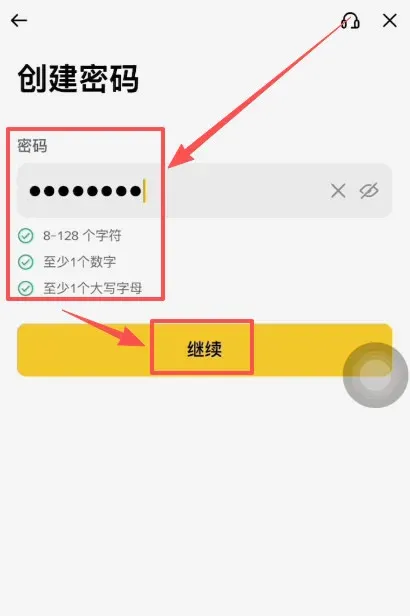
- Set a login password and tap [Continue].
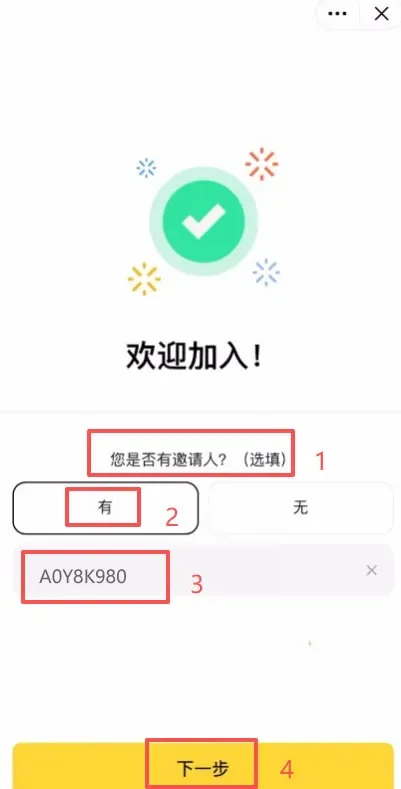
- On the invitation page, enter the referral code `B2345` to enjoy the 20 % fee discount.
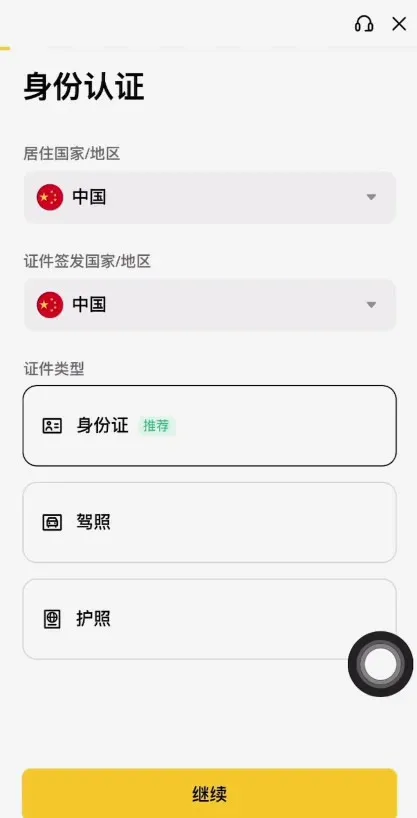
- Complete identity verification (using a national ID card or passport), after which you can start trading.
4️⃣ Key points for OKX registration
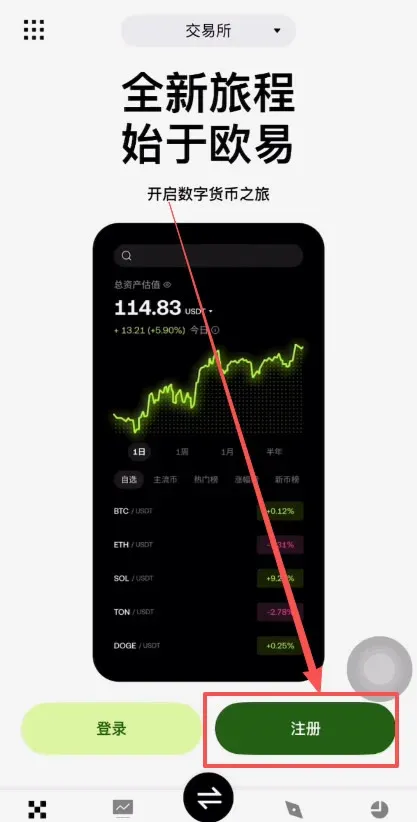
- Visit the OKX website and tap [Register].
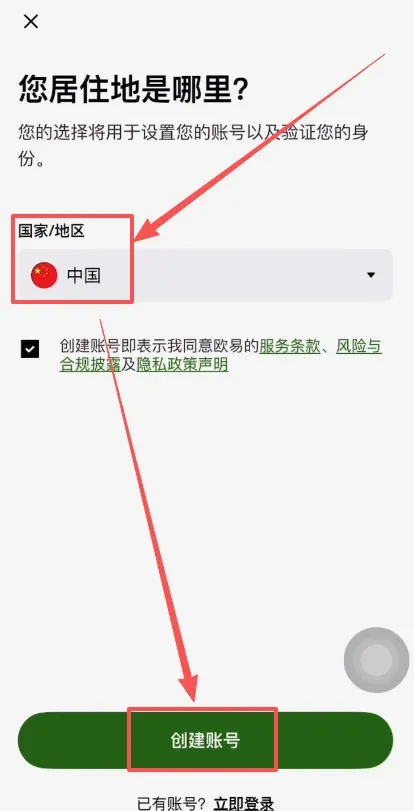
- Select “China” as the country/region and click [Create Account].
- Enter your email address, fill in the referral code `B2345`, confirm, and finish registration.
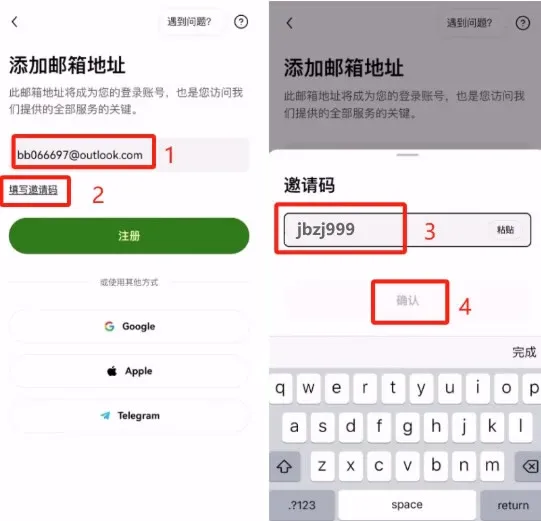
- After successful registration, also complete ID or passport verification.
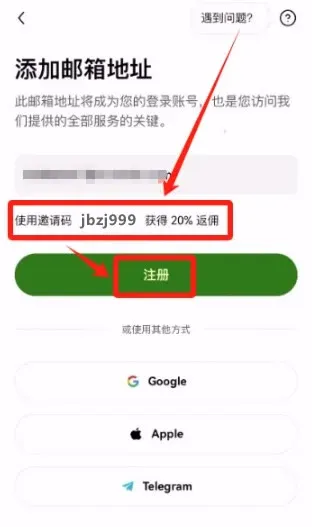
Registration and security tips
- Using your real identification information for KYC (Know‑Your‑Customer) is both legal and required; Chinese citizens holding Bitcoin are not prohibited by law.
- Binance and OKX are leading centralized exchanges with relatively high security standards.
- Never download the app from unofficial sources (such as random links or third‑party installers) to avoid phishing or counterfeit software.
- Treat the exchange merely as a purchasing tool; once you have acquired Bitcoin, withdraw it to your own wallet as soon as possible to avoid keeping assets on the exchange for an extended period.
Step 2: Practical guide to converting RMB to USDT (or USDC) and risk mitigation
The main risks at this stage include:
- Payment functions on your account being restricted or frozen.
- Anti‑fraud hotlines calling to verify the transaction, which can interrupt the trade.
Why purchase a stablecoin first?
- Higher transaction efficiency: USDT/USDC have direct trading pairs with Bitcoin, resulting in fast settlement.
- Minimal price volatility: Stablecoins maintain a near‑one‑to‑one peg with fiat, reducing exchange‑rate risk during the fiat‑to‑crypto conversion.
Operational steps (using Binance C2C as an example)
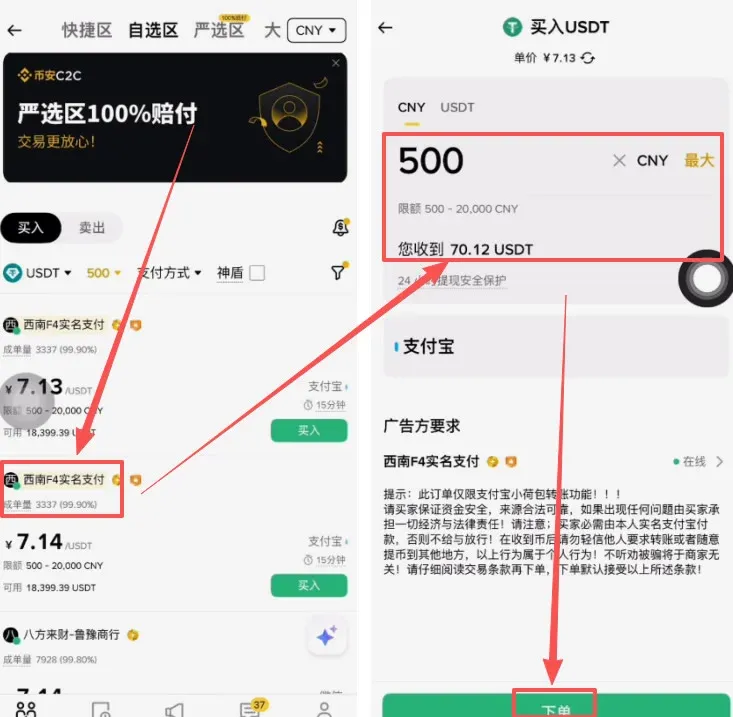
- Open the Binance app, tap the top‑right [Add Funds] → [C2C Trading].
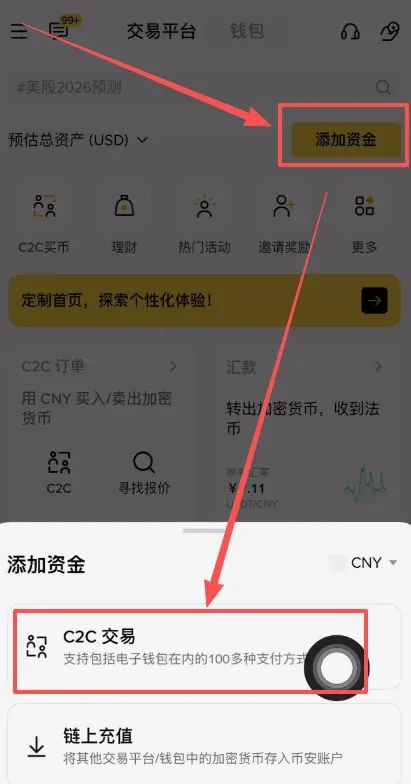
- In the search bar type “USDT”, select Buy, enter the amount of RMB you wish to spend (e.g., 500 RMB), and tap [Confirm].
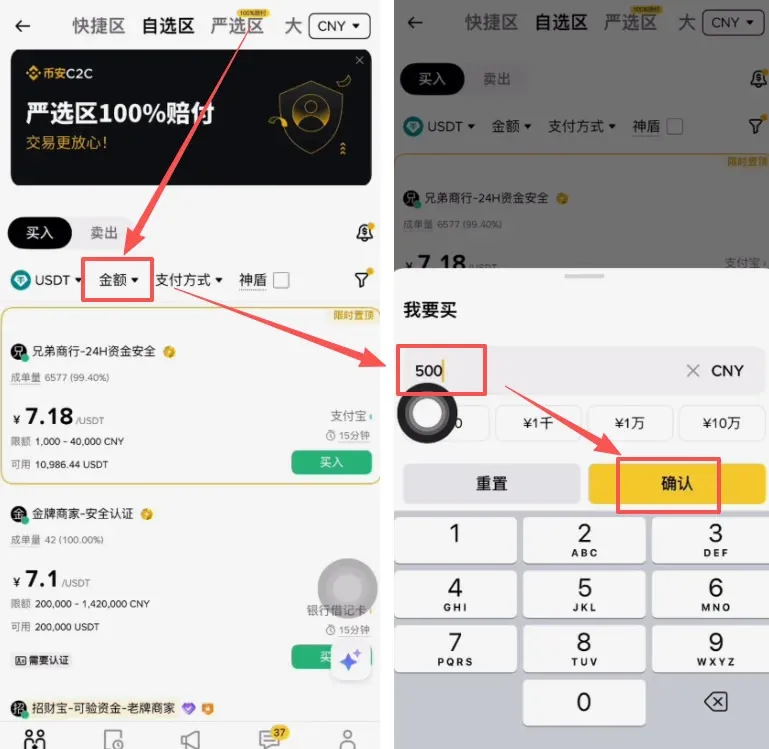
- The system automatically matches you with a seller that meets your criteria; after reviewing the quoted price, click [Place Order].
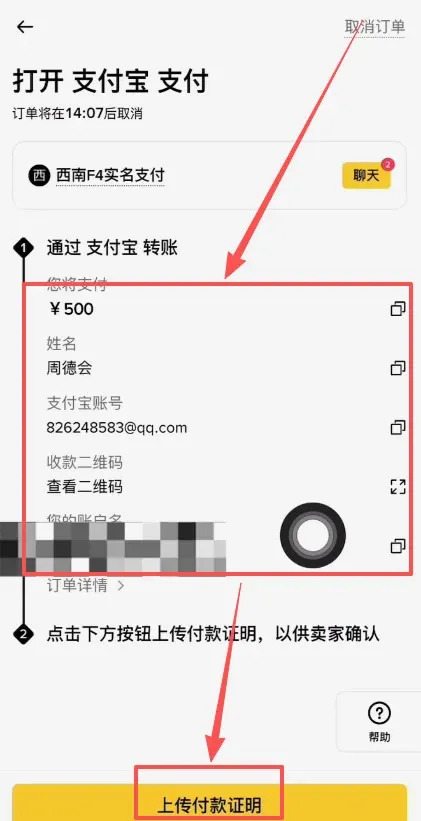
- Transfer the RMB to the seller using the payment method they provide (Alipay, WeChat Pay, or bank transfer), and upload the payment receipt.
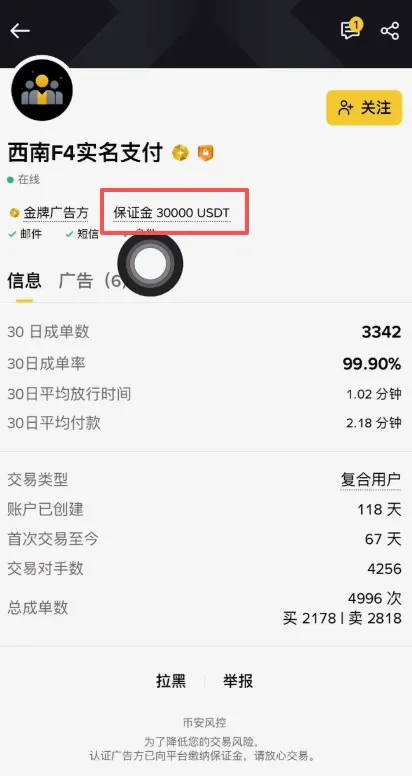
- Once the seller confirms receipt, the USDT will be credited to your Binance account instantly.
Precautions for large‑amount transactions
| Payment method | Suitable amount | Risk points | Mitigation suggestions |
|---|---|---|---|
| **Alipay** | ≤ 10,000 RMB | Repeated large transfers may trigger risk controls | Use a regularly used “small‑account” and keep a history of normal consumption; avoid one‑off massive transfers |
| **WeChat Pay** | Not recommended | If frozen, it can affect everyday payment services | Avoid unless absolutely necessary |
| **Bank card** | ≥ 50,000 RMB | Freeze periods can exceed 30 days and you may receive calls from anti‑fraud centers | Complete identity verification in advance, keep contact channels open, and be ready to explain the source of funds if asked |
Following these recommendations can markedly reduce the likelihood of account limits or freezes.
Step 3: Swap USDT for Bitcoin
- In the Binance app, tap [Transfer] and move USDT from your “Funding Wallet” to your “Spot Trading Wallet”.
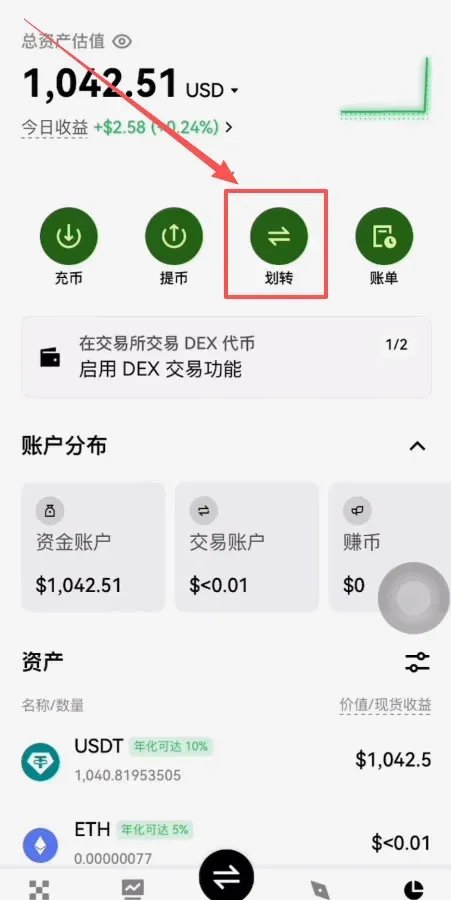
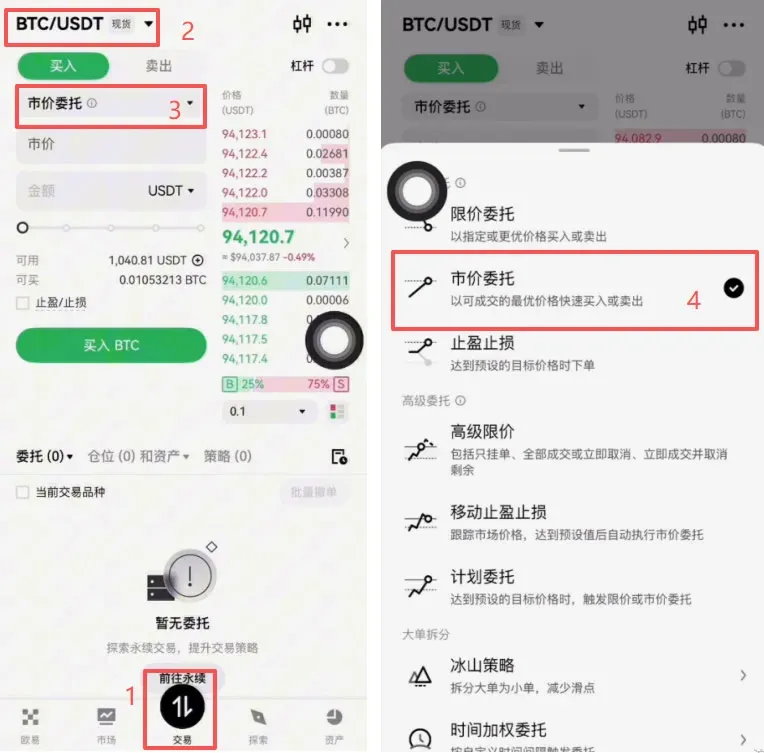
- After confirming the transfer, tap the bottom [Trade] button, then select the BTC/USDT market from the list.
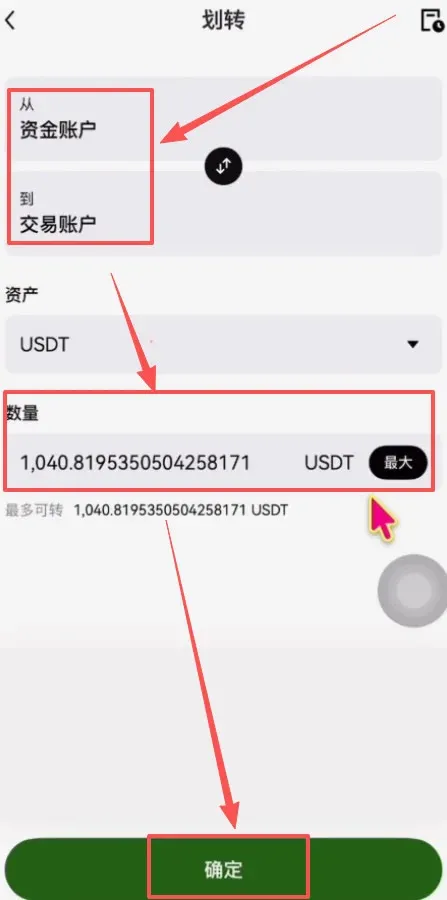
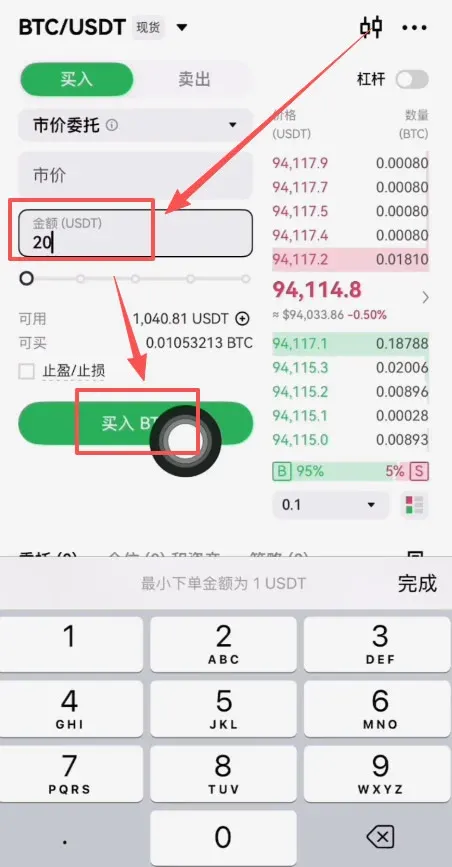
- Choose a Market Order (for instant execution), enter the amount you wish to spend, and tap [Buy BTC].
- Once the trade is filled, your account will display the corresponding amount of Bitcoin.
Step 4: Withdraw the Bitcoin to a personal Web3 wallet
Moving Bitcoin to a self‑controlled Web3 wallet enables decentralized custody and eliminates exchange‑related risks.
Critical considerations
- Mnemonic phrase backup: Store the seed phrase offline, create multiple copies, and keep them in separate secure locations. Losing the phrase means permanent loss of access to the assets.
- Chain selection: When withdrawing, always choose the Bitcoin native chain (BTC). Selecting the wrong network (e.g., an incompatible token bridge) can result in irreversible loss.
Walkthrough (using OKX as an example)
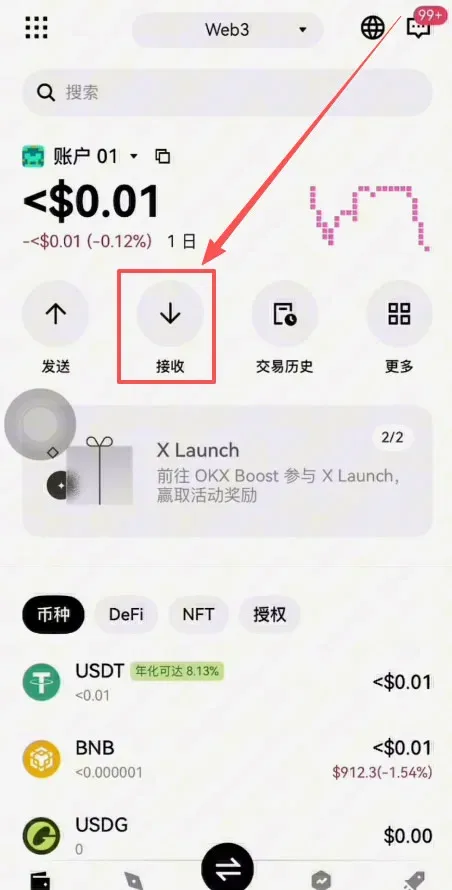
- In the OKX app, switch to the Web3 Wallet page.
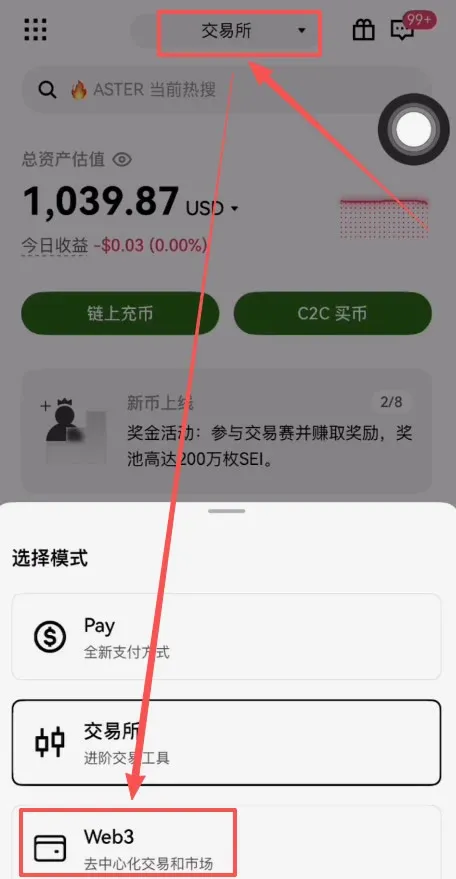
- Tap [Receive], select Bitcoin (BTC), and the app will generate a receiving address that you copy.
→ 


