
 Bitaigen Research
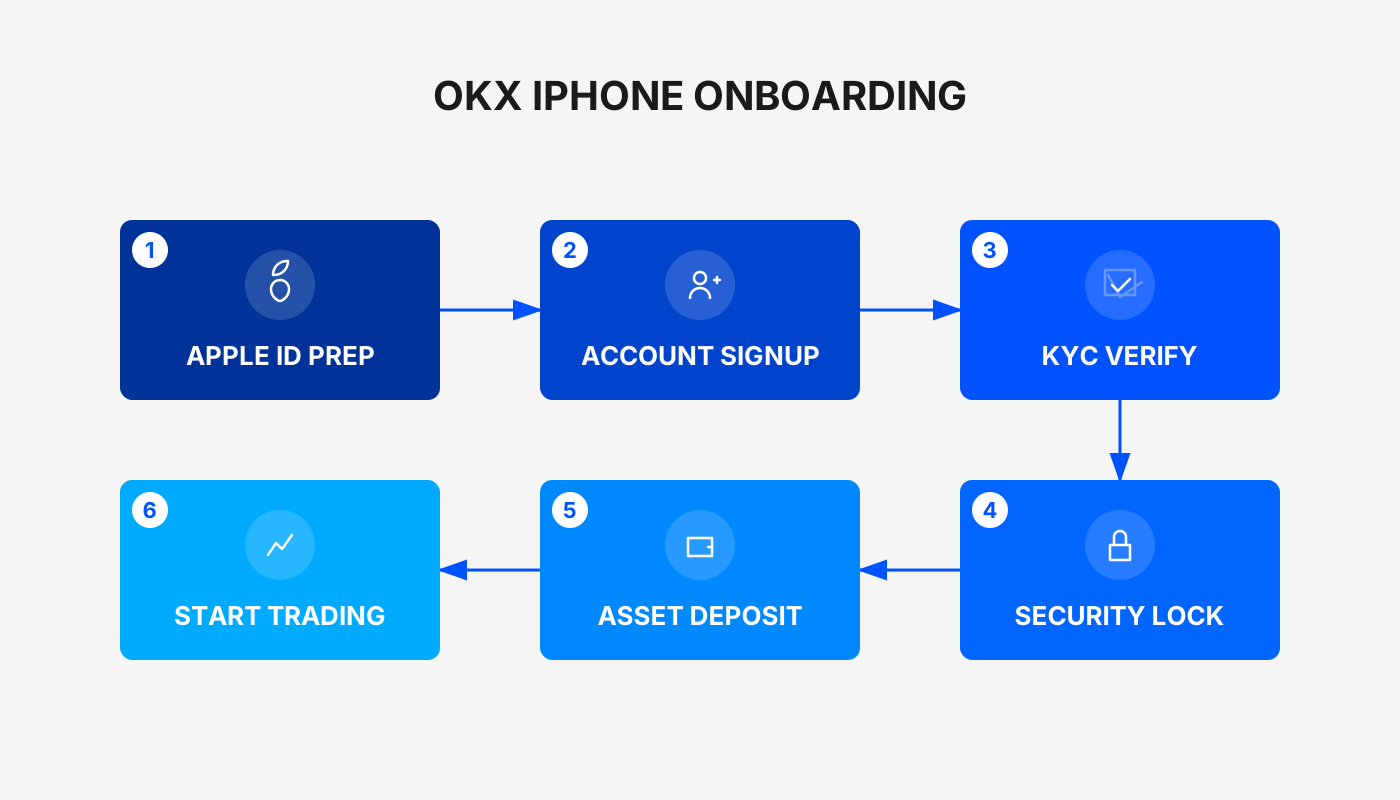
 Downloading the OKX App on an iPhone requires first registering or switching to an Apple ID that supports the region, then searching for “OKX” in the App Store and installing it, or alternatively obtaining it directly via the official website’s QR code.
In this article we break down, step by step, how iPhone users can obtain the OKX App, covering the key points for creating a new Apple ID as well as the complete process of downloading the app from the App Store or by scanning the QR code from the official site. We also provide a brief assessment of OKX exchange’s core functionalities and security characteristics to help you prepare before you start using the platform.
What is the OKX Exchange?
OKX (formerly known as OKEx) was founded by Star Xu in 2017, is registered in Seychelles, and rebranded to its current name in 2022. As one of the world’s top three crypto exchanges, OKX ranks within the top ten on CoinMarketCap’s spot‑market list and second on the derivatives list, offering more than 300 cryptocurrency trading pairs and focusing heavily on contract trading.
- Liquidity: fast order matching and relatively low fees;
- Features: supports Web3 wallets, NFT trading and other one‑stop services;
- Security: asset reserves do not include the platform’s own token, the balance sheet is healthy, multiple jurisdictions’ regulatory licences have been obtained, and a user‑asset protection fund is in place.
Overall security is solid, but large‑value funds should still be managed with personal risk‑control measures.
Basic Exchange Information
| Item | Details |
|---|---|
| Cryptocurrencies listed | 300+ |
| Contract leverage | 1 × to 125 × (e.g., BTC/USDT, ETH/USDT up to 125×) |
| Spot‑market BTC slippage | Market order: 0 %; Limit order: ‑15 bps |
| Futures BTC slippage | Market order: 0 %; Limit order: ‑5 bps |
| Spot‑trade fee (measured) | Market order 0.1 %; Limit order 0.08 % (varies by VIP tier) |
| Futures‑trade fee (measured) | Market order 0.05 %; Limit order 0.02 % (varies by VIP tier) |
| KYC requirement | KYC must be completed to deposit, trade, or withdraw; a phone number must be linked |
| Fiat deposit | Via third‑party settlement providers (fees 3 %‑5 %). Direct TWD deposits are not supported; C2C conversion can be used. **Note:** For global users, deposits are typically made in USD using SEPA or SWIFT channels. U.S. residents must use Binance.US rather than the global Binance platform. |
| Crypto withdrawal fees | BTC 0‑0.00007 BTC; ETH 0‑0.0007 ETH; USDT 0.1‑3.82 USDT; USDC 0‑4.2 USDC |
| Customer support | 24 × 7 live chat, with tiered assistance across functional areas |
*Tax disclaimer: crypto gains may be taxable in your jurisdiction; consult a local tax professional for guidance.*
1. Official App Download Steps on iOS
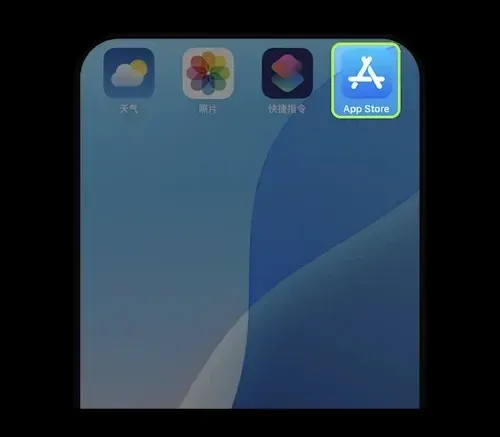
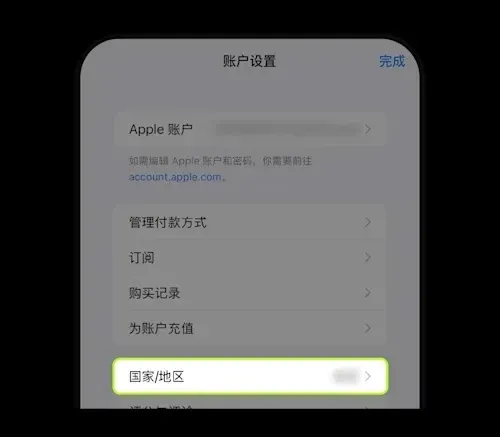
- Open the App Store
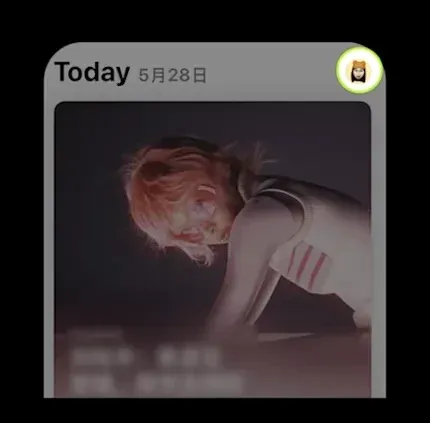
- Tap the personal avatar in the top‑right corner to go to the Apple ID account page
- Enter your profile, locate the Country/Region setting
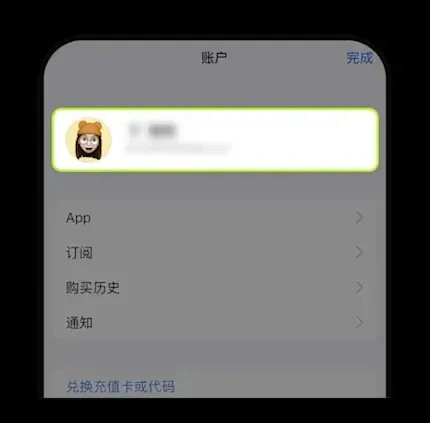
- Select a country/region that supports OKX downloads (refer to the list of supported countries and regions for the OKX App)
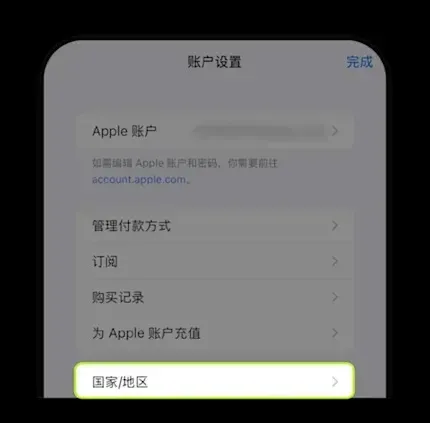
If you do not yet have an Apple ID, continue reading the registration guide below.
2. Registering a New Apple ID
- Visit Apple’s official site: <https://appleid.apple.com/account>
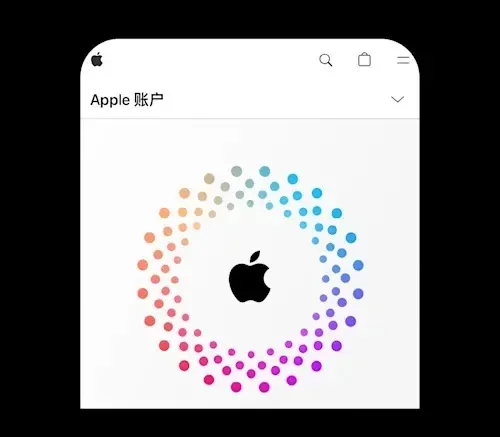
- Click the personal account icon at the top‑right to open the Apple ID dashboard
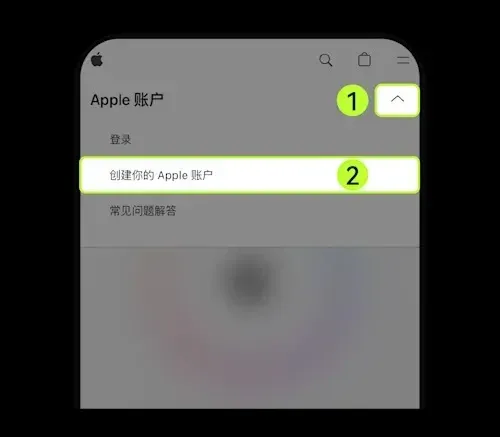
- Choose your country/region (again, consult the supported list)
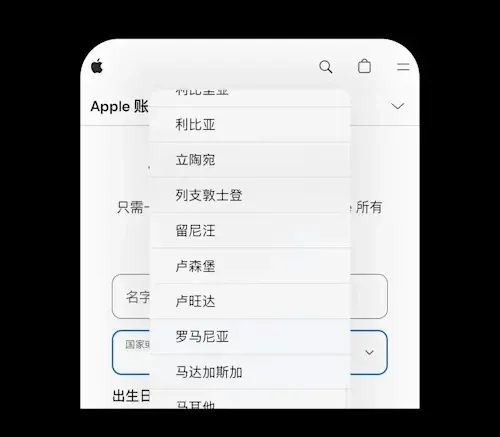
- Enter a email address and a mobile number that can receive verification codes
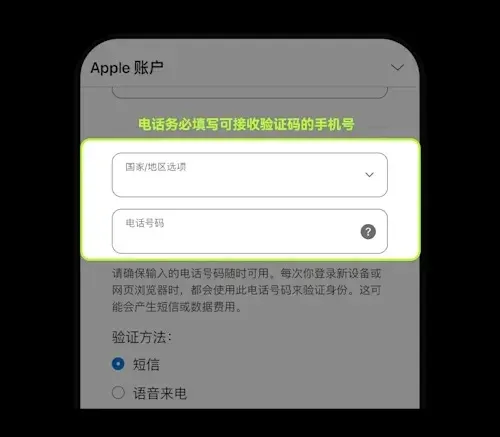
- Input the received code to complete the Apple ID registration
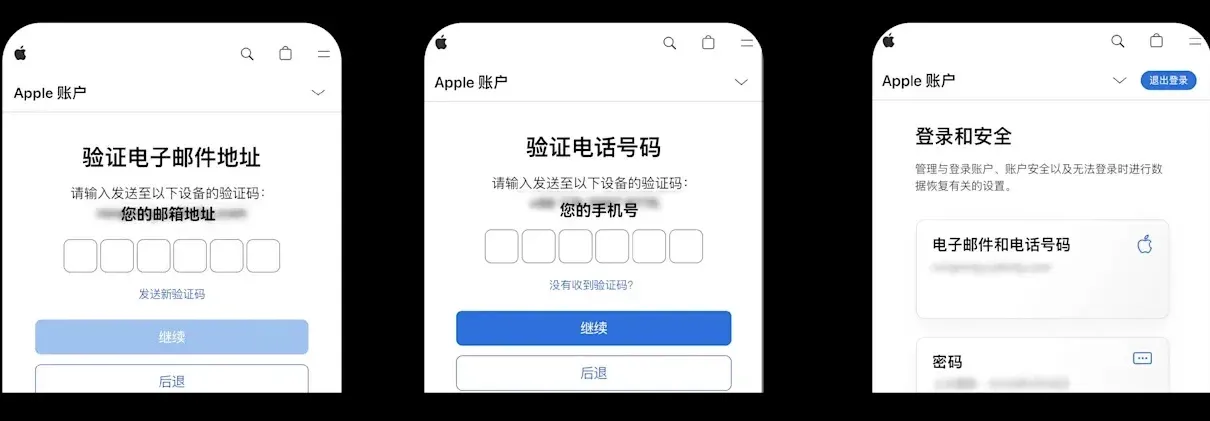
3. Search for and Download OKX in the App Store
- Launch the App Store
- Tap the personal avatar to open the Apple ID page
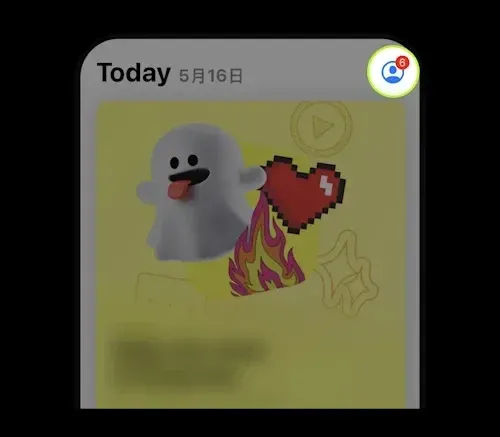
- Go to account settings, locate the Country/Region option and confirm you have switched to a supported region
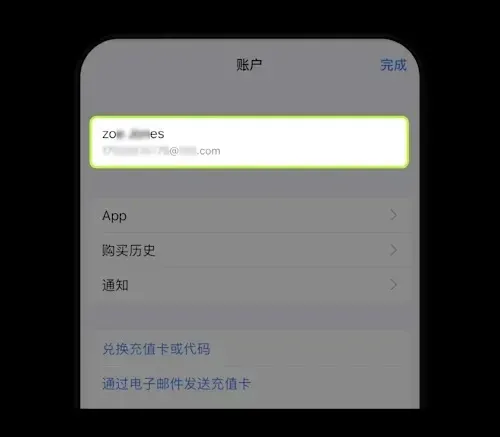
- Type “OKX” into the search bar, locate the application published by the official developer OKX MALTA LTD, and tap Get to download
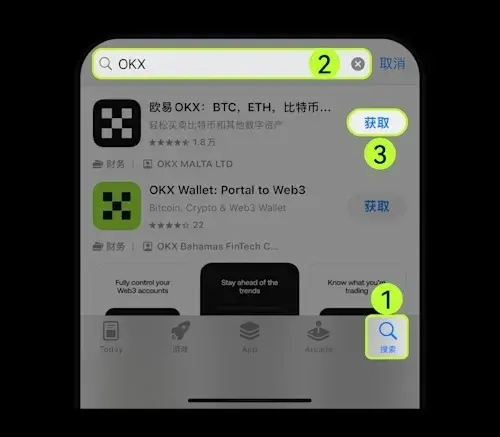
Caution: Impersonating developers exist on the market. Always verify that the developer name is OKX MALTA LTD to avoid installing a counterfeit app that could jeopardize your assets.
Security Tips Before First Use
- Backup your wallet: After creating a wallet, make sure to back up locally or to the cloud before any app update or uninstall. Assets without a backup cannot be recovered.
- Non‑private‑key wallets: Prior to updating or uninstalling, confirm you can log into your exchange account and keep the cloud‑backup password safe.
4. Scan the Official Website’s QR Code to Install
- Visit the official site <https://basebiance.com/okex> and click the download icon.
- Use the phone’s browser (Chrome or the built‑in browser is recommended) to scan the displayed QR code and proceed with the installation.
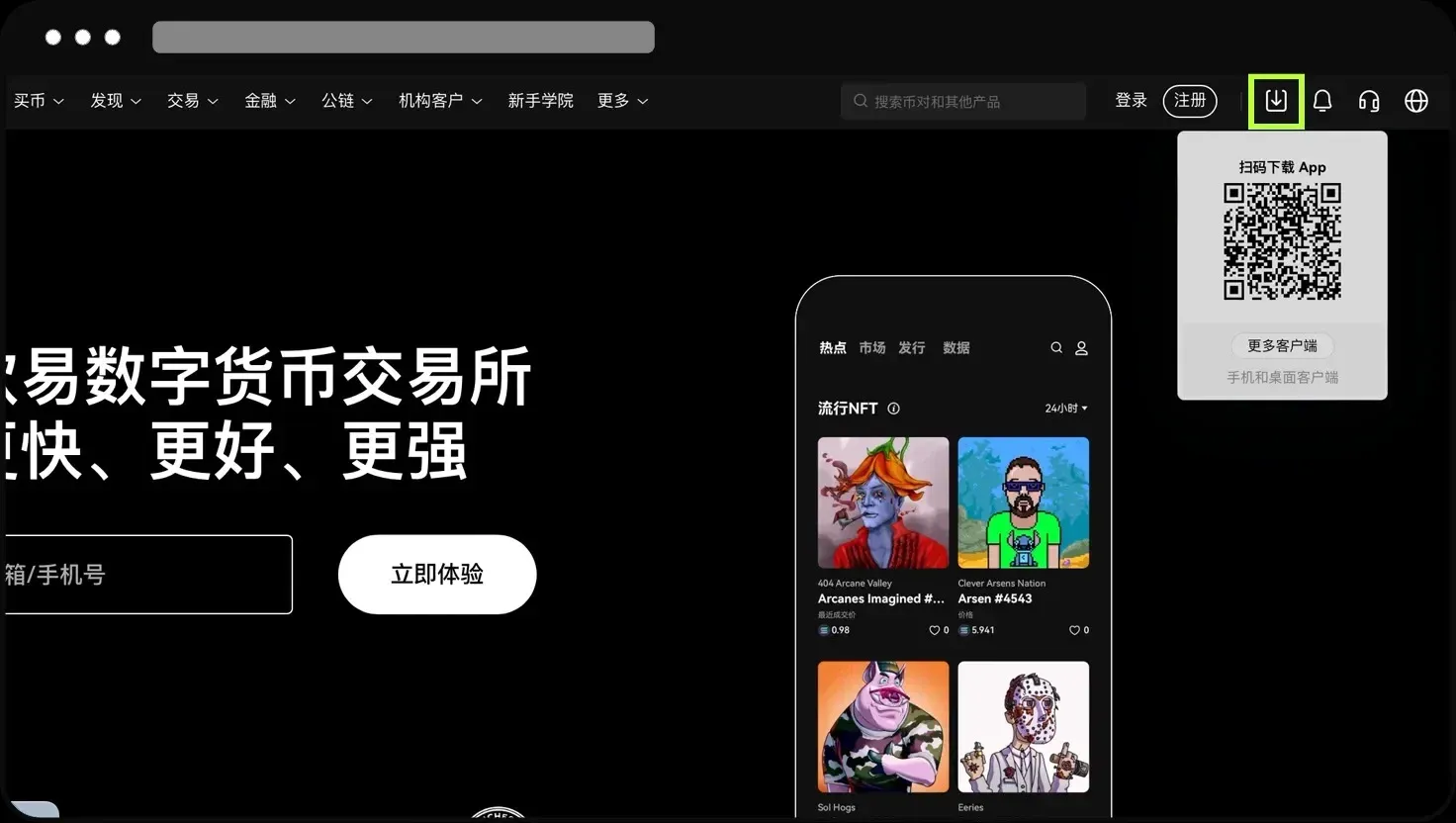
Scanning the QR code with WeChat may lead to an inaccessible page; prefer using a regular web browser for the scan.
Uses of an Overseas Apple ID
- Access region‑locked content: Certain apps, games, or services are only available in specific App Store territories.
- Early access to new services: Features such as Apple Music, Apple News+, Apple TV+ often launch first in select regions.
- Recommended regions for crypto platforms: When downloading trading platforms (e.g., Binance, OKX), it is advisable to use an Apple ID from Taiwan, Hong Kong, or the United States. Taiwan offers Traditional Chinese UI, which provides a smoother user experience.
Precautions When Using an Overseas Apple ID
- Do not share the account: Registering the ID yourself reduces the risk of privacy leaks, account bans, or device lockouts.
- Login method: It is recommended to sign in directly within the App Store using the overseas Apple ID, avoiding system‑wide switches that could cause anomalies.
- Registration tricks: If region verification fails, you can first register with a domestic Apple ID and later change the country/region in account settings (you will need a local network connection or phone number). Enterprise users might consider an account tied to an overseas mobile number.
Materials Needed for Registration
- Email address: QQ, 163, Gmail, 189, etc., are all acceptable; if an error occurs you can switch to another email and retry.
- Mobile number: Used for SMS verification; a single phone number can be used to create multiple Apple IDs.
- Virtual address: Online generators such as shenfendaquan.com or meiguodizhi.com can provide a fabricated address to satisfy regional identity requirements.
That concludes the complete illustrated guide on how to download the OKX App on an iPhone and how to register a new Apple ID. For additional OKX‑related tutorials, please search the archives of Bitaigen (比特根) or continue browsing the related articles below. Thank you for supporting Bitaigen (比特根)!
Related Reading
💡 Register on Binance with referral code B2345 for the maximum trading fee discount. See Binance complete guide.



