
 Bitaigen Research
 On the Chinese‑market iPhone, you can install the official Binance app by registering a Taiwan Apple ID, using the enterprise‑signed version offered on the Binance website, or by accessing TestFlight, among other methods.

In this article we have compiled several safe and reliable installation options for users of the Chinese‑market iPhone, including a Taiwan Apple ID, an enterprise‑signed build, and TestFlight. Each step is demonstrated with practical screenshots so you can start trading quickly. Continue reading for the full procedural details.
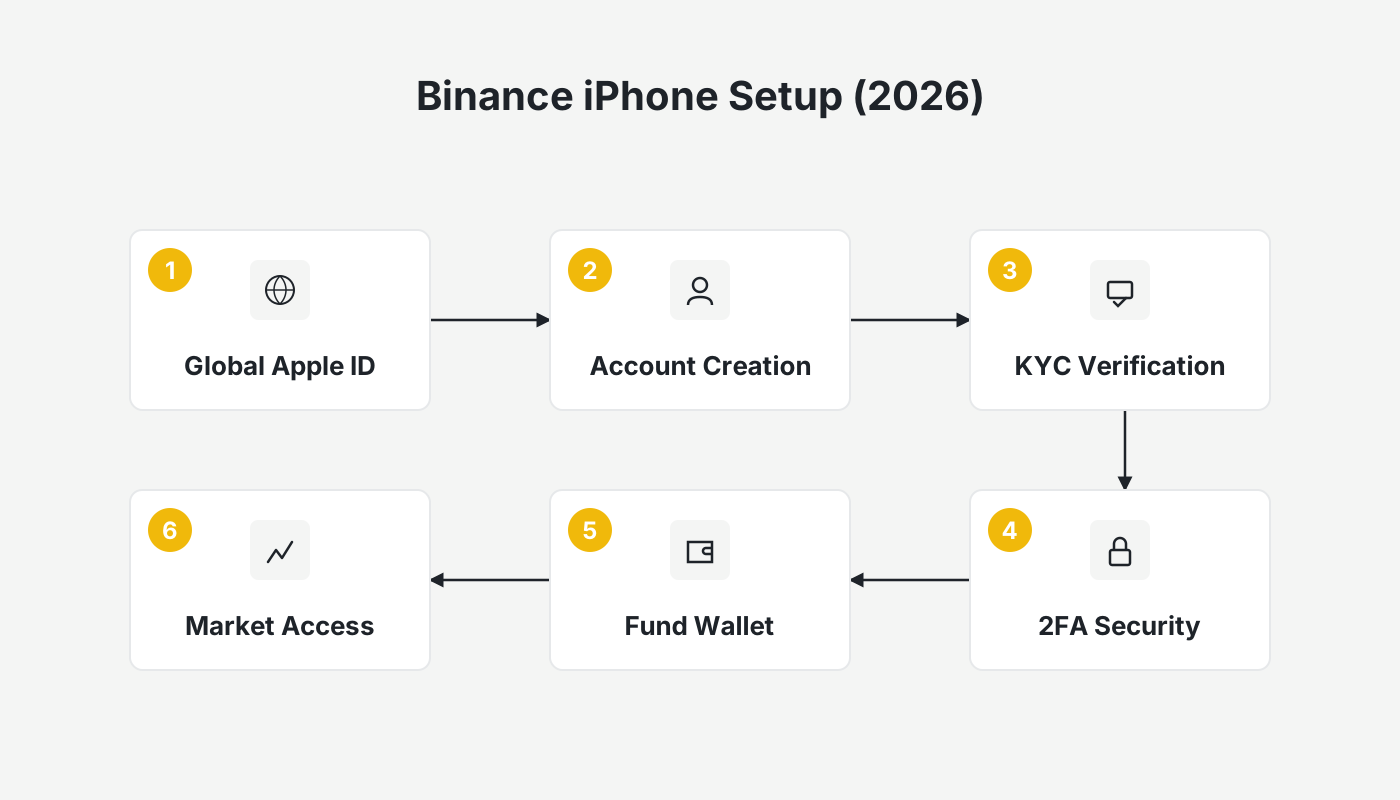
Binance Official Website
- Binance referral code: B2345
- Binance exchange official website
- Binance app download page
- How to download Binance on iPhone in Mainland China? Binance download, registration, deposit/withdrawal, buying and selling tutorials
Method 1: Download via a Taiwan Apple ID (recommended for Mainland users)
Because the Binance app is not visible in the App Store of several countries and regions, using a Taiwan‑region Apple ID is currently the most stable workaround.
Brief Steps
- Create a Taiwan Apple ID
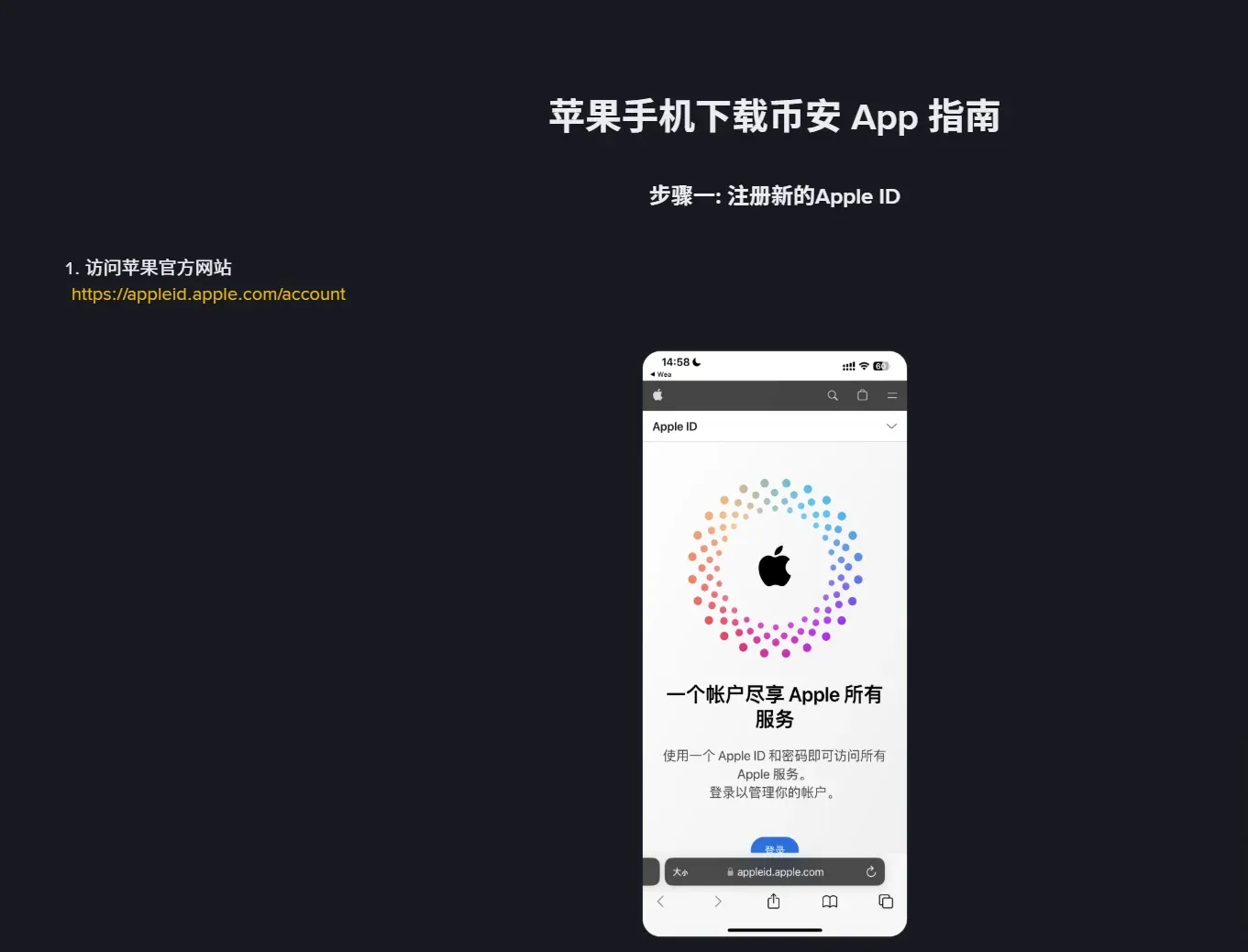
- Visit Apple’s official site and start a new account.
- Choose “Taiwan” as the region, and select “None” for the payment method.
- Fill in an address that resembles a typical address in Xinyi District, Taipei, or any other well‑known Taiwanese locality.
- Verify the email address and phone number, then complete the registration.
- Switch to the Taiwan ID
- Sign out of the Apple ID that is currently logged in on your iPhone, then log in with the newly created Taiwan ID.
- Accept the Taiwan‑region terms of service when prompted.
- Download the Binance app
- Open the App Store, search for “Binance”.
- Tap Get, enter the Apple ID password, and the download will proceed.
Tip: When using a Taiwan ID, it is advisable to turn off Location Services to prevent the system from automatically switching you back to the original regional store.
Detailed Process
Why an overseas Apple ID can be useful
The App Store tailors its catalogue based on the user’s selected region. By creating an overseas Apple ID you gain access to stores that host region‑restricted applications such as Binance, OKX, and other crypto‑exchange platforms.
Points to keep in mind when using an overseas ID
- Do not share the ID: Registering the account yourself reduces the risk of privacy leaks, account bans, or device lock‑outs.
- Login method: It is recommended to sign in directly inside the App Store rather than via the generic “Settings” menu, which can sometimes trigger security flags.
- Verification hurdles: If you encounter difficulties completing regional verification, you can first register with a domestic account and later edit the personal information to a Taiwanese address.
Materials required for registration
| Item | Description |
|---|---|
| QQ, 163, Gmail, Outlook, etc. – if an error occurs, try a different mailbox. | |
| Phone number | A normal mobile number can receive SMS verification; the same number can be used to create multiple Apple IDs. |
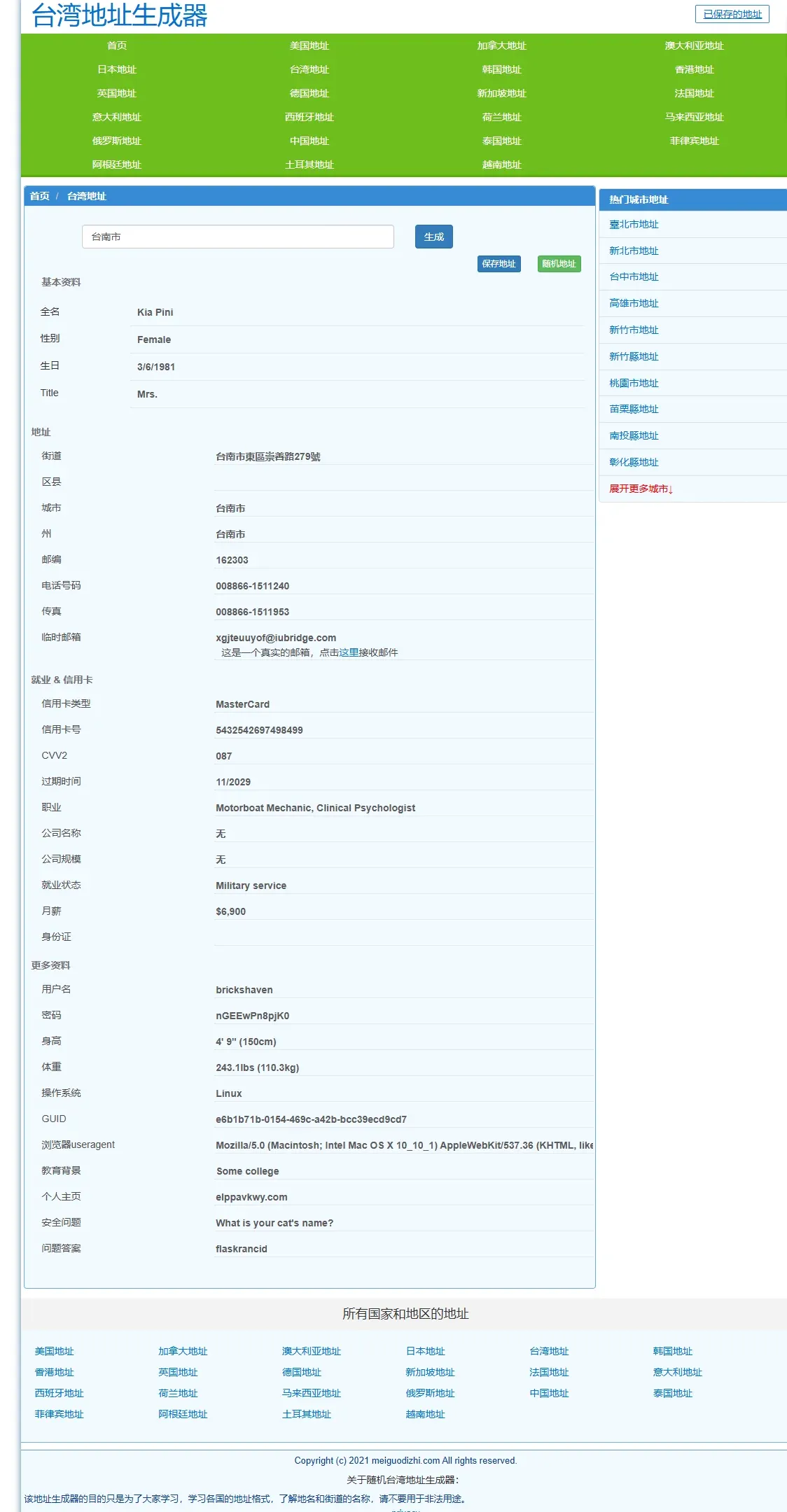
| Virtual address | Use an online generator to obtain a Taiwanese address, e.g., [Address Generator 1](https://shenfendaquan.com/) or [Address Generator 2](https://www.meiguodizhi.com/). |
Registration steps (illustrated)
- Visit a virtual address generator, choose “Taiwan address”, and type “Tainan City” to generate a sample address.
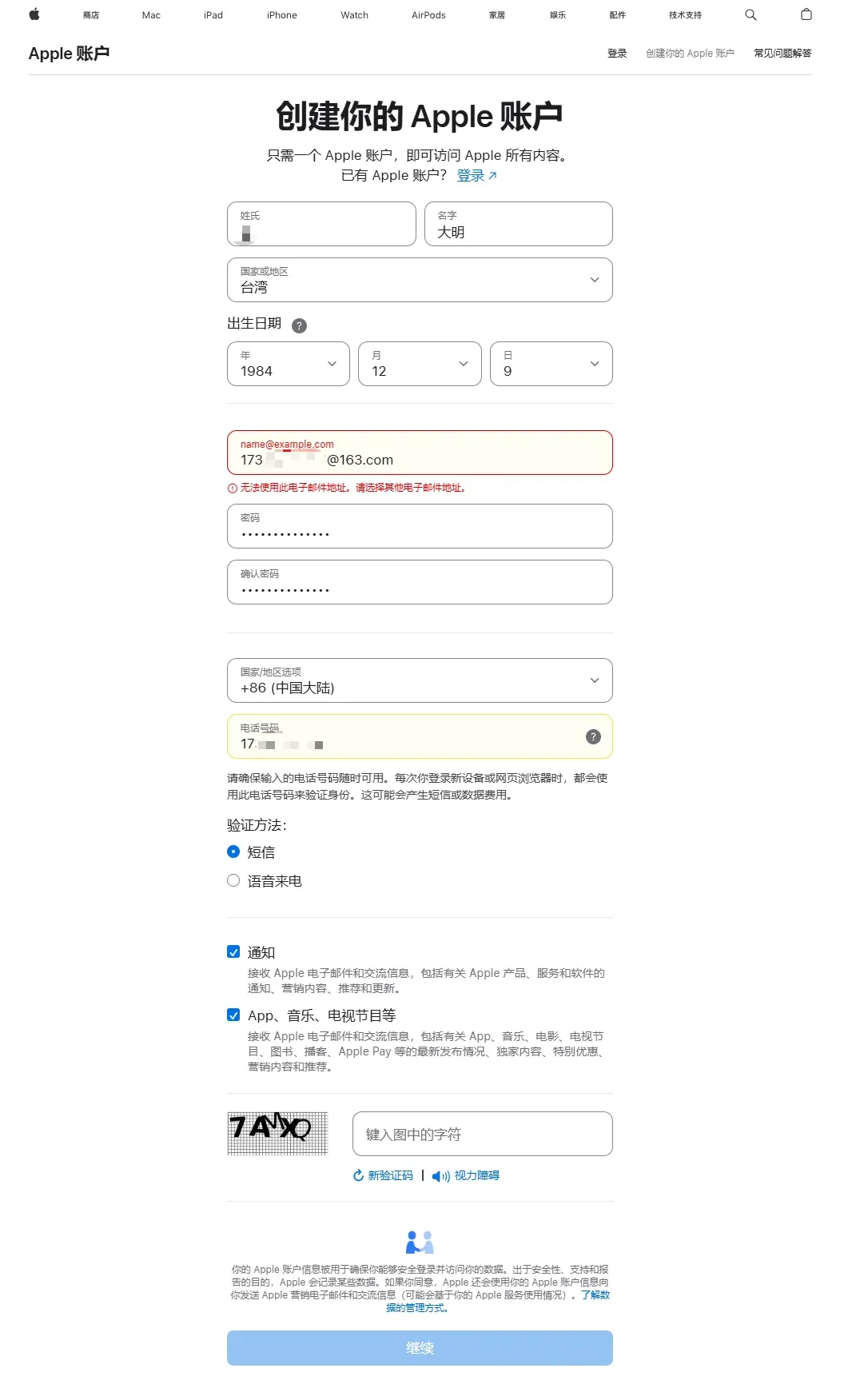
- Go to the Apple account portal and click Create your Apple ID, then fill in the following fields:
- Name: any name you prefer
- Country/Region: Taiwan
- Birthdate: must be of legal age
- Email: a real address that can receive verification codes
- Password: choose a strong password and remember it
- Country/Region (payment info): Mainland China (this does not affect later steps)
- Phone number: you may use a domestic number and select SMS verification
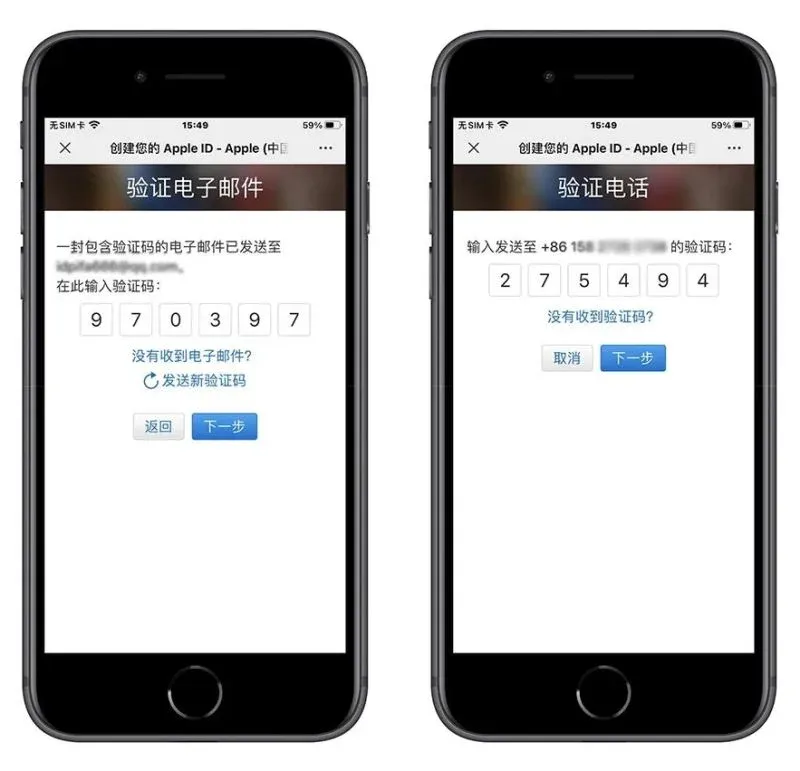
- Enter the email verification code and the SMS verification code, then finish the registration.
- On the iPhone, open the App Store and log in with the newly created Taiwan Apple ID.
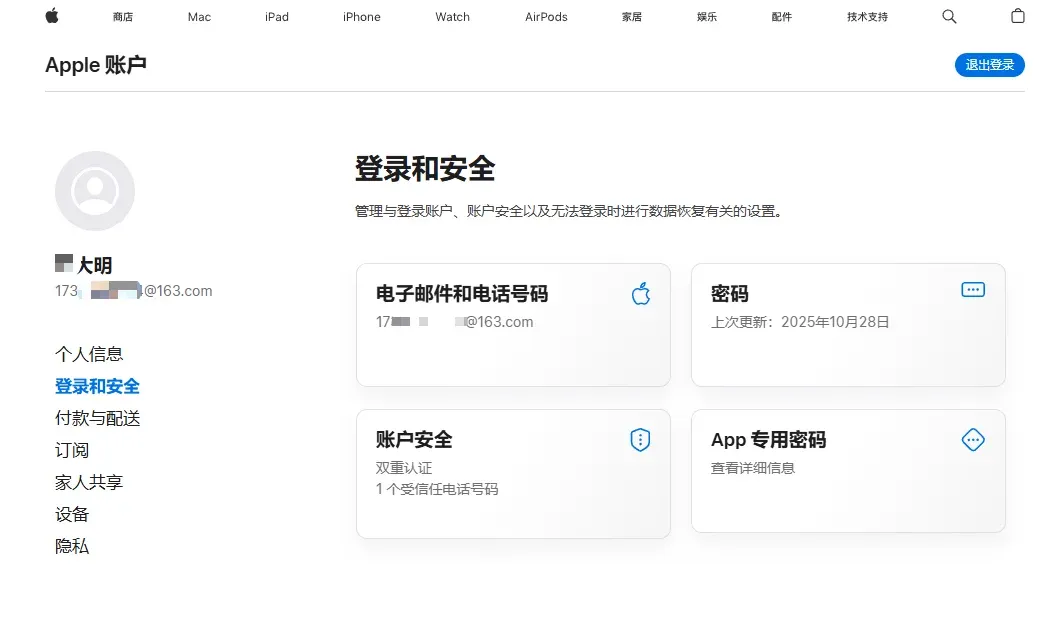
- Sign out of the original account (tap the avatar at the top‑right → scroll to the bottom → Sign Out), then sign in with the new account. The system will display the message “This Apple ID has not been used with iTunes Store yet”; tap Check to proceed.
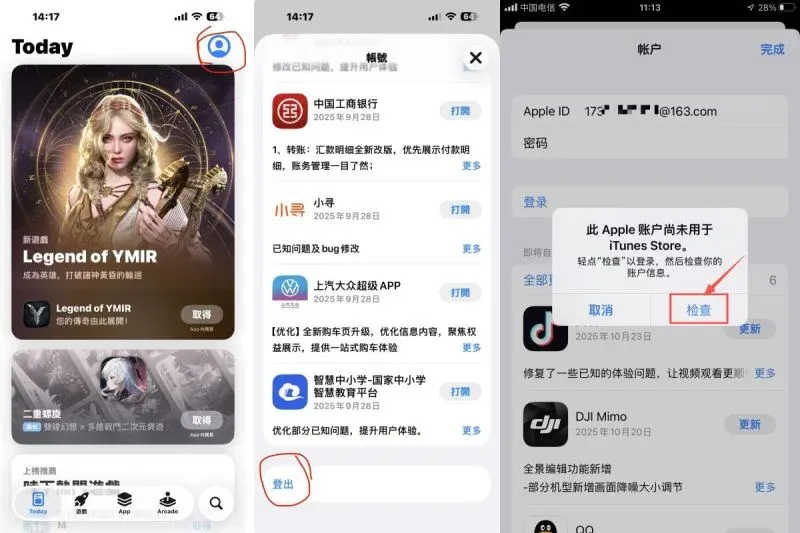
- After accepting the terms, you will be taken to the Create Apple ID page where you must input the virtual address (street, city/county, postal code, telephone). Complete the fields and continue.
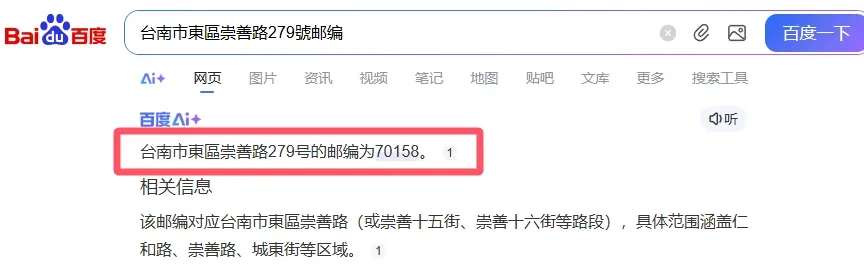
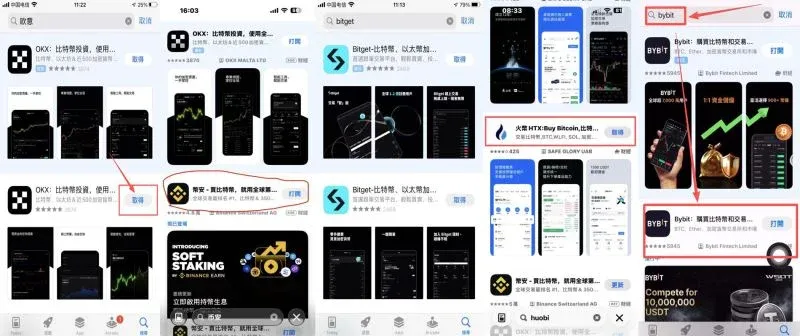
- Once all steps are finished, you can search the App Store for Binance, OKX, Huobi, Gate.io, Bitget, Bybit, and other official exchange apps, then download them.
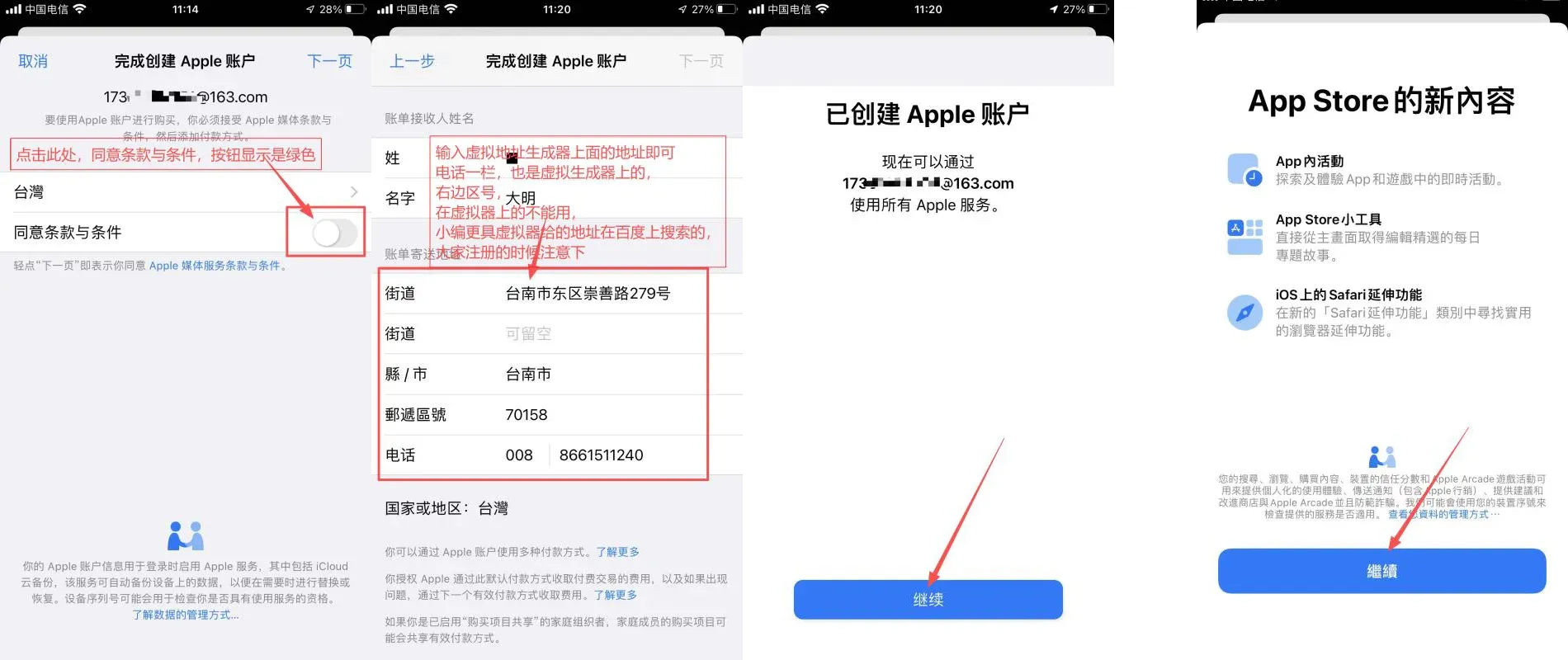
- After the download, you will be prompted for the Apple ID password again to verify the installation.
Setting billing information in the App Store
- Choose None as the payment method (if this option is unavailable, simply skip the step).
- Enter the prepared Taiwanese address; you may use a realistic street name but do not need to provide a genuine recipient name.
Common reasons for failure when creating a Taiwan Apple ID
| Issue | Possible cause | Remedy |
|---|---|---|
| “Unable to create your account at this time” | Too many attempts, unusual IP, or an email already in use | Switch to a different email, change network (e.g., use a mobile hotspot), or try on another device |
| No “None” payment option | Not connected to a Taiwanese network | Activate a VPN to Taiwan first, then re‑enter the form |
| Verification code not received | Email filtered or phone number has reached its registration limit | Check spam folders, use Gmail/Outlook, or try a different phone number |
Method 2: Install via the Binance official website
Note: This method is presently only viable for Android, desktop, and other non‑iOS platforms within Mainland China. iOS devices are fully restricted, so we still recommend using the official App Store route.
- Open Safari and navigate to the Binance homepage: <https://www.binance.com>.
- Click the Download App button located at the top of the page. The site will automatically redirect you to the App Store or present an enterprise‑signed installation package.
- If you opt for the enterprise version, you will need to go to Settings → General → Device Management and trust the associated certificate.
Security reminder: Only obtain the installation package directly from the Binance website to avoid third‑party download risks.
Binance Web‑page download of the iOS official version
On the Binance website, click More download options in the upper‑right corner
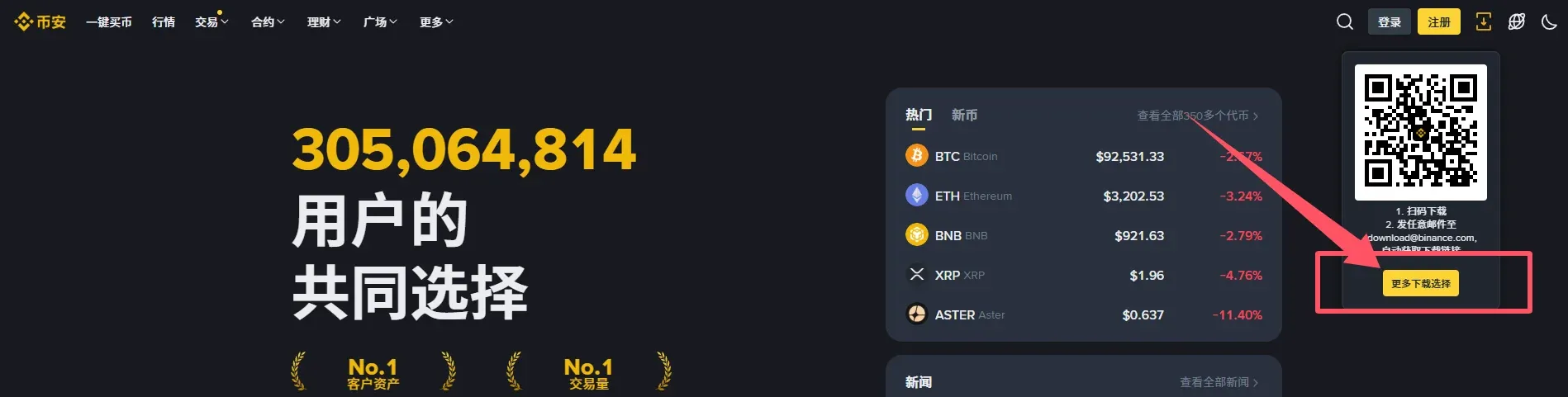
Select iOS Download
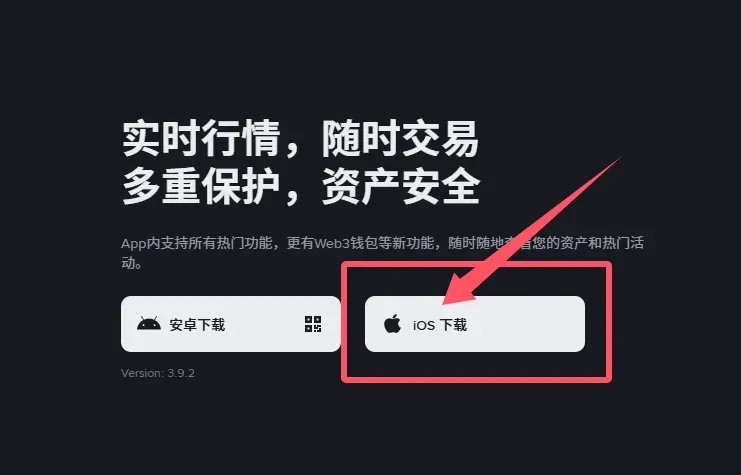
You will be taken to a page that only provides a link to the official App Store download, ensuring you receive the genuine app.
Method 3: Other optional routes
Important: The following approaches are not recommended for newcomers in Mainland China; you must verify the authenticity of the source yourself.
- TestFlight beta: Binance occasionally opens an iOS beta program. Keep an eye on the official website or community announcements for invitation links.
- Web‑based trading: Use Safari (or any modern browser) to access the Binance web portal and trade directly without installing an app.

Binance Registration Tutorial
Preparations before signing up
- Email address or mobile number: required for login and receiving verification codes.
- ID document (passport or national ID): needed for KYC (Know‑Your‑Customer) verification.
- Secure internet connection: preferably a private network; avoid public Wi‑Fi when handling sensitive information.
Quick registration flow
- Enter a frequently used email or phone number, then set a strong password containing uppercase and lowercase letters, numbers, and special characters.
- Input the referral code B2345 to receive a fee discount.
- After completing the form, you can log in to the Binance app or the web portal.
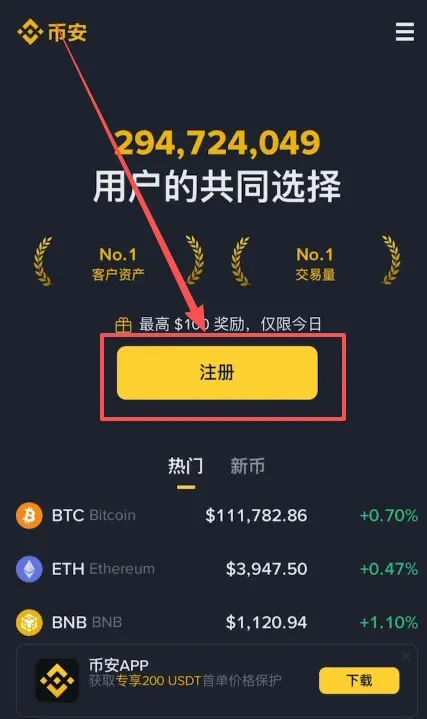
Binance accepts either an email address or a phone number for registration; Mainland Chinese numbers (+86) work as well.
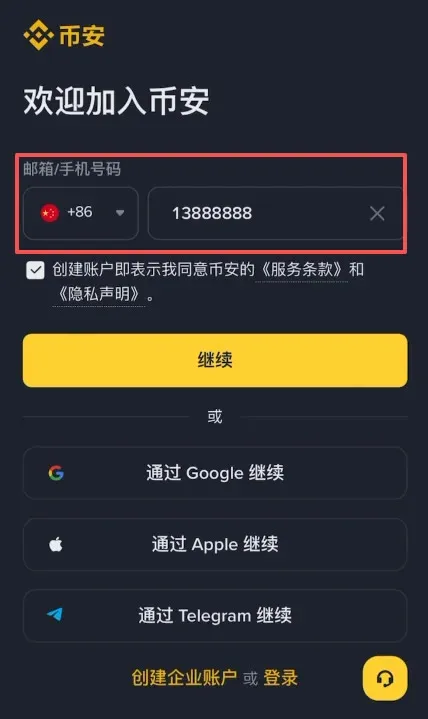
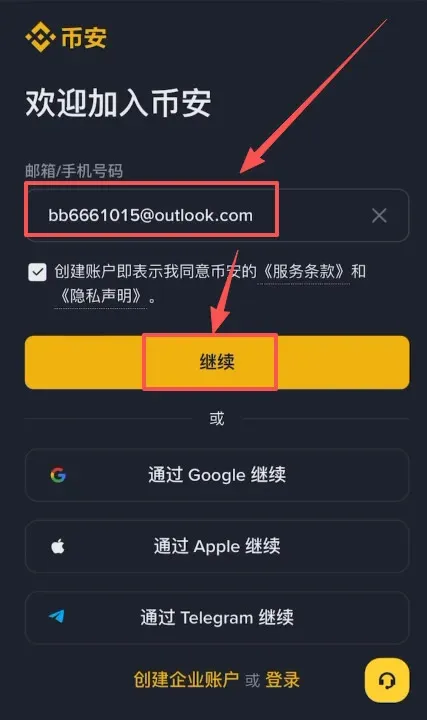
It is advisable to use an overseas email provider such as Outlook or Gmail; domestic QQ or 163 mailboxes are also supported.
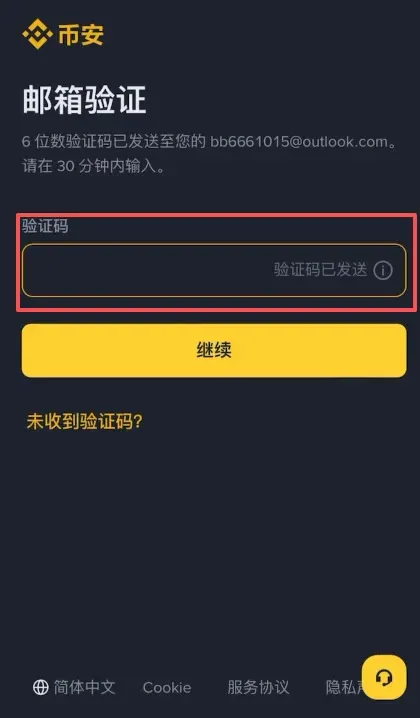
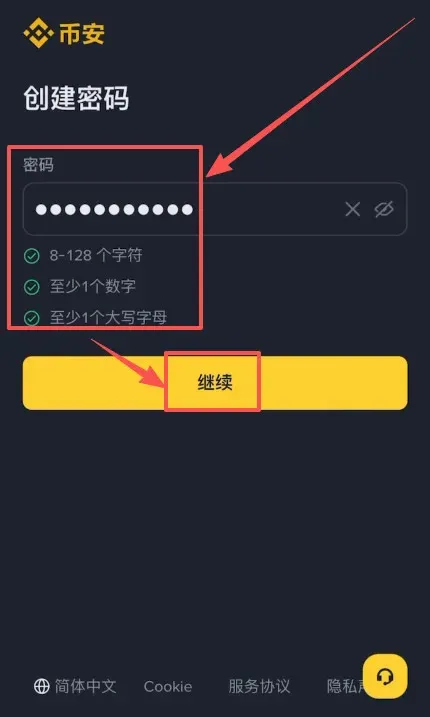
The system will send a verification code to the email; after entering it you will be taken to the password‑creation screen. Passwords must be at least 8 characters long and include numbers and uppercase letters.
When registration succeeds, the platform asks whether you have an inviter. Enter B2345 to permanently enjoy a 20 % trading‑fee discount.
Detailed Guide to Binance Identity Verification (KYC)
Enabling account security protections
- Activate Two‑Factor Authentication (2FA) – we recommend Google Authenticator or SMS codes.
- Set a anti‑phishing code that will appear in official Binance emails for extra verification.
Completing KYC
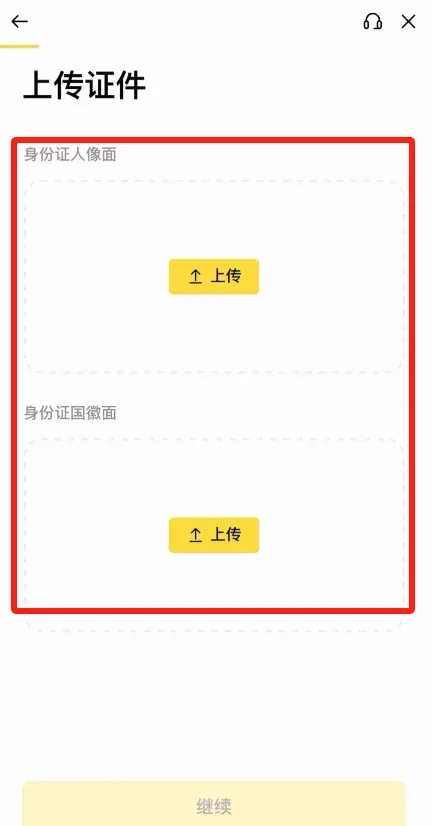
- Upload a government‑issued ID (passport, national ID card, or driver’s licence) for identity verification.
- Some users may be asked to complete a short video verification.
- Once approved, higher withdrawal limits and additional features are unlocked.
Key points for basic verification
- Both the country of residence and the country of the ID can be set to “China” to minimise regional restrictions.
- Use the address that appears on the ID document for the residential address field.
Example of an ID‑card photo upload:
Perform a selfie for facial recognition:
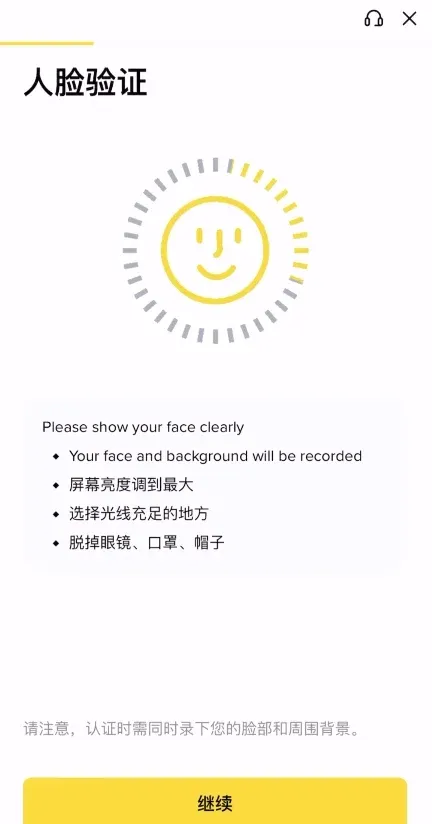
The review typically takes **5‑
Related Reading
💡 Register on Binance with referral code B2345 for the maximum trading fee discount. See Binance complete guide.



