
 Bitaigen Research
 In this article we outline the main features and security characteristics of imToken, and provide a complete guide from downloading through to asset management via official channels. For users who wish to use TRC20 USDT in imToken, we also supply the step‑by‑step process for adding the relevant address, helping newcomers avoid common mistakes and improve their overall experience. Continue reading to get up and running quickly.
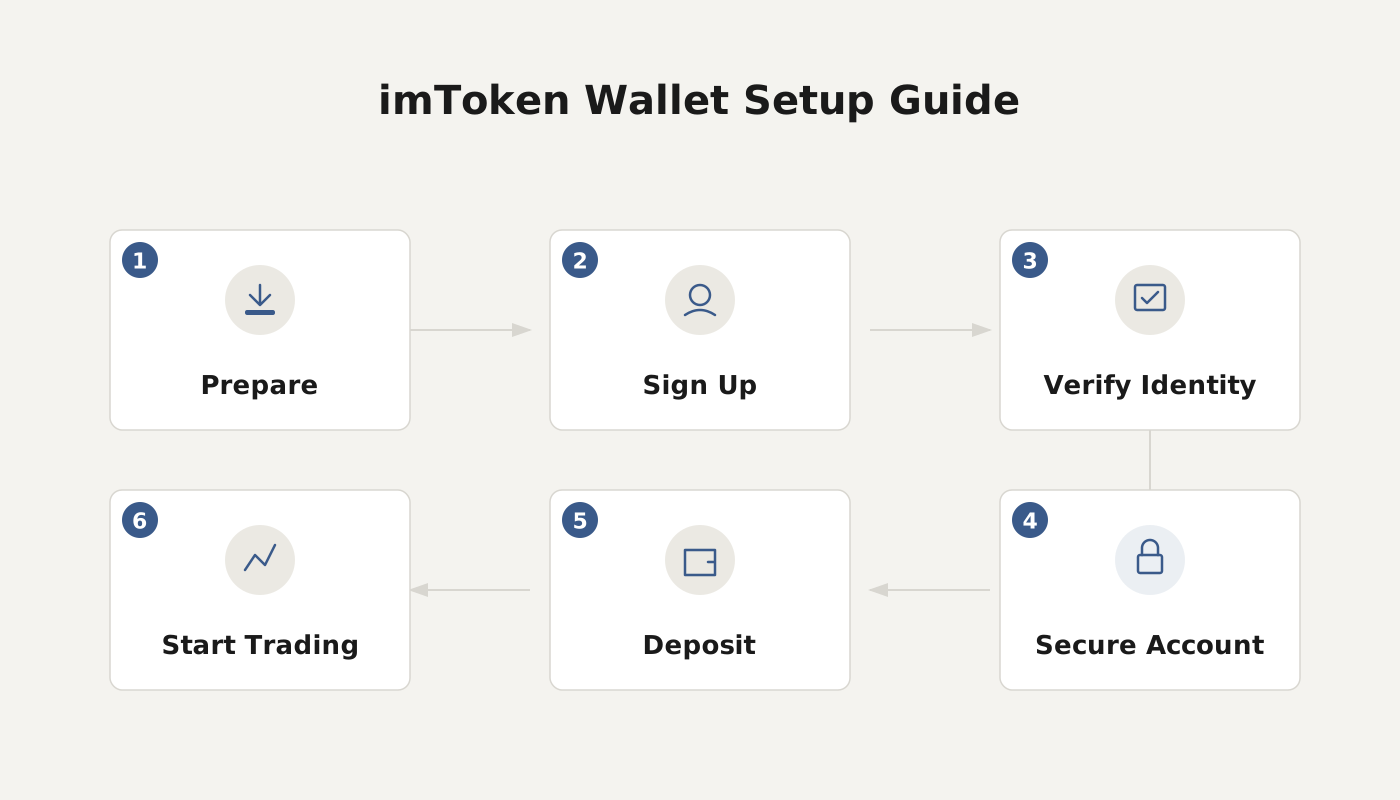
What Is the imToken Wallet?
imToken is an intelligent digital‑asset management tool that has become one of the most widely used mobile wallets in the cryptocurrency community. It offers a “one‑stop” account‑finance solution, allowing users to complete receiving, sending, and asset‑viewing operations directly within the app.
- Core Functions: unified asset management, locally encrypted private‑key storage, offline mnemonic‑phrase backup, multi‑wallet import/export, and multi‑signature anti‑theft security measures.
- Market Data Services: built‑in price feeds from major global exchanges, price‑alert notifications, and industry‑news pushes that help users capture investment opportunities from multiple angles.

---
Recommended Download Channels and Usage Advice
To ensure software safety, it is recommended to obtain the wallet application from official distribution points. For example, you can download the USDT wallet app from the Bitaigen (比特根) platform. New users may first try the custodial wallets provided by exchanges (such as OKX, Binance, Huobi) to become familiar with basic transaction flows before moving on to advanced wallets like imToken, TokenPocket, or MetaMask (the “little fox”). Generally, these mainstream wallets offer a higher level of security.
Note for U.S. users: Access the global Binance platform through Binance.US rather than the international site. When dealing with fiat, transactions are typically conducted in USD and may use SEPA/SWIFT channels for cross‑border transfers.
---
Complete Steps to Add TRC20 USDT in imToken
- Launch the imToken app, go to the main screen, and tap the Manage button at the top‑right corner. Choose the network and wallet type you wish to enable.
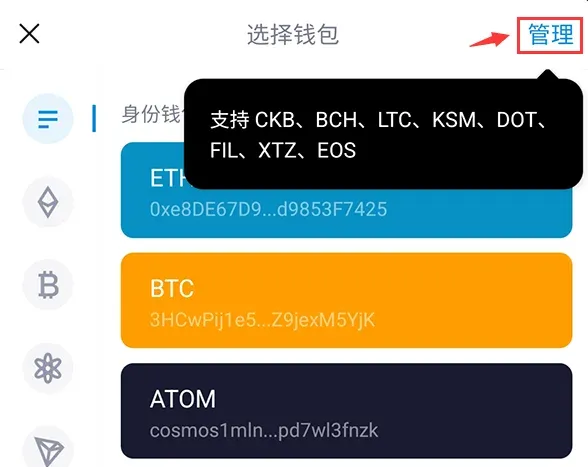
- Switch to the Wallet tab, tap Add Wallet (or Add Token), and in the pop‑up list select TRX.
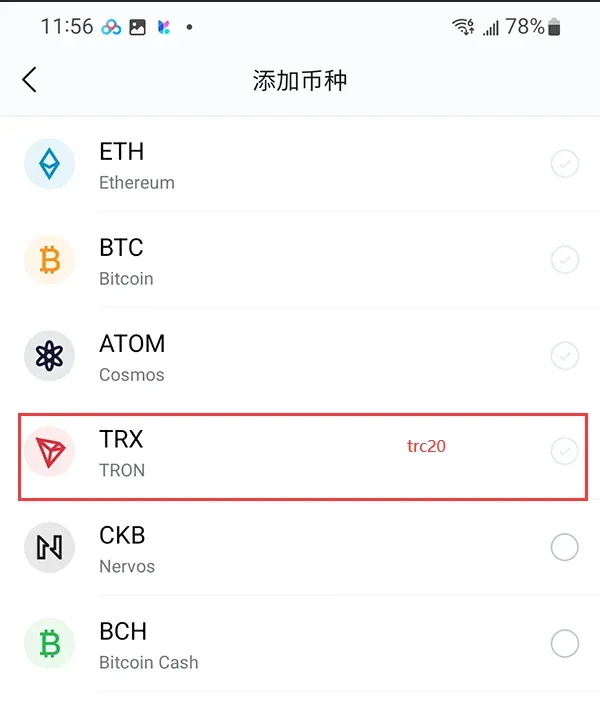
- In the appearing “Add Wallet” screen, confirm that the blockchain network is set to TRON.
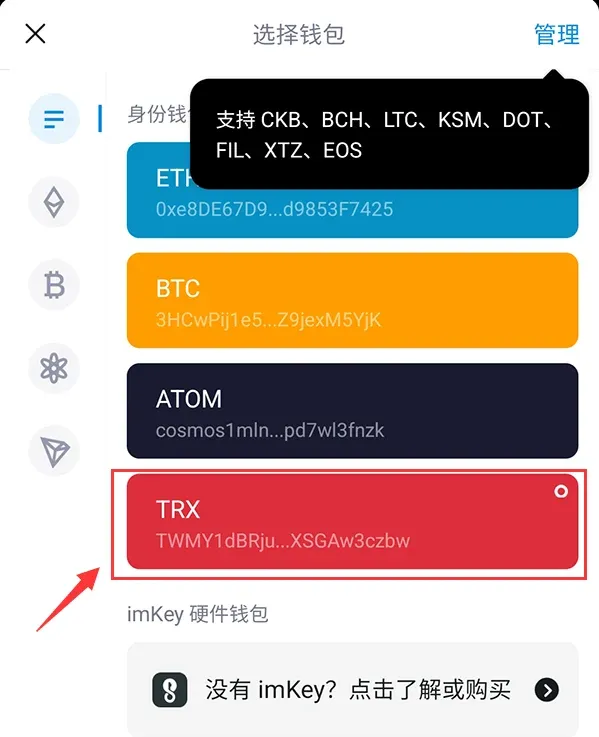
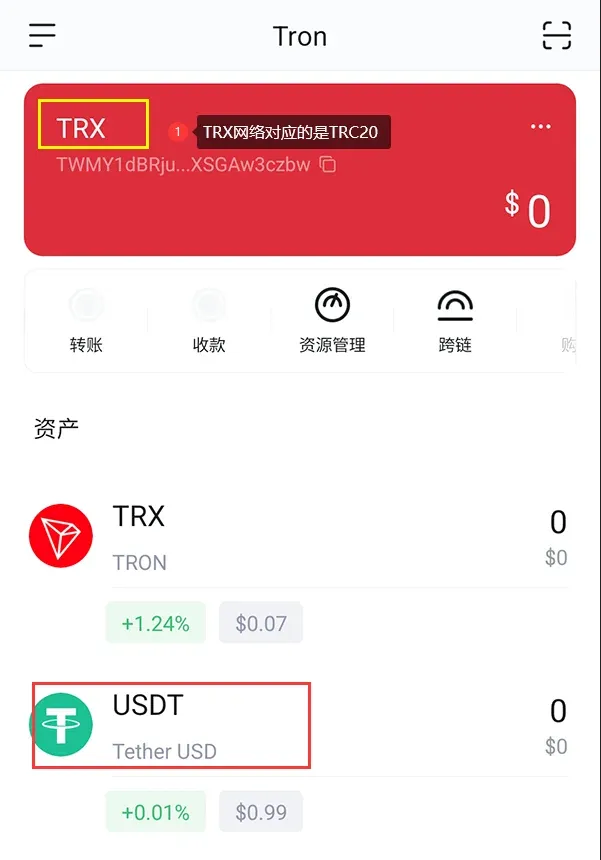
- Wait a few seconds; the system will automatically list the USDT (TRC20) asset. If it does not appear automatically, you can refer to the ERC20 addition instructions below and add the token manually.
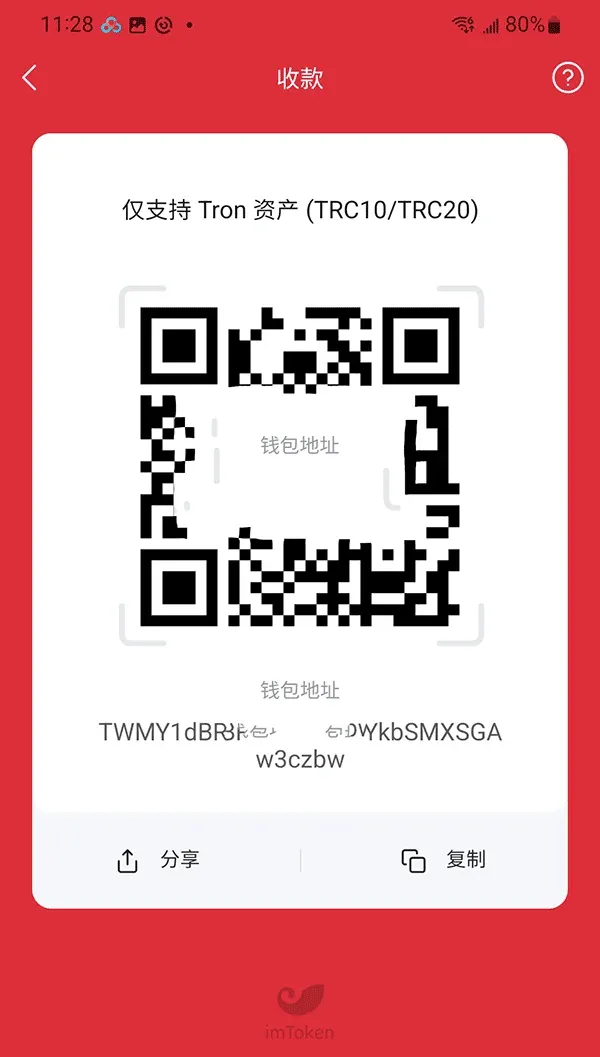
- Receiving & Sending: Tap the newly added USDT entry; at the bottom of the screen you will see Receive and Transfer options. Choose the appropriate one to complete the desired operation.
---
Procedure for Adding ERC20 USDT (Ethereum Network)
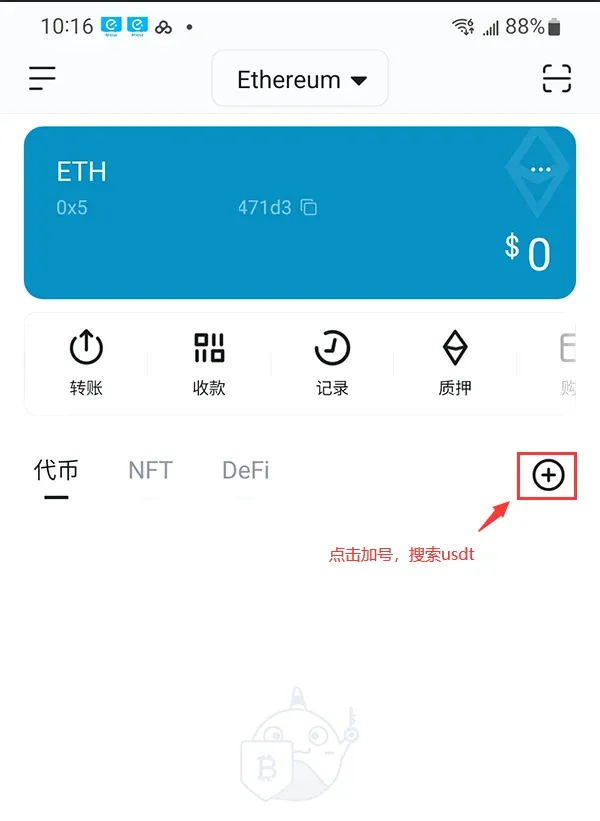
- From the wallet home page, switch the network in the lower‑left corner to ETH.
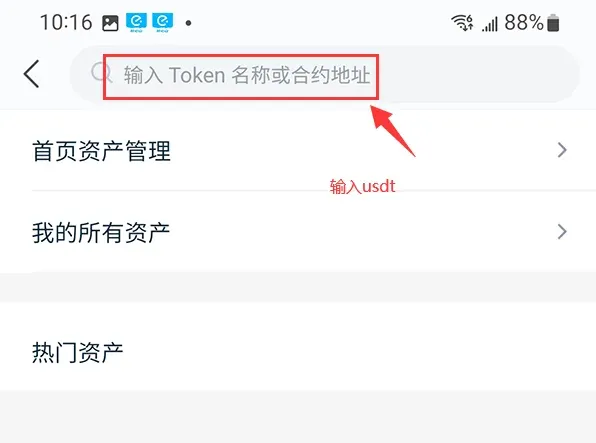
- Tap the + button on the right side; a search box will appear—type “USDT”.
- In the results, select the first entry that shows only “USDT”.
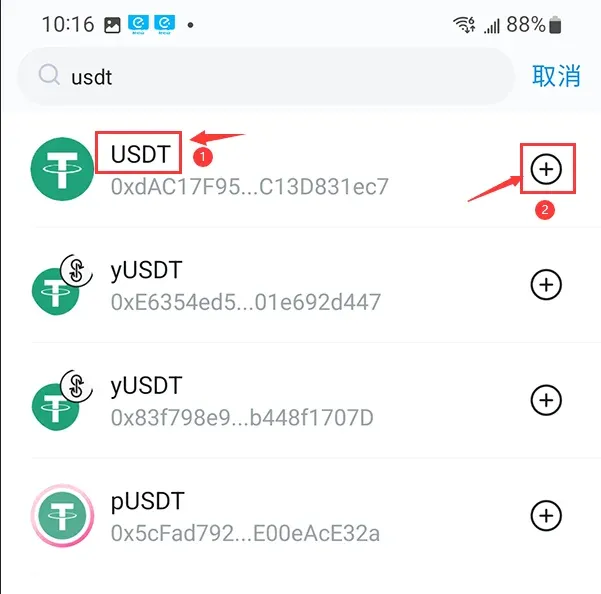
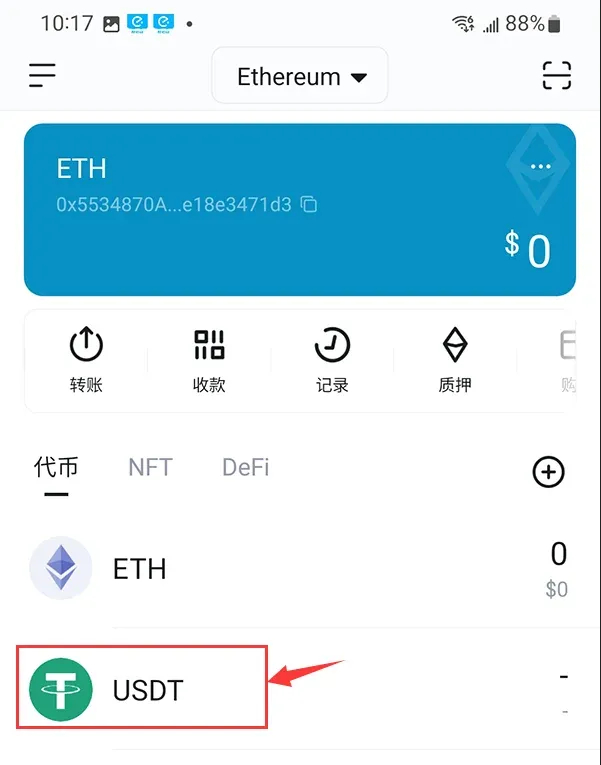
- Once the USDT asset appears on the screen, the addition is successful. Tap the asset to open the receive or transfer interface; you can then share the address or QR code with the counter‑party.
---
Precautions Before Adding Tokens
- Make sure you already hold some TRC20 USDT or that someone has sent USDT to your TRC20 address.
- If you are unsure about a token’s contract address, name, or symbol, consult the issuer’s official website or a blockchain explorer.
- Double‑check all entered information; an incorrect contract address can render the assets unrecoverable.
Tax Reminder: Crypto gains may be taxable in your jurisdiction. Consult local tax regulations or a professional adviser to ensure compliance.
---
Key Differences Between TRC20 and ERC20
TRC20 (Tron Network)
- Fast transaction speed – the Tron network can process over 2,000 transactions per second.
- Low fees – each transfer consumes only a tiny amount of TRX.
- Rapidly expanding ecosystem – active development in smart contracts, developer communities, and dApps.
ERC20 (Ethereum Network)
- Flexible fund management – ERC20 tokens offer a high degree of customizability for capital allocation, meeting diverse market needs.
- Broad use cases – many ICO projects are issued on the ERC20 standard, making it a core protocol of the industry.
- Rich developer resources – the Ethereum ecosystem hosts numerous technical teams and developers, continuously driving token innovation and implementation.
---
Reference Information
ok Wallet (Web3.0 wallet) v6.158.1 official Android version
- Category: Banking & Finance
- Size: 376.03 MB
- Language: Simplified Chinese
- Last Updated: 2026‑02‑11
---
For further tips on using imToken or the latest updates, feel free to follow the relevant sections on Bitaigen (比特根).
Related Reading
- imToken & Bitpie Wallets: Complete Step‑by‑Step Guide
- imToken Cold & Watch‑Only Wallet Setup Guide
- imKey & imToken Integration: Secure Hardware Wallet Pairing
💡 Register on Binance with referral code B2345 for the maximum trading fee discount. See Binance complete guide.



