
 Bitaigen Research
 The complete process for purchasing USDT on the OKX exchange (formerly known as OKEx) is: log in → go to C2C Buy → set amount and payment method → enable the Beginner‑Friendly Zone → select a high‑reputation seller → complete payment and confirm receipt.
We have compiled a full‑step guide to acquiring USDT on the OKX platform, covering account preparation, the C2C buying entry point, amount and payment‑method configuration, and how to pick reputable sellers. Read on and you’ll be able to top up quickly and securely.
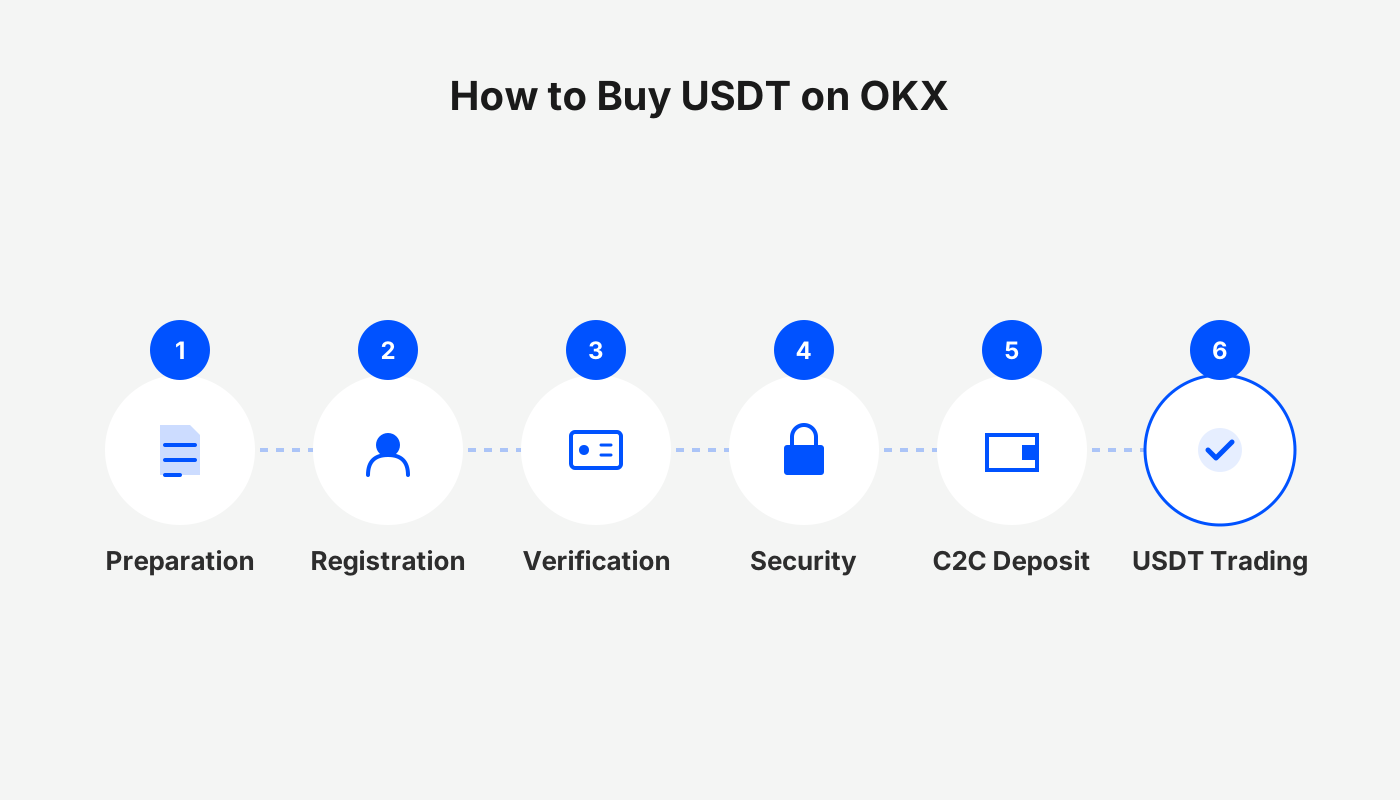
Preparation before buying USDT
- Register an account and complete identity verification (KYC).
- Download the official OKX app from the trusted channel and log in.
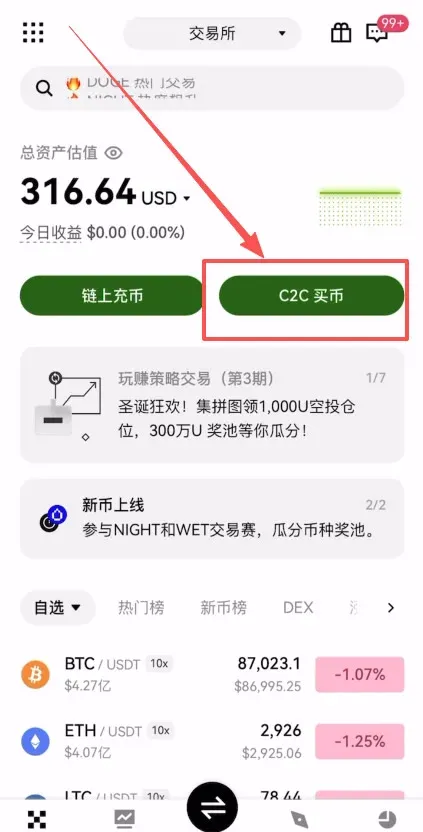
- On the home screen tap the C2C Buy entry.

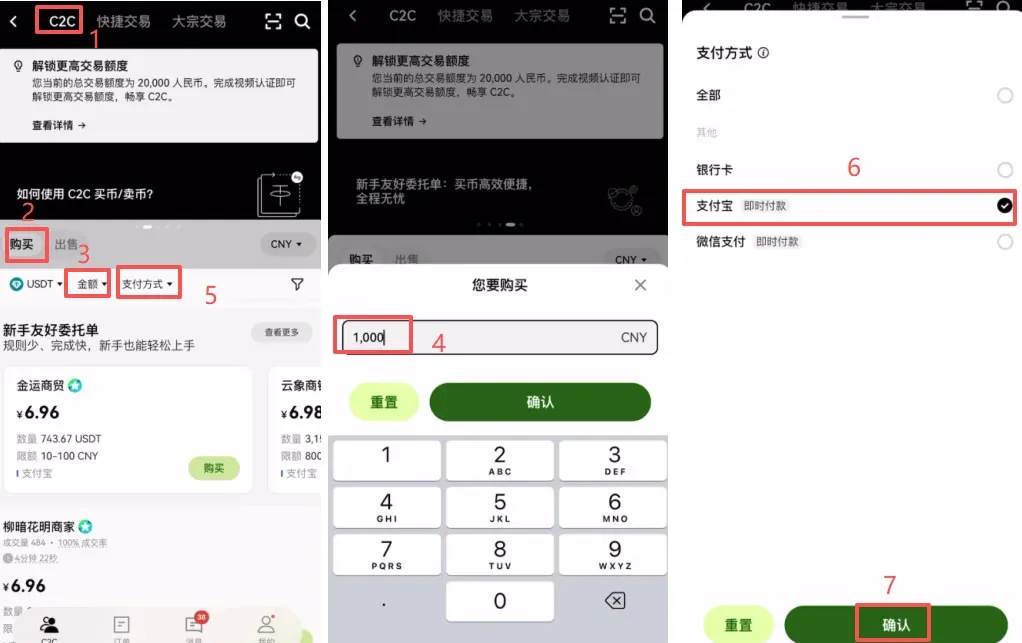
Step 1: Set the purchase amount and payment method
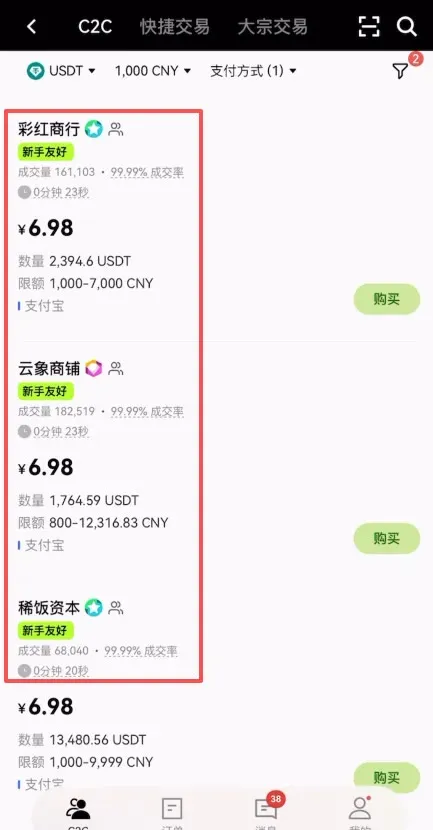
- In the C2C page’s “Buy” section, enter the amount of fiat you wish to spend (e.g., $1,000) or directly specify the amount of USDT you want.
- Choose a payment method, such as bank transfer (SEPA/SWIFT), then click Confirm.
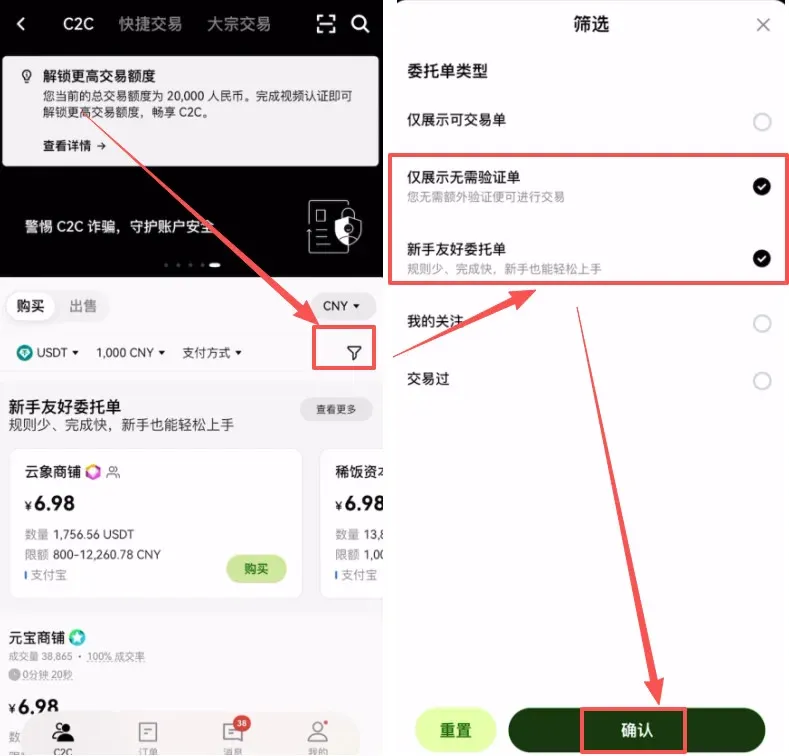
Step 2: Enable the Beginner‑Friendly Zone
- Tap the funnel icon on the right‑hand side and check “Show only unverified orders” and “Beginner‑Friendly orders.”
- After confirming, the system automatically switches to the Beginner‑Friendly Zone, displaying only sellers that meet those criteria.
Step 3: Filter for reliable sellers
Within the Beginner‑Friendly Zone, pay particular attention to the following metrics:
| Metric | Evaluation guideline |
|---|---|
| Trading volume | The higher, the better |
| Completion rate | Close to 100 % |
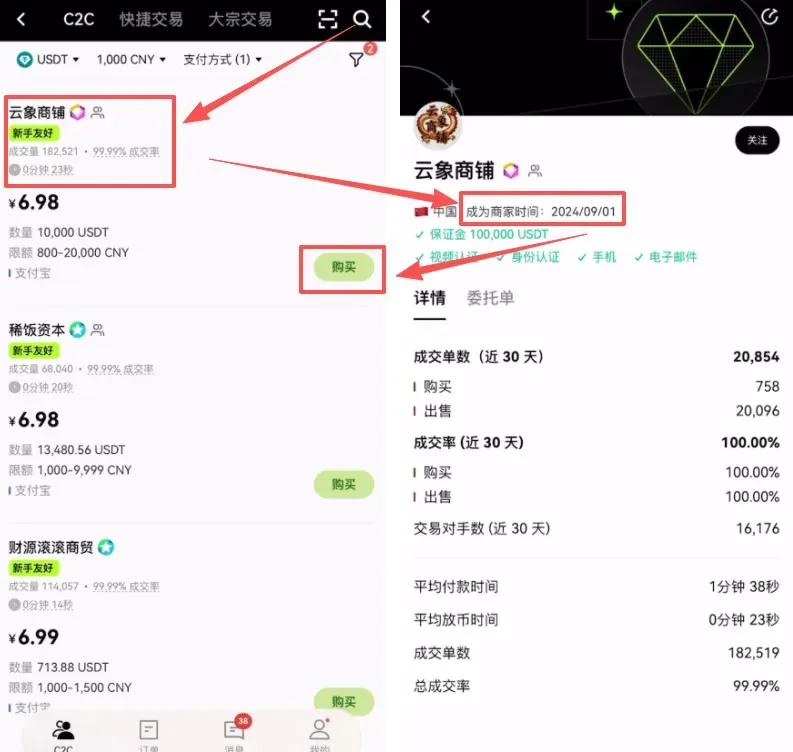
| Seller’s registration age | Preferably **≥ 6 months** |
Click a seller’s profile to verify their listed start date (e.g., September 2024). The longer the assets have been on the platform, the more confidence you can have in the seller’s stability. Once you have chosen a seller, click the Buy button on the right.
Step 4: Enter the amount and place the order
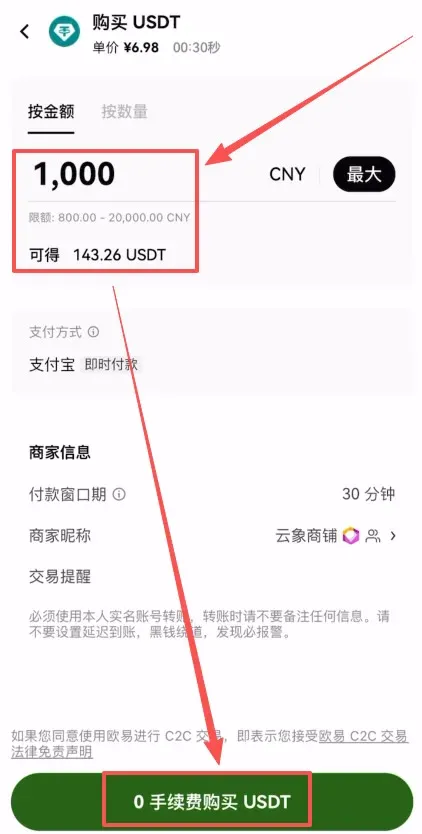
- In the pop‑up window, reconfirm the purchase amount (e.g., $1,000) or the USDT quantity.
- Click “Buy USDT with 0 % fee” to generate the order.
Step 5: Review the seller’s payment requirements
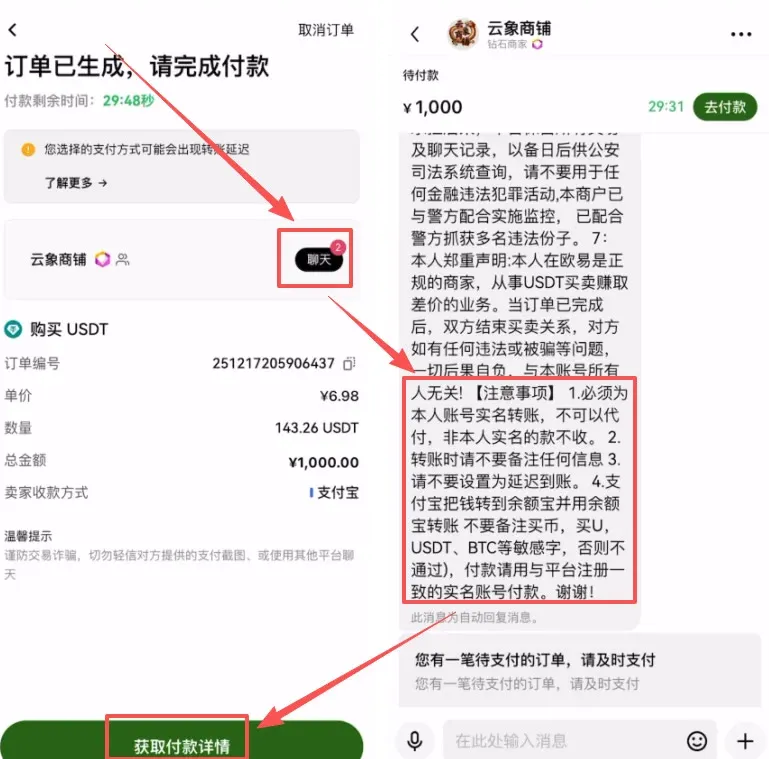
- Tap Chat to read the seller’s specific payment instructions (e.g., real‑name verification required, no extra notes, avoid delayed transfers, etc.).
- After confirming the details, click “Get payment details.”
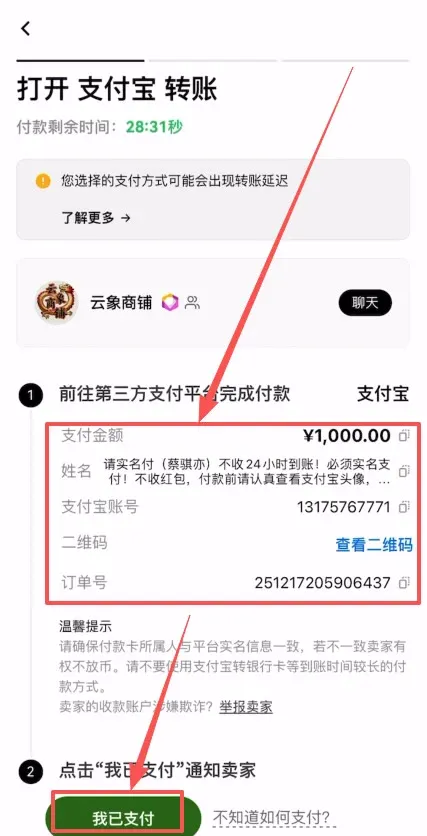
Step 6: Complete the off‑platform payment
- The screen will display the seller’s name, bank account (or SEPA/SWIFT details) and a QR code for the transfer.
- Open your banking app or online banking portal and follow the seller’s information to send the funds.
Once the transfer is finished, return to the OKX interface and press “I have paid.” The seller will verify receipt and release the USDT into your account.
Step 7: Confirm receipt and move the USDT to your trading wallet
- The order status changes to Completed, and the USDT appears in your C2C wallet.
- For easier future trading, it is recommended to transfer the USDT from the C2C wallet to your main trading account.
Tips
- The sellers highlighted in this guide have high reputation scores and are suitable for a first‑time purchase.
- After buying, promptly check your balance to ensure the funds arrived safely.
- For more tutorials on other OKX features, follow Bitaigen (BitRoot) for additional guides.
That concludes the full platform‑top‑up workflow for purchasing USDT on the OKX exchange. Follow the steps above to complete the process smoothly.
Note for U.S. residents: The global OKX platform is not available to U.S. customers. U.S. users should use Binance.US or another regulated U.S. exchange for similar C2C purchases.
Tax reminder: Crypto transactions may generate taxable events in many jurisdictions. Consult a local tax professional to understand how USDT purchases and subsequent trades could affect your tax obligations.
Related Reading
- How to Buy USDT with CNY on OKX: Step‑by‑Step Guide
- Buy USDT on OKX with the Beginner‑Friendly Order
- OKX One-Click Copy-Trade: Follow Top Traders & Earn
💡 Register on Binance with referral code B2345 for the maximum trading fee discount. See Binance complete guide.



