
 Bitaigen Research
 It is widely recognized among investors that the cryptocurrency market offers a variety of wallet types. Today we introduce browser‑extension wallets, which are crypto wallets that run directly inside a web browser. They require no separate client download, are convenient to use, and are popular among many investors.
Common browser‑extension wallets include MetaMask, Coinbase Wallet, Rabby, Brave Wallet, and WalletConnect. After installation, you can import a recovery phrase (mnemonic) to start using them.
In this article we systematically review the most common browser‑extension wallets, compare their features and blockchain support, and help investors quickly determine which tool fits their needs. The subsequent step‑by‑step guides for installation, mnemonic import, and interaction with dApps are worth reading carefully to improve the user experience.
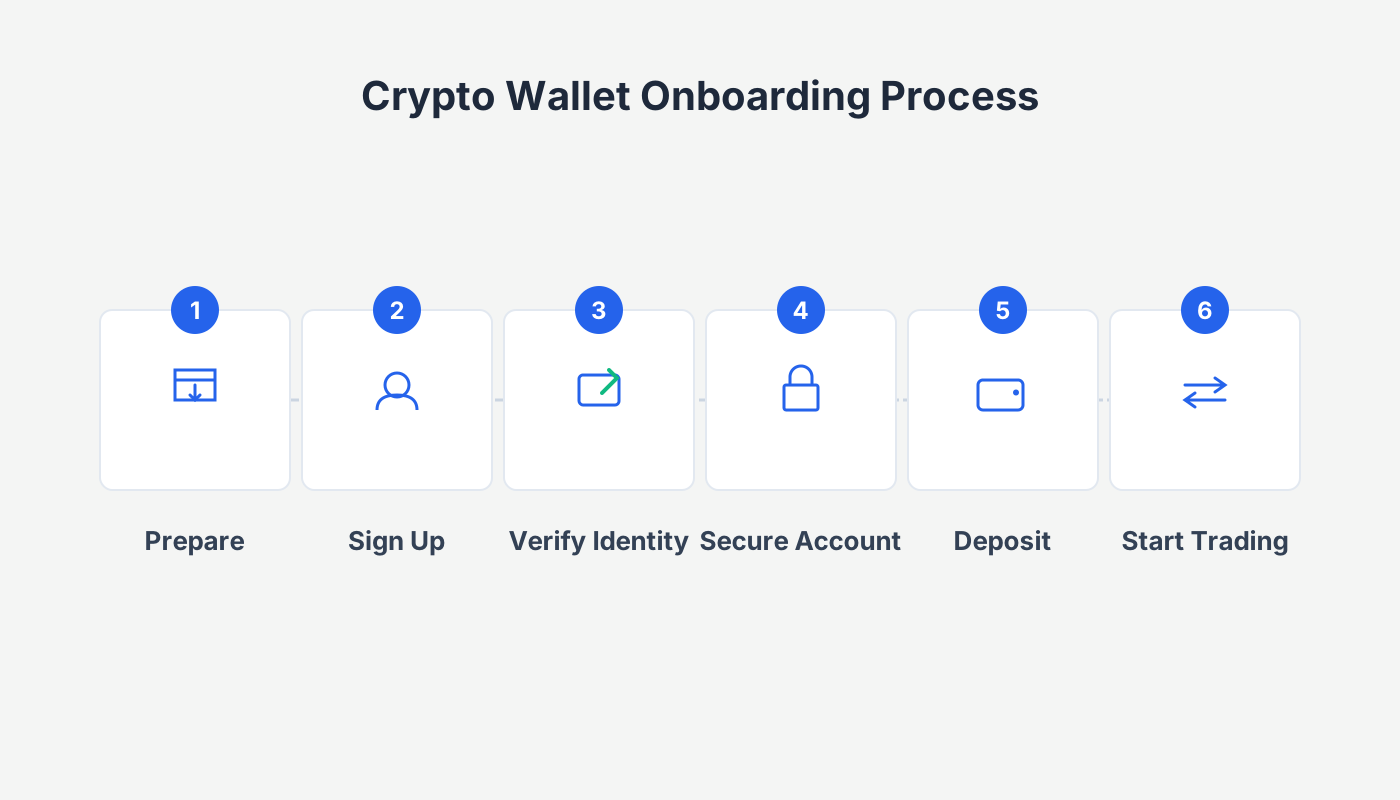
Which browser‑extension wallets are available?
Within the crypto ecosystem, popular browser‑extension wallets include MetaMask, Coinbase Wallet, GameStop Wallet, Rabby, Math Wallet, Brave, Opera, WalletConnect, Portis, Frame, and others. Below we focus on five mainstream wallets:
| Wallet | Main Features | Supported Chains |
|---|---|---|
| **MetaMask** | One of the most popular wallets in the Ethereum ecosystem, user‑friendly interface, high security | Ethereum and all EVM‑compatible chains |
| **Coinbase Wallet** | Launched by the exchange giant Coinbase, compatible with Web3 dApps | Multi‑chain (EVM) |
| **Rabby** | Built by the DeBank team, emphasizes multi‑chain support and risk scanning | Over 30 chains (major EVM + some non‑EVM) |
| **Brave Wallet** | Built into the Brave browser, usable directly in the browser | All EVM chains + Solana |
| **WalletConnect** | Open‑source protocol that bridges mobile wallets with browser dApps | Supports most major chains |
1. MetaMask
MetaMask is a blockchain‑based digital‑currency wallet that lets users manage crypto assets in a secure and convenient environment. It is one of the most popular wallets in the Ethereum ecosystem, known for its high usability and powerful feature set. According to statistics from March 2022, MetaMask (often called the “Fox Wallet”) had 30 million monthly active users, making it one of the world’s most widely used blockchain applications. The industry even refers to it as the “Google of Web 3.0”.
2. Coinbase Wallet
Coinbase released the Coinbase Wallet browser extension in November 2021. Since its launch the wallet has undergone rapid iterations and has become a strong competitor to MetaMask. Although it still trails MetaMask slightly in market share, its development momentum should not be underestimated.
3. Rabby
Rabby was created by the DeBank team and focuses on multi‑chain support and a clear transaction‑signing experience, featuring pre‑transaction risk‑scanning. It currently supports more than 30 chains, including major EVM networks such as Ethereum, Polygon, Optimism, as well as a few non‑EVM chains.
4. Brave Wallet
In November 2021 the privacy‑focused Brave browser integrated Brave Wallet. Users can interact with Web 3 directly in the browser, with support for all EVM‑based chains and Solana, providing a “one‑stop” onboarding experience.
5. WalletConnect
WalletConnect is an open‑source protocol that connects decentralized applications (dApps) to mobile wallets via QR codes or deep links. For example, the popular Ethereum wallet Rainbow does not have a browser extension, but it can be used in any browser through WalletConnect to access dApps effortlessly.
How to use a browser‑extension wallet?
Below we use MetaMask as an example to demonstrate the complete installation and usage workflow for a browser‑extension wallet:
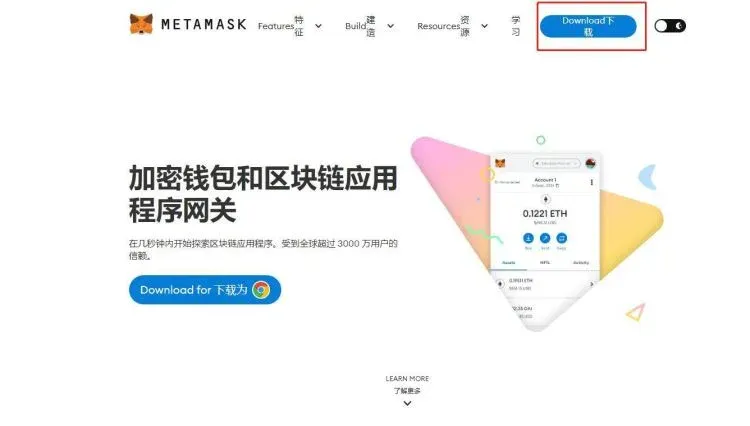
- Download the extension
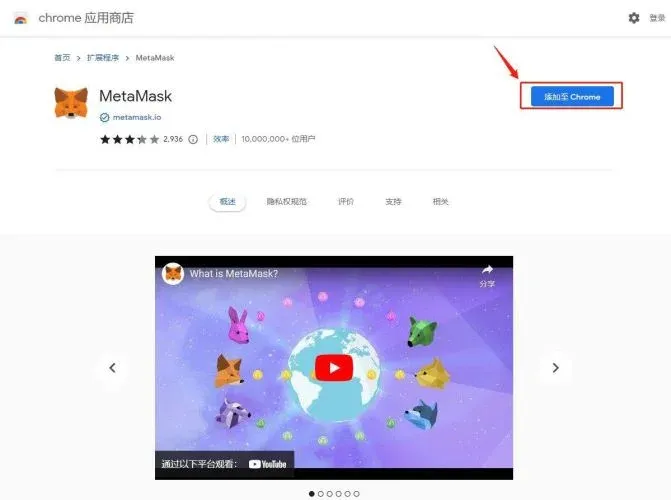
Open the official MetaMask page in Google Chrome and click the “Download” button.
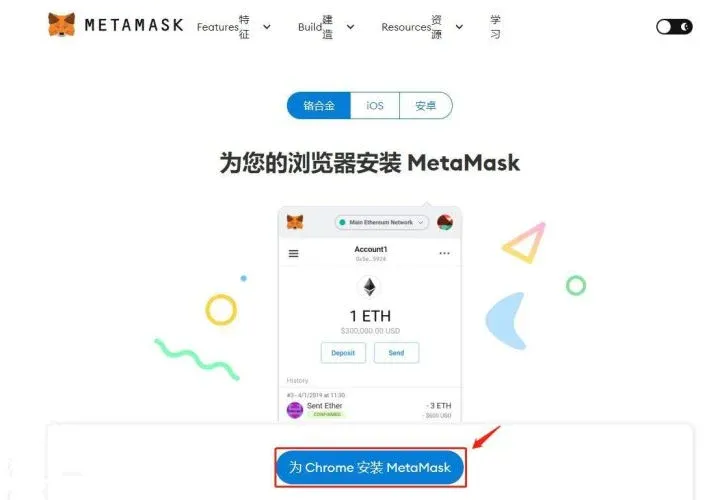
- Select the client
The page provides download links for several browsers; here we choose Chrome and click the corresponding “Add to Chrome” button.
- Installation complete
After confirming the pop‑up, MetaMask is automatically added to the browser’s extension bar.
- Open the wallet
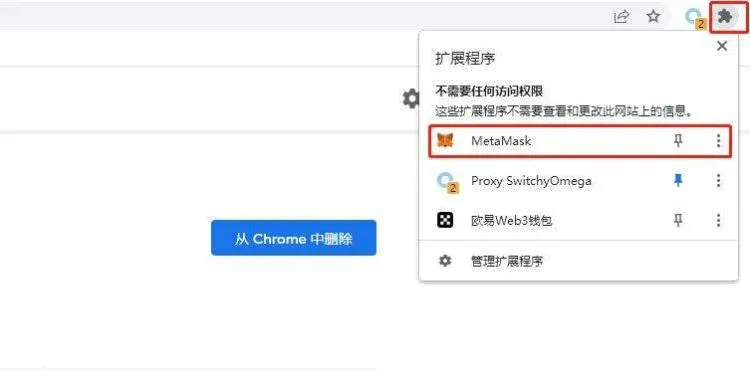
Click the fox icon in the upper‑right corner to open the extension’s home page.
- Create or import a wallet
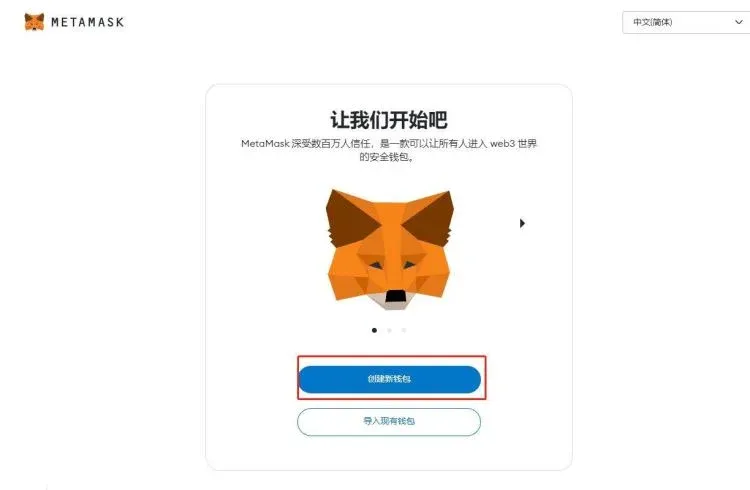
- Choose “Create New Wallet” to set a password.
- Or choose “Import Wallet” and recover an existing wallet using a recovery phrase (mnemonic).
- Set a password
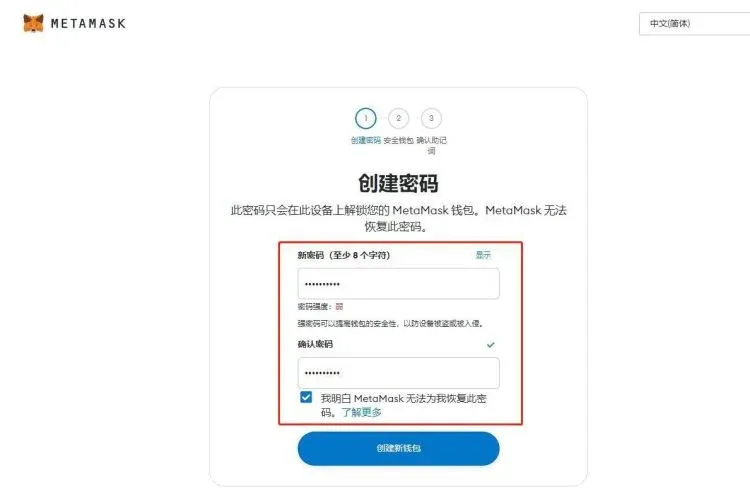
Enter and confirm a password; be sure to remember it, as it encrypts the wallet locally.
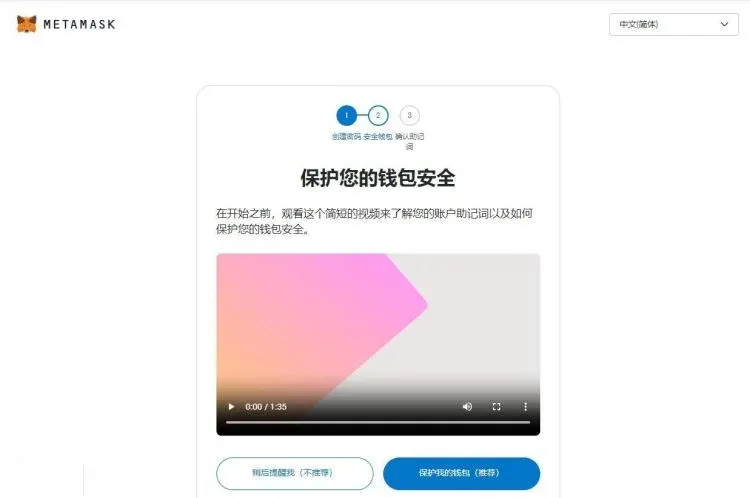
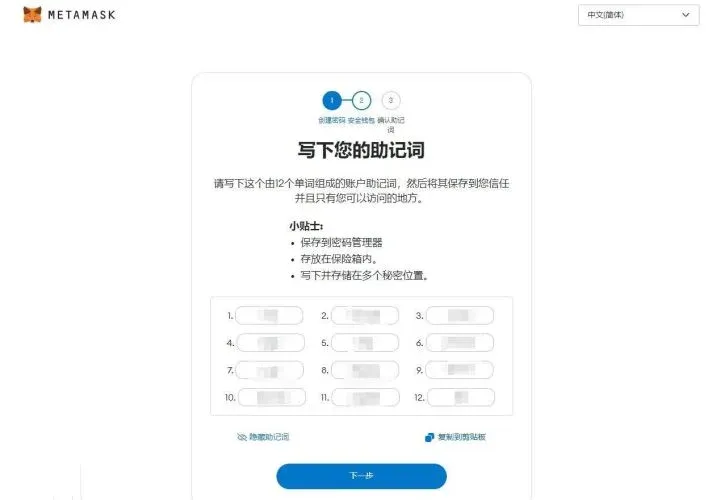
- Save the recovery phrase
The system generates a 12‑word recovery phrase, which is the only credential for restoring the wallet. Store it offline securely and never share it.
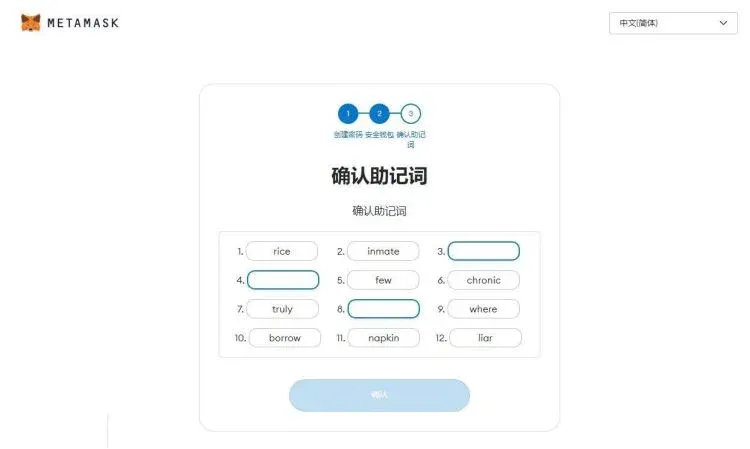
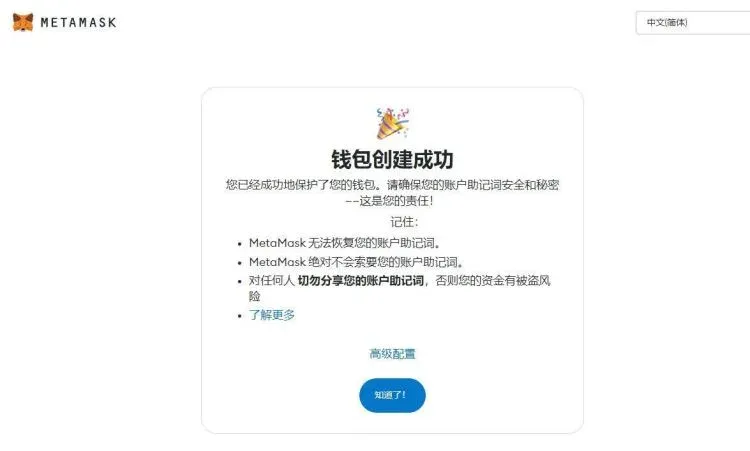
- Finish creation
After confirming the recovery phrase as prompted, you will be taken to the wallet’s main interface where you can start managing assets.
Considerations when choosing a browser‑extension wallet
- Security: Prefer projects that are open‑source or have undergone community audits.
- Chain compatibility: Verify that the wallet supports the specific blockchains where you hold assets.
- Private‑key management: Regardless of the wallet you use, you must store your private keys and recovery phrase safely and never expose them online.
- Ecosystem support: Assess how well the wallet integrates with dApps, DeFi platforms, NFT marketplaces, and other use cases.
In the cryptocurrency market, the variety of browser‑extension wallets is extensive. Selecting a reliable product and rigorously safeguarding the recovery phrase are fundamental to secure asset management. By understanding each wallet’s strengths and supported chains, investors can pick the solution that best matches their individual requirements.
*Note: Cryptocurrency gains may be subject to tax in your local jurisdiction. Always consult a tax professional for guidance.*
That concludes the full content of “What are browser‑extension wallets? How to use them? A roundup of well‑known browser wallets.” For more related material, please follow Bitaigen (比特根) and explore their other articles!
Related Reading
- How to Protect Crypto Wallets from Antivirus False Positives
- Find Token Contract Addresses via Explorers & Wallets
- How to Look Up a Token’s Contract Address Safely
💡 Register on Binance with referral code B2345 for the maximum trading fee discount. See Binance complete guide.



