
 Bitaigen Research
 Our Bitaigen editorial team presents a complete beginner’s guide to PolkaWallet, covering everything from app download and account creation to the essential steps for DOT staking. With detailed screenshots, even first‑time users of Polkadot can operate safely and quickly. Continue reading to master the full workflow.
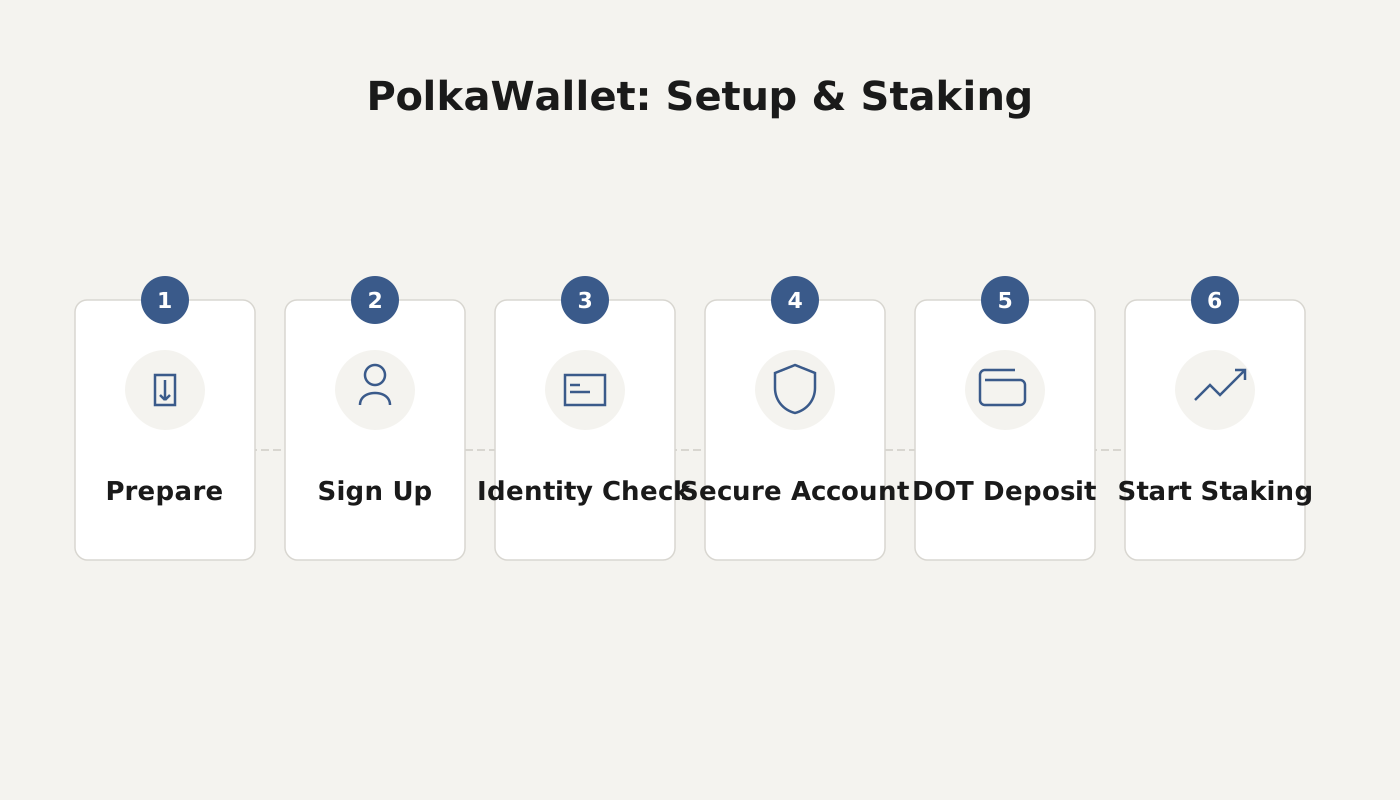
PolkaWallet Tutorial: Creating and Staking with the Official Polkadot Wallet
As the Polkadot ecosystem continues to gain momentum, an increasing number of participants are looking to stake DOT in order to vote for validator nodes they support. Staking not only boosts your staking yield, it also helps to lock in the value of your assets to some extent.
Although staking can be performed using the official PolkaWallet, third‑party wallets such as Maza Wallet or TP Wallet, and even certain centralized exchanges, this article focuses on the PolkaWallet mobile app because its interface is user‑friendly and the steps are relatively straightforward. If you prefer a web‑based approach, you can also use polkadot.js, but that interface is English‑only and the workflow is a bit more cumbersome.
1. Download and Install PolkaWallet
- Open your browser and go to https://polkawallet.io, then download the installer that matches your operating system.
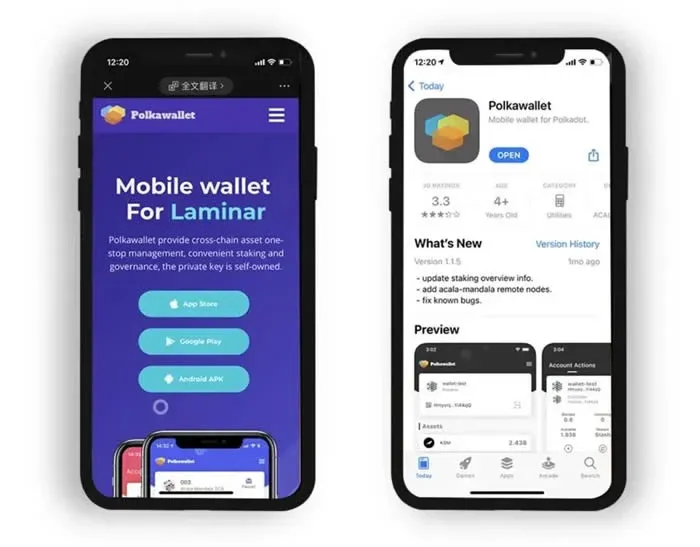
- After the installation finishes, launch the app and tap [Create New Account] to start the onboarding process.
Tip: The mnemonic phrase, private key, and keystore file are the core credentials for managing your assets. Be sure to back them up securely after export to avoid loss or exposure.
2. Obtain a Receiving Address and Transfer DOT
- Once the account is created, navigate to the account’s home screen and tap the address field at the bottom. Use [Copy] to paste the address into the wallet or exchange from which you intend to send DOT (avoid scanning QR codes directly to prevent address mismatches).
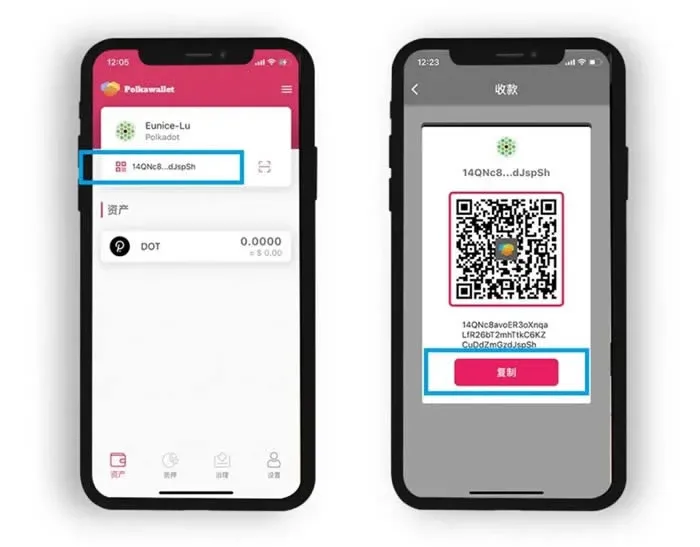
- After confirming that the pasted address is correct, initiate the transfer. When the [Assets] page shows that the incoming DOT has been credited, you can proceed to the staking step.
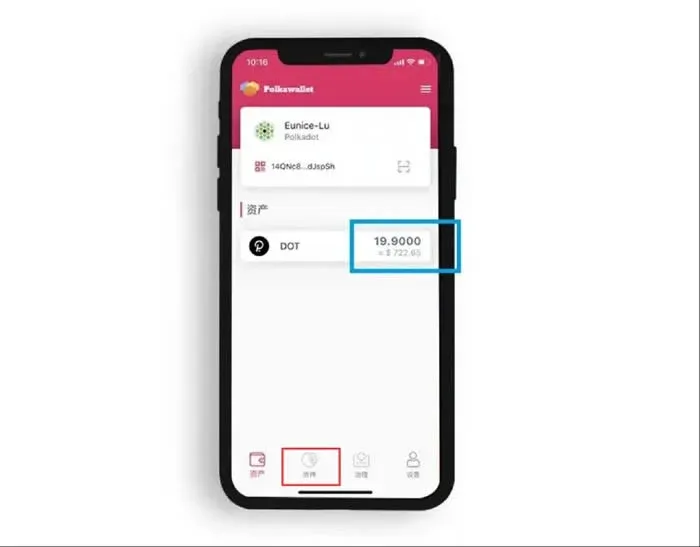
3. Initiate Staking and Bond Your Assets
- On the [Staking] screen, enter the amount of DOT you wish to lock, then tap [Bond Assets].
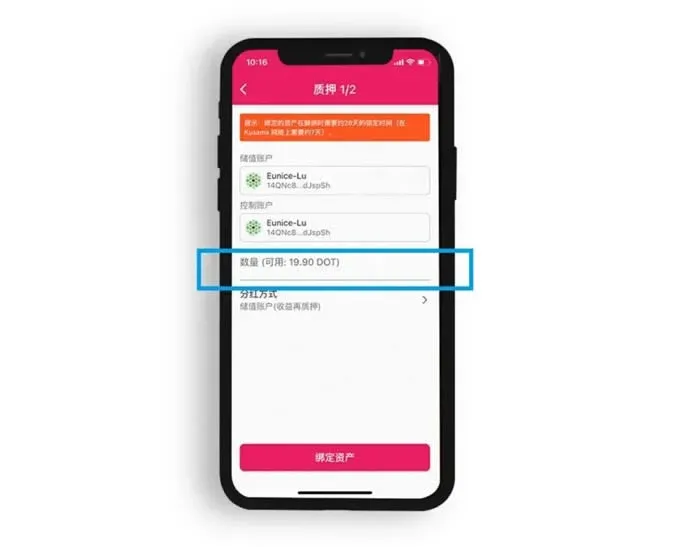
- Keep in mind that simply bonding does not guarantee earnings. Two conditions must be met for you to receive rewards:
- The validator you nominate must be selected as an active node;
- Your bonded amount must rank within the top 256 nominators for that validator.
As of March 26 2021, the minimum amount that satisfied these conditions was 210.7 DOT.
4. Choose a Validator and Submit Your Nomination
- After a successful bond, you will be taken to the validator search interface. Using BML (THE SEVENTH CONTINENT) as an example, type THE SEVENTH CONTINENT into the search bar and select the corresponding validator.
- Tap [Nominate], then confirm in the pop‑up dialog by choosing [Send Transaction]. When the screen displays [Success], your vote has been recorded.
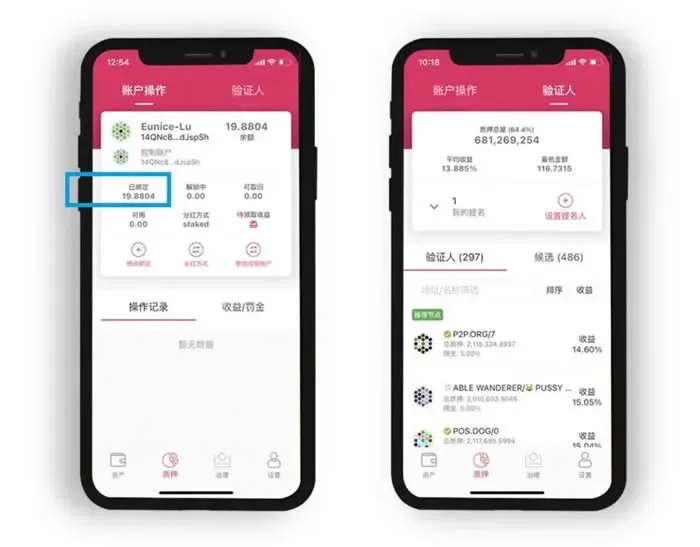
- Once the nomination is complete, the staking page will show the bonded validator’s details. As long as that validator remains active and you stay within the top 256 nominators, you can earn an approximate 13 % annualized staking reward.
5. Validator Overview and Alternative Choices
- THE SEVENTH CONTINENT (Bluemountain Labs) is a core validator in the southwest Polkadot community, dedicated to improving network security and ecosystem growth. To date, it has organized more than 30 online and offline events across the country and has supported over 10 high‑quality Polkadot projects.
- In addition to BML, you may also nominate any of the following validators:
- QINWEN.168NODE
- TPKL.Earth
- Web3 Venture Capital
- Listen
6. Unbonding Period and Slot Auctions
- The unbonding (unlock) period for DOT is 28 days. If you plan to exit your stake, schedule accordingly so that you have sufficient time before you need the funds.
- Beyond staking, holding a certain amount of DOT also grants you the ability to participate in slot auctions hosted by Polkadot project teams. This lets you vote for projects you support and potentially receive additional rewards offered by those teams.
---
By following the steps above, you can create a PolkaWallet account, transfer DOT into it, bond and stake your assets, and vote for a validator node. For more detailed tips on using PolkaWallet, stay tuned to future articles from Bitaigen.
Related Reading
- Complete Trust Wallet Guide: Download, Install, Setup & Use
- Polkadot Review: Gavin Wood’s Cross‑Chain Vision, DOT Growth
- Cryptocurrency Staking Basics: Guide, Returns, Risks for Beginners
💡 Register on Binance with referral code B2345 for the maximum trading fee discount. See Binance complete guide.



