
 Bitaigen Research
 In this article we outline how to add mainstream stablecoins to common wallets on the HECO network, providing complete step‑by‑step instructions from MetaMask to mobile clients, and explaining display differences across various interfaces. Once you master these details you can easily manage assets such as HUSD and USDT; upcoming sections will also cover acquisition channels and practical tips, worth a careful read.
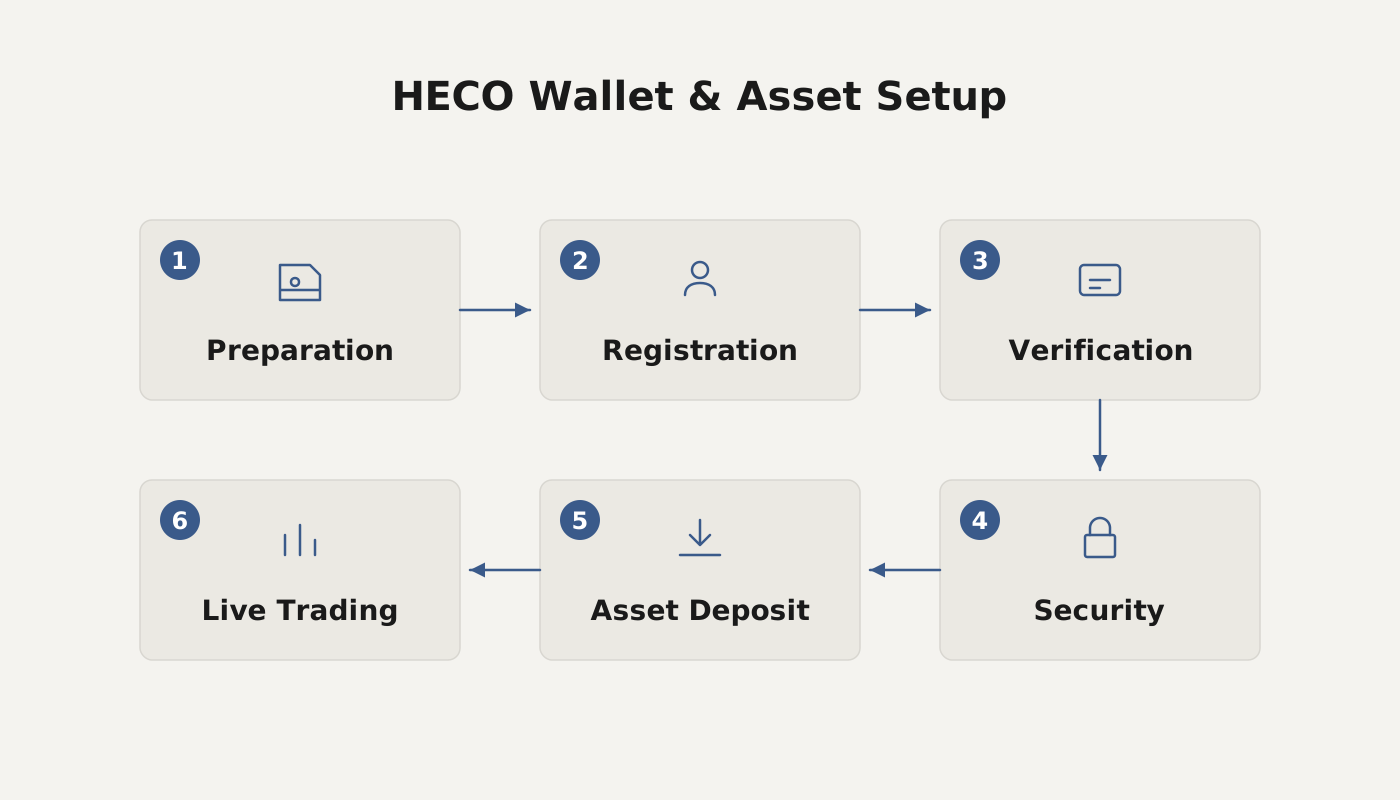
How to Add Stablecoins to a Wallet on HECO
Displaying HUSD and USDT on Different Clients
PC (MetaMask)
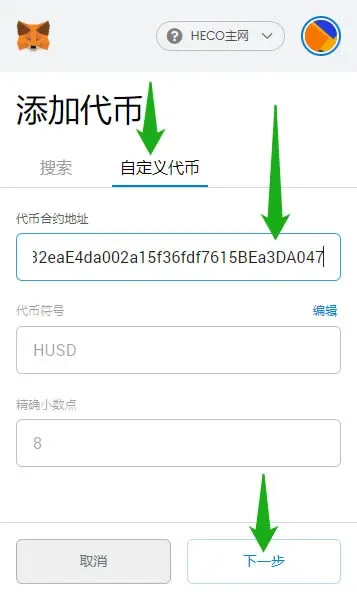
- Open MetaMask, switch to the HECO Mainnet, click Add Token → Custom Token.
- Copy the appropriate contract address, paste it, then click Next.
- HUSD contract: `0x0298c2b32eaE4da002a15f36fdf7615BEa3DA047`
- USDT contract: `0xa71EdC38d189767582C38A3145b5873052c3e47a`
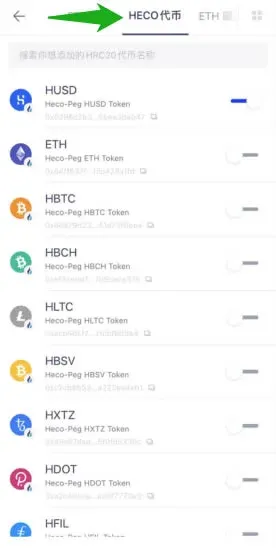
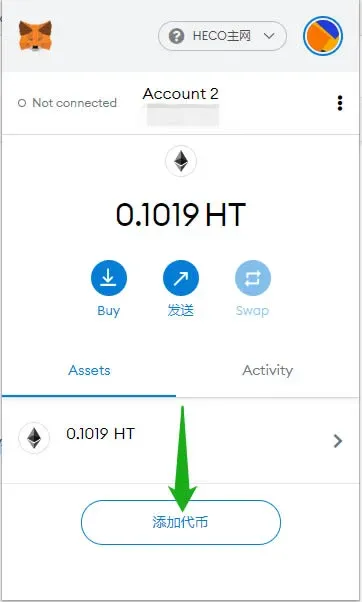
- After entering the address, the system will automatically populate the token symbol and other details; confirm to add the token to your wallet.
APP (Huobi Wallet)
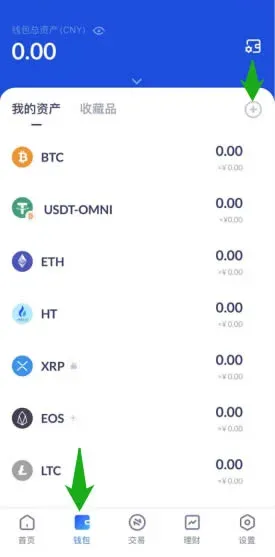
- Go to the Wallet page and tap the + button in the upper‑right corner.
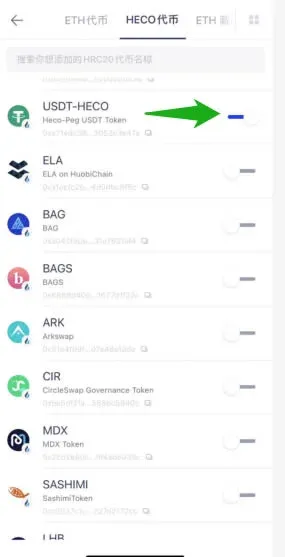
- In the pop‑up menu, swipe right and select HECO Token, then check both HUSD and USDT.
APP (TokenPocket)
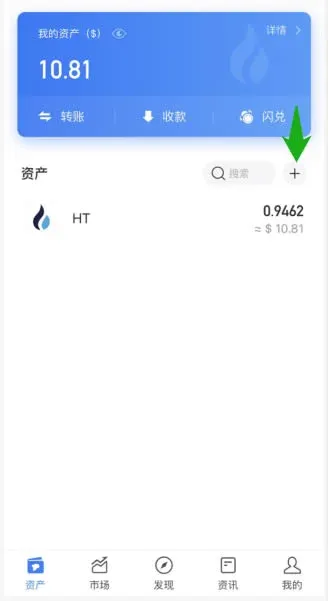
- On the Assets page, tap the + button on the right side.
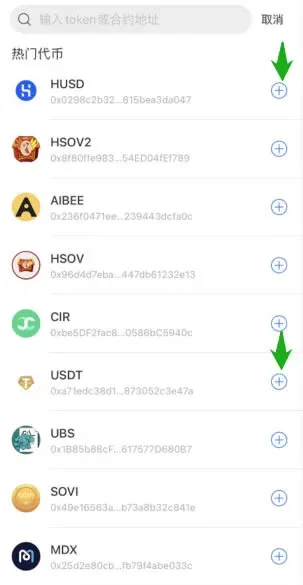
- Tap + again, locate and add HUSD and USDT from the list.
---
How to Acquire Stablecoins on HECO
Withdrawing HUSD and USDT
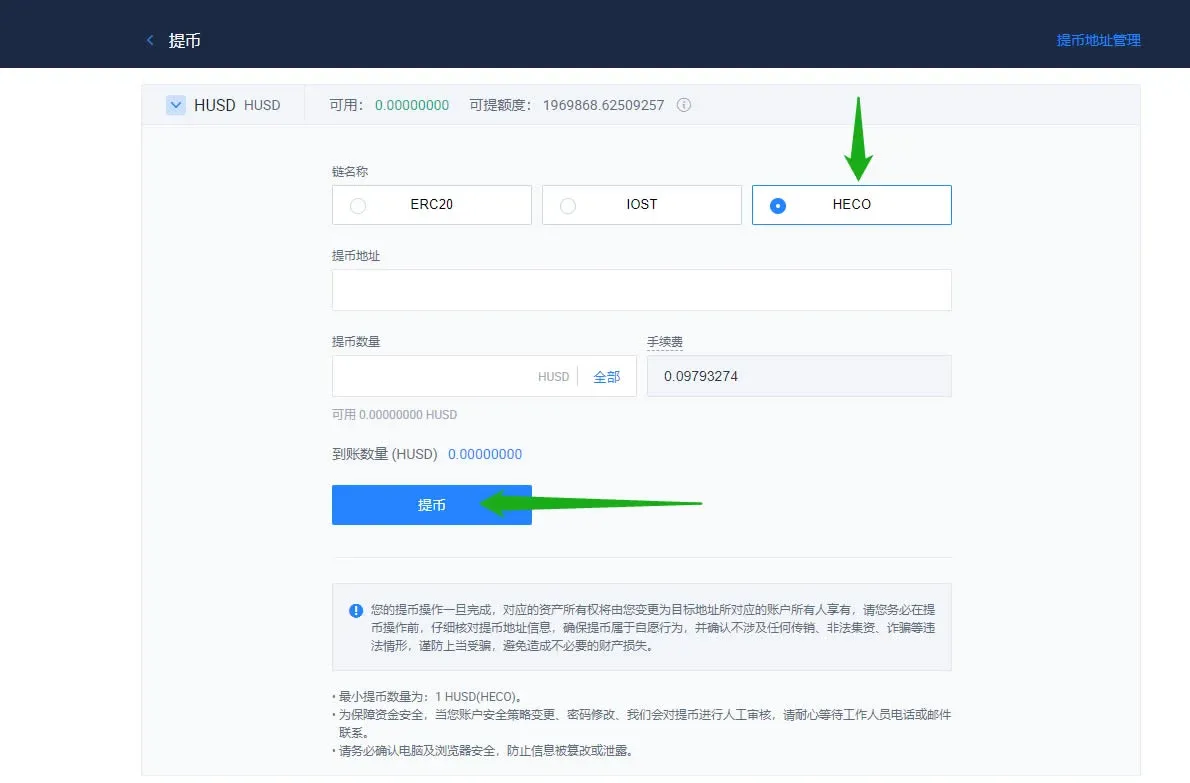
- Visit the Huobi Global website or open the corresponding app, navigate to Assets → Withdrawal → HUSD, and be sure to select HECO as the blockchain.
PC Operation
App Operation
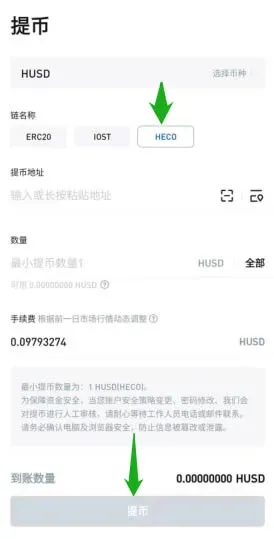
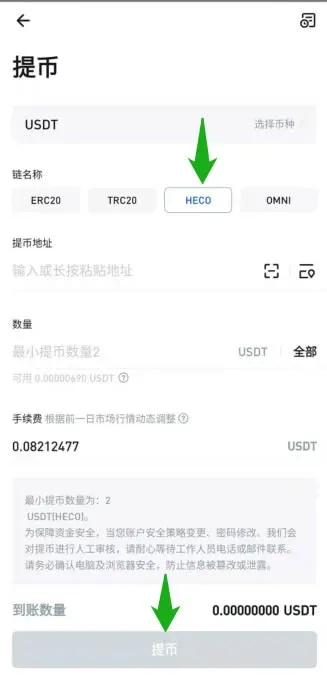
- When withdrawing, keep a small amount of HT in your wallet to cover gas fees; typically 1 HT is sufficient for subsequent transfers.
- After the withdrawal is complete, you need to manually add the token information in MetaMask or another wallet to see the asset in the interface.
---
The above content explains the complete process for obtaining and displaying stablecoins on the HECO network. For more tips on using HECO wallets, stay tuned to future articles from Bitaigen (比特根).
*Please note that cryptocurrency gains may be taxable in your local jurisdiction; consult a tax professional for guidance.*
*U.S. residents should use Binance.US rather than the global Binance platform when dealing with fiat on‑ramps such as USD, SEPA, or SWIFT.*
Related Reading
- What Is Tether (USDT)? A Complete Guide to the Stablecoin
- MetaMask Beginner Guide: Install & Use the Fox Wallet
- MetaMask Wallet Guide: Registration, Installation & Basic Use
💡 Register on Binance with referral code B2345 for the maximum trading fee discount. See Binance complete guide.



