
 Bitaigen Research
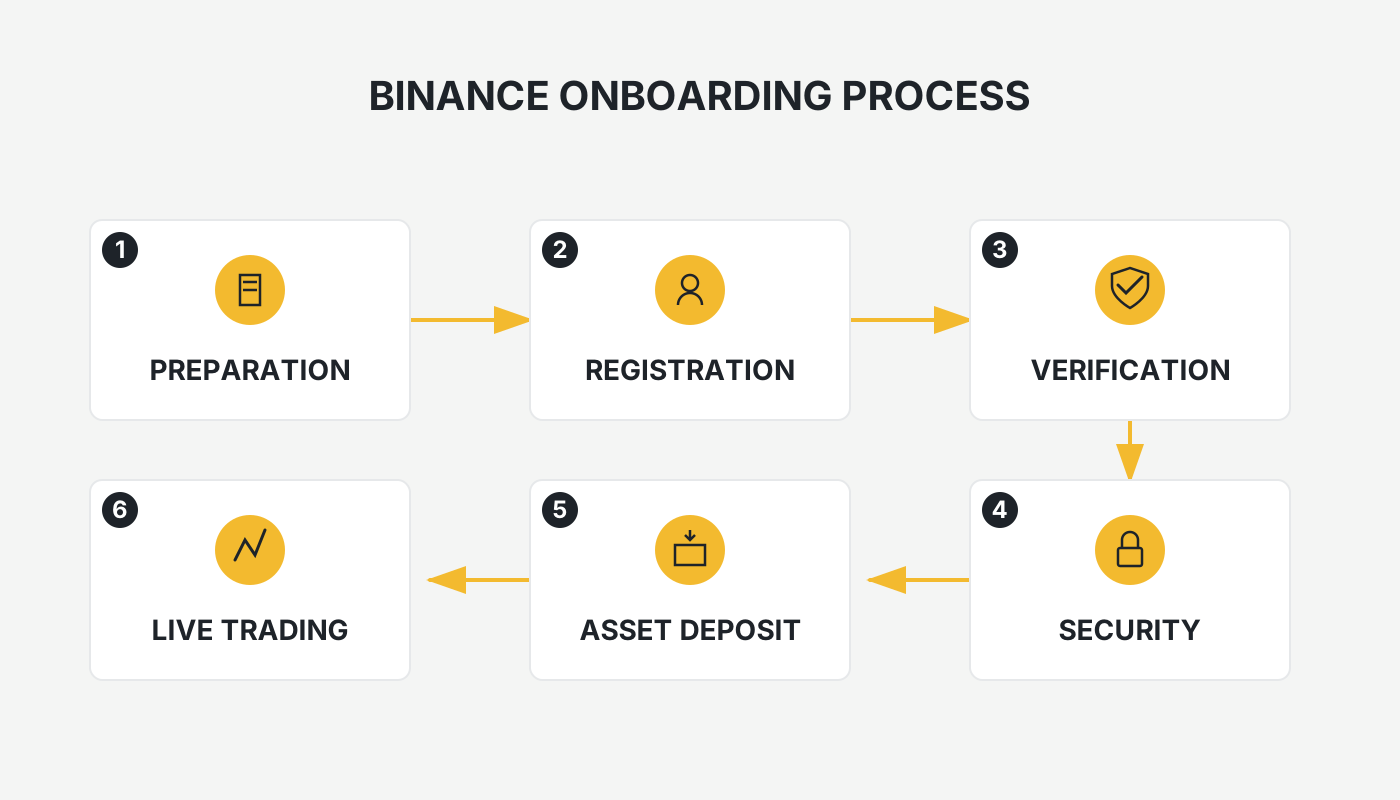
 In this article we provide mainland Chinese users with a step‑by‑step guide to Binance’s latest full‑process registration and verification procedures, covering website access, app download, KYC completion, and security settings. With clear instructions, even first‑time users can get started quickly and safely on the world‑leading trading platform. For detailed steps, keep reading.
Binance Exchange Overview
Founded in 2017 by Changpeng Zhao, Binance has grown into the global leader in cryptocurrency trading volume. Users can trade Bitcoin, Ethereum, BNB and hundreds of other digital assets, and the platform offers a diverse suite of services including spot, margin, futures, options, staking, and an NFT marketplace.
Core Advantages
- Global Scale: Daily trading volume leads the industry, with users worldwide.
- Wide Selection: Supports 150+ trading pairs to meet various needs.
- Competitive Fees: Paying with BNB grants lower transaction fees (typically quoted in USD; fiat deposits and withdrawals can be made via SEPA, SWIFT, etc.).
- Security Framework: Two‑factor authentication (2FA), cold‑wallet storage, SAFU asset protection fund, and multiple other safeguards.
- Additional Features: Launchpad, investment products, NFT, education academy, and other ecosystem components.
- Mobile Experience: The official app enables asset management anytime, anywhere.
After familiarizing yourself with the platform’s basics, the following sections present a complete guide for mainland Chinese users on account registration, app download, identity verification, and security configuration (updated for 2026).
---
Overall Process Overview
- Visit the official website and create an account (a VPN or other reliable internet‑access tool is required).
- Download and install the official app (Android: direct APK download; iOS: use a Taiwan or Hong Kong Apple ID).
- Complete KYC (Know‑Your‑Customer) verification by uploading an ID card or passport and performing facial recognition.
- Enable two‑factor authentication (2FA) and a security key to strengthen account protection.
---
Step 1: Create an Account on the Binance Website
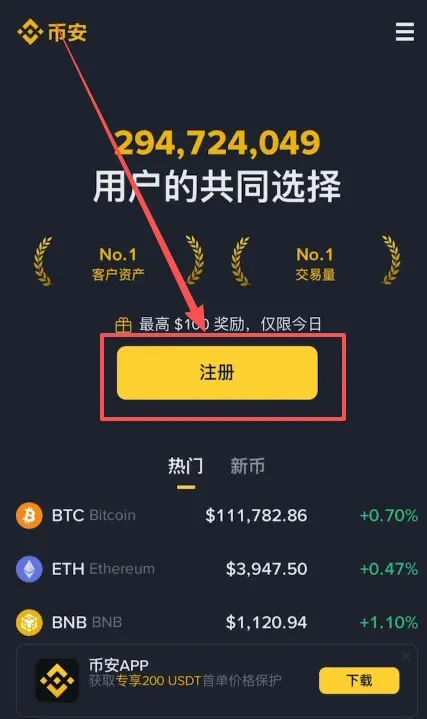
Open a browser and go to Binance.com, then click the “Register” button at the top‑right corner.
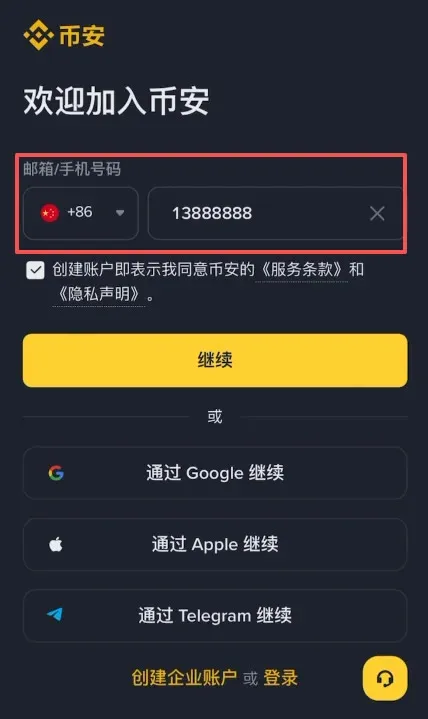
Choose Account Type
- You can register directly with a mainland China mobile number (+86).
- You may also register with an email address; using Outlook or Gmail is recommended.
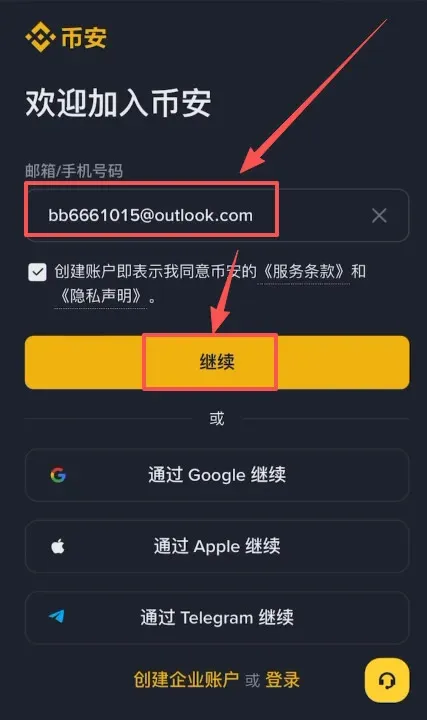
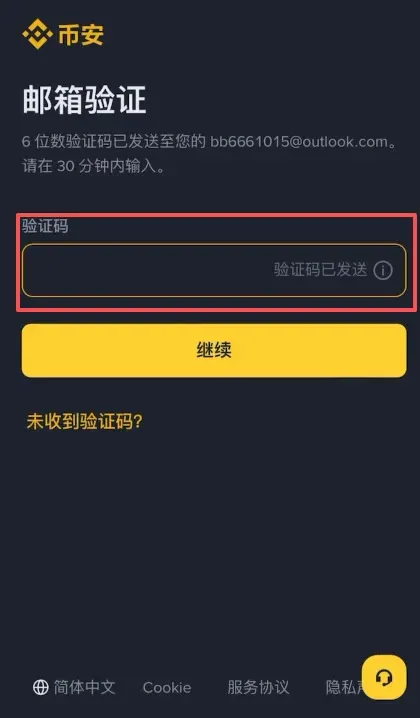
The system will send a verification code to the email you provided. Open your inbox, copy the code, and paste it back into the registration page.
Set a Password
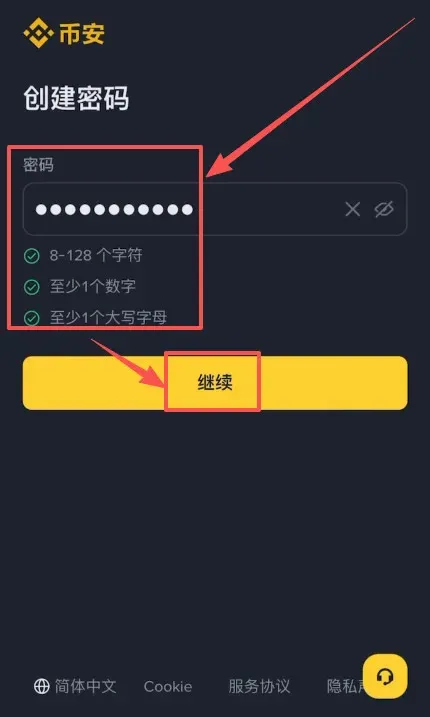
Passwords must be at least 8 characters long and contain both numbers and uppercase letters.
Referral Code Benefits
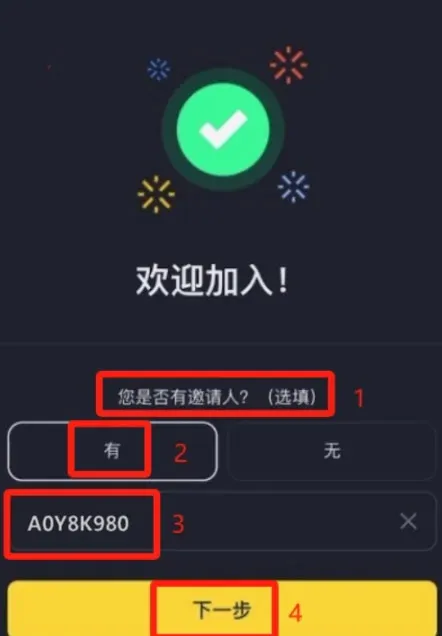
In the “Do you have a referral?” field, select “Yes” and enter the referral code `B2345`. After submission the system will display “Linked”. Using this code grants the account a permanent 20 % fee discount (fees are shown in USD; fiat deposits/withdrawals can be processed via SEPA or SWIFT). If you skip this step you cannot add the code later, and you will pay the standard fee on future trades.
---
Step 2: App Download and Installation
iOS (requires a Taiwan/Hong Kong Apple ID)
Note: The mainland China App Store does not list the Binance official client. Do not use a U.S. Apple ID, as it will direct you to the limited Binance.US version, which is only available to U.S. residents.
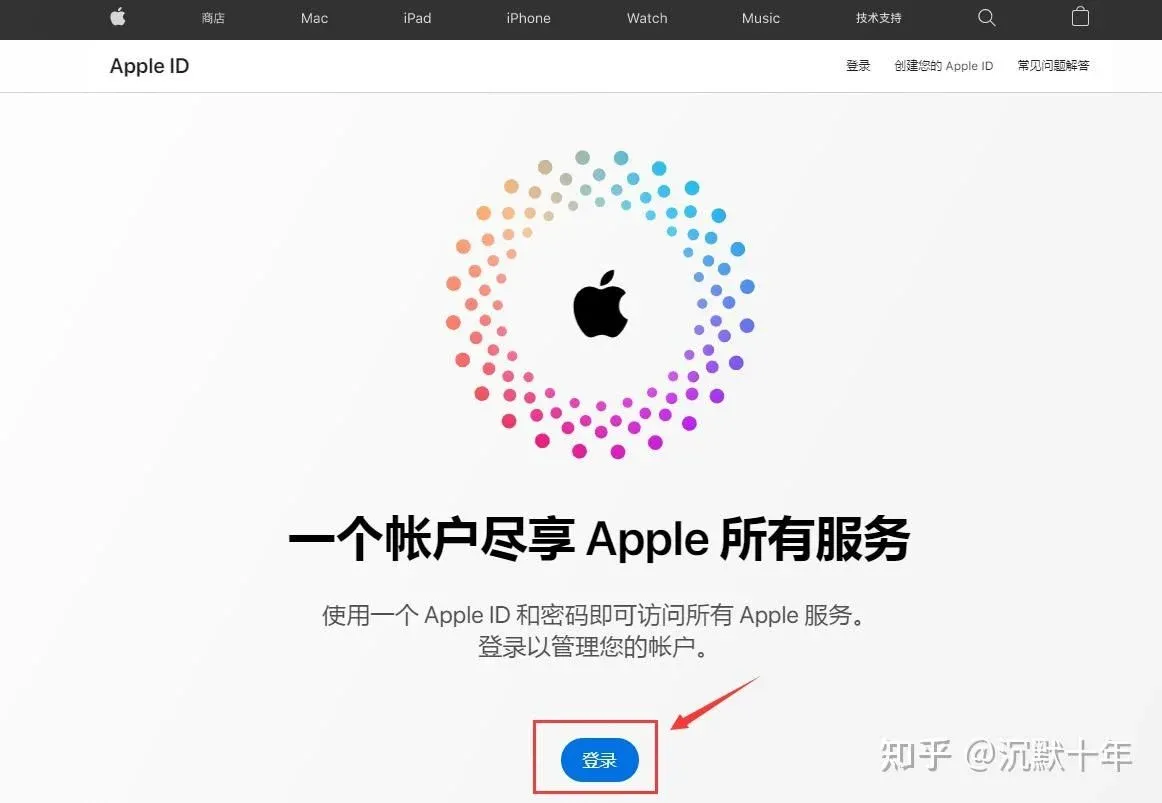
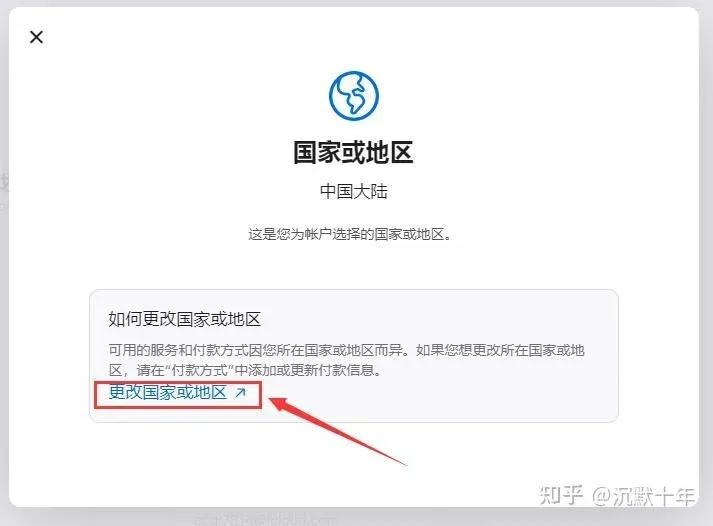
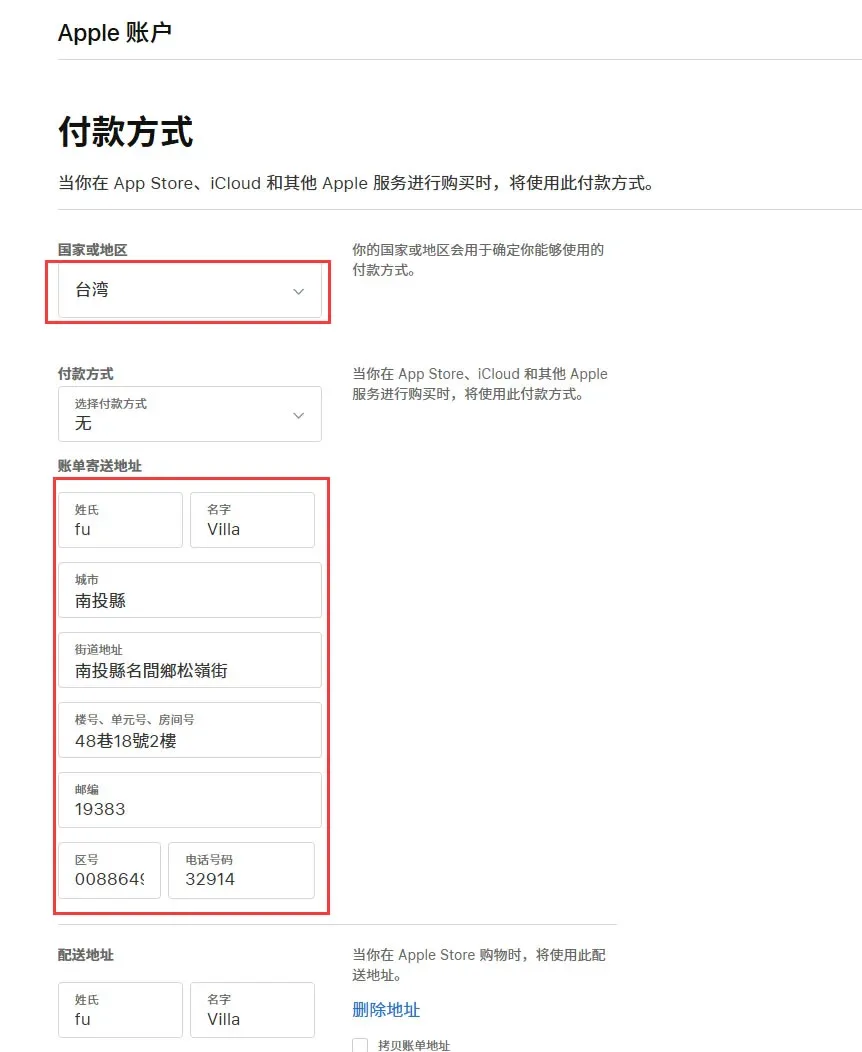
- Log in to the Apple ID management page on a computer or mobile device and create or switch to an Apple ID whose region is set to Taiwan or Hong Kong.
‑
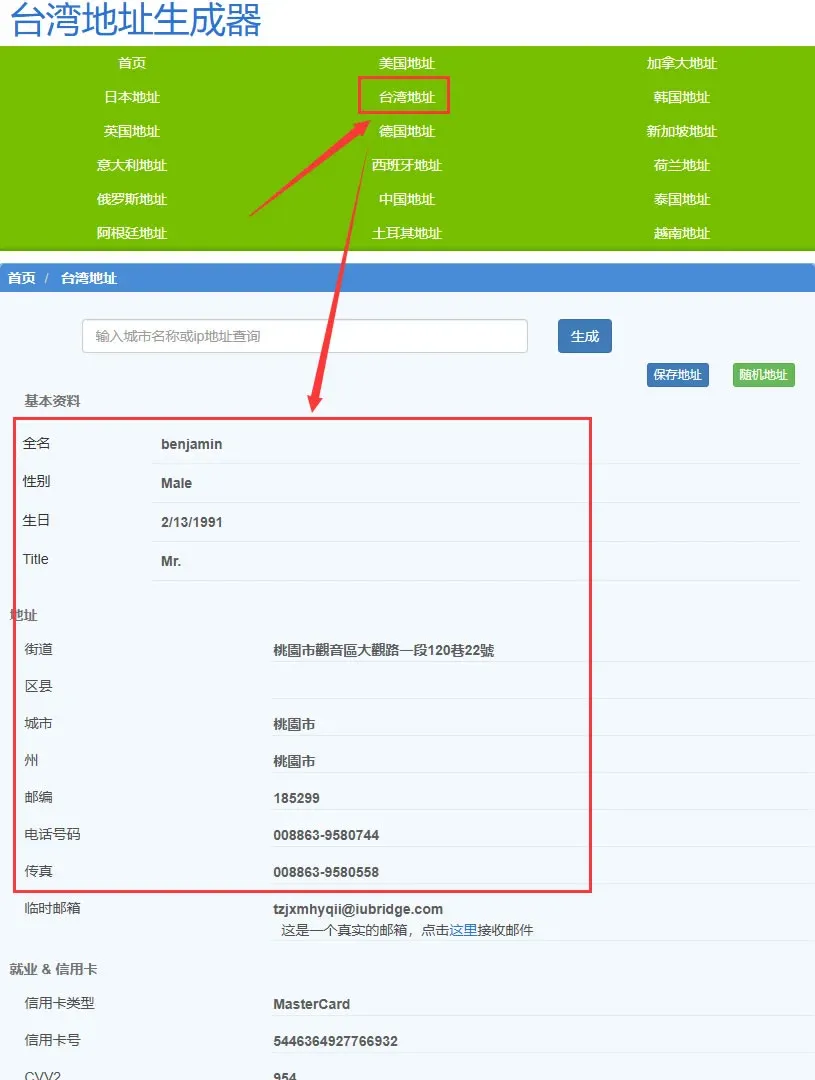
- If a billing address is required, you can generate a virtual address using online tools such as shenfendaquan.com or meiguodizhi.com.
‑
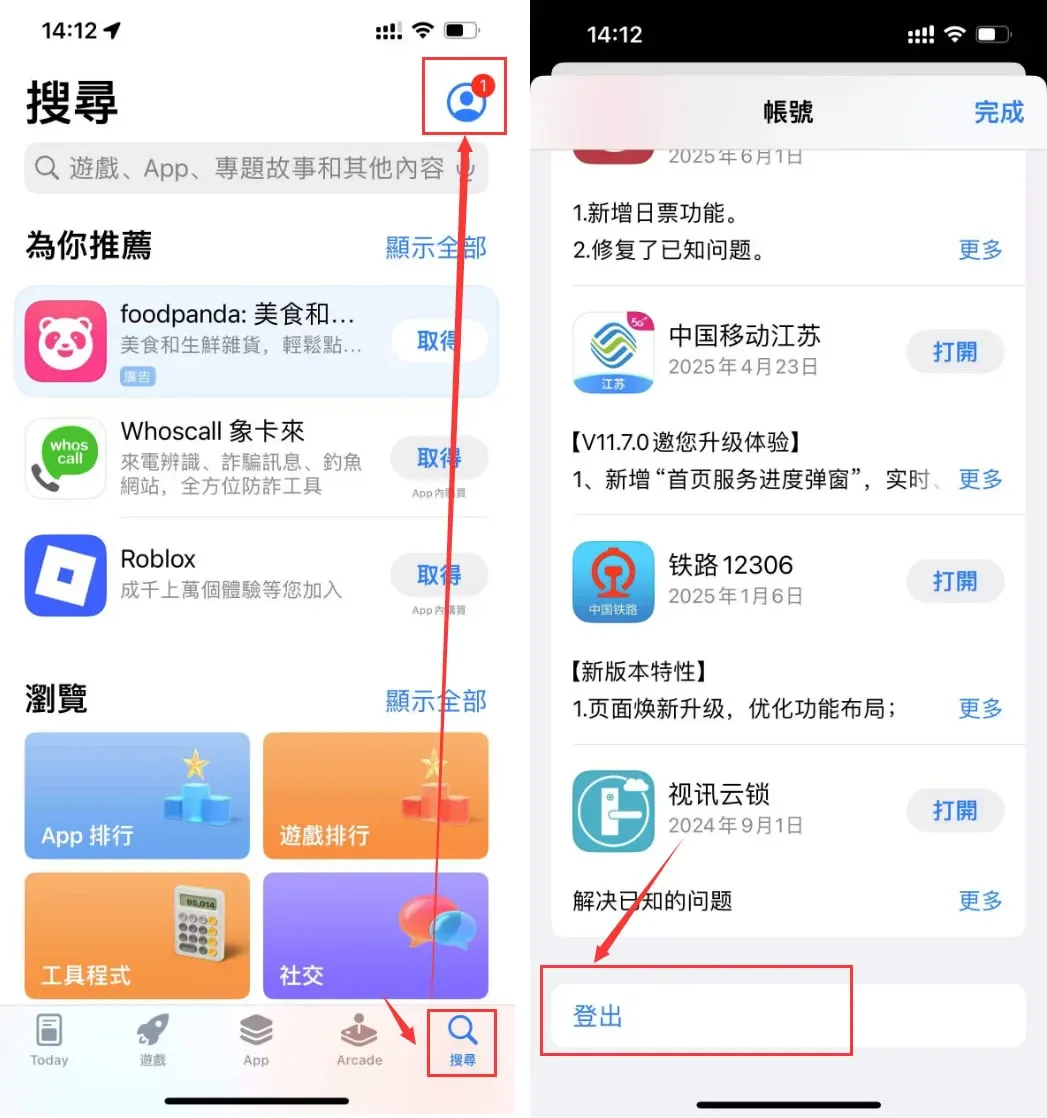
- On the iPhone, open App Store, tap the profile icon at the top‑right, sign out, then sign in with the newly created Taiwan/Hong Kong Apple ID.
‑
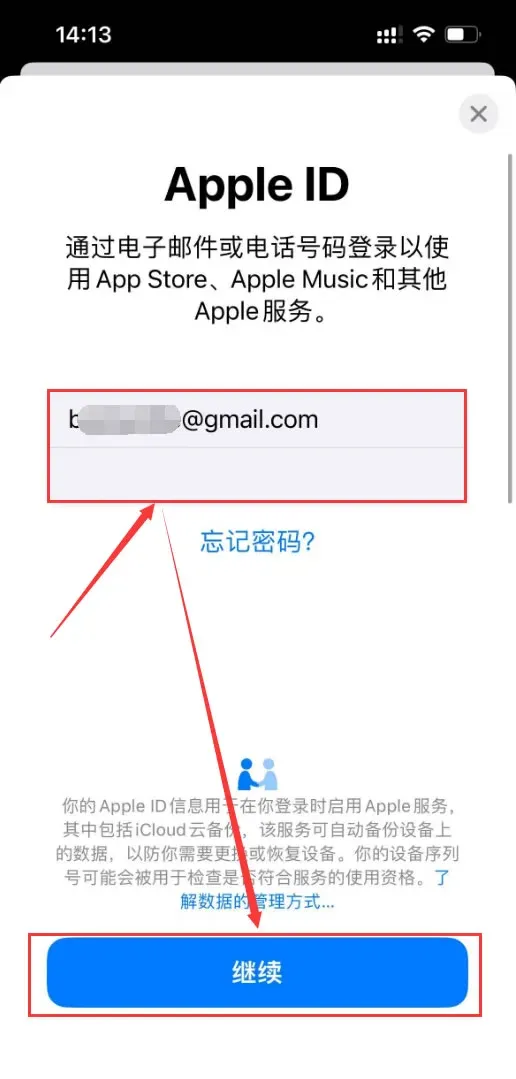
- Search for “Binance” or “币安”, locate the official app, tap Download, and complete the installation.
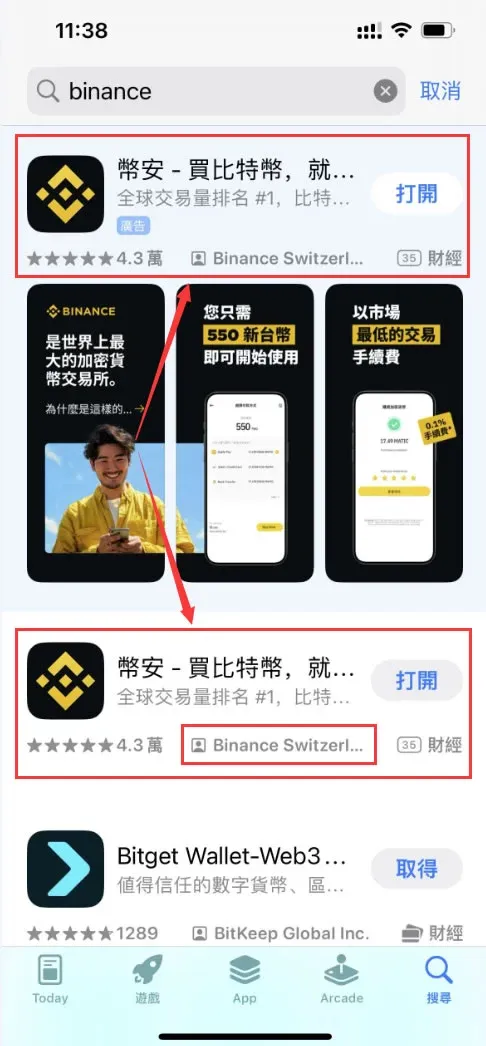
Android (direct APK download)
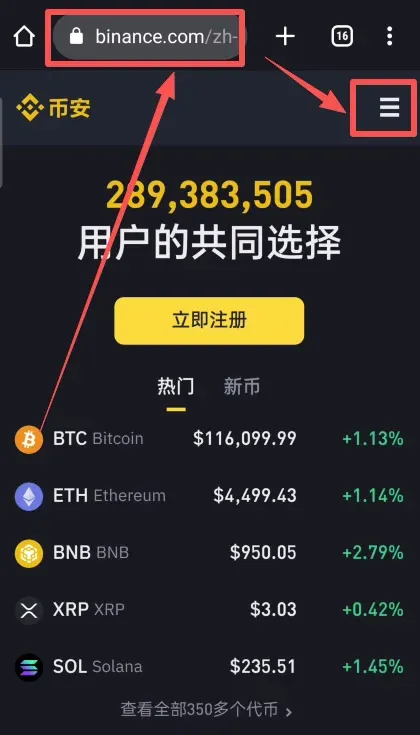
- Visit Binance’s official download page and click the three‑line “hamburger” icon at the top‑right to expand the sidebar.
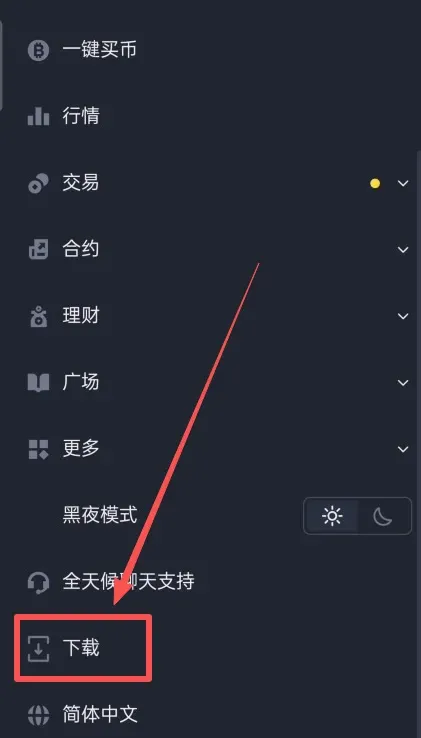
- Scroll down to the “Download” section and select “Android Download”.
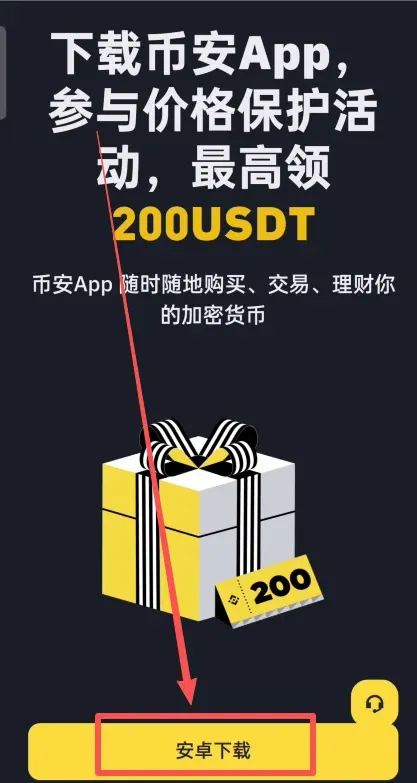
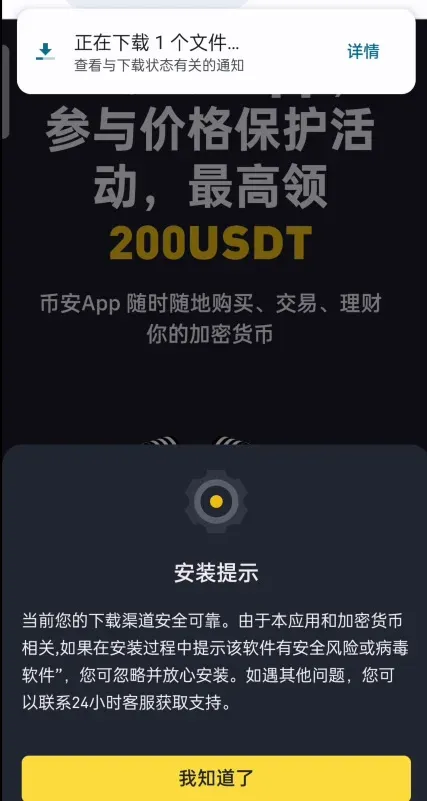
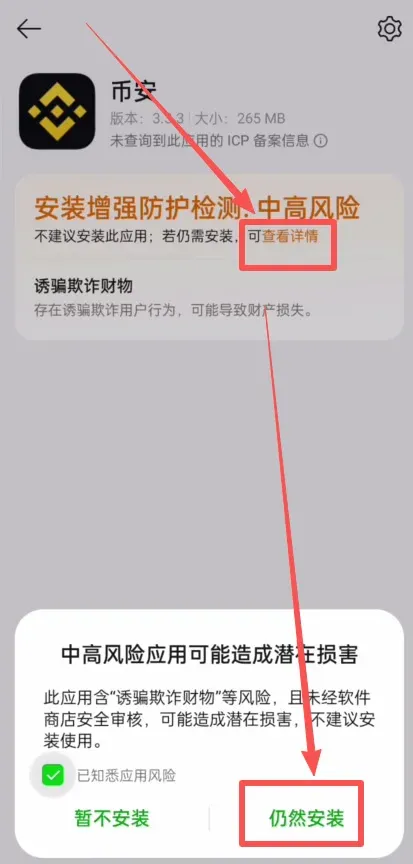
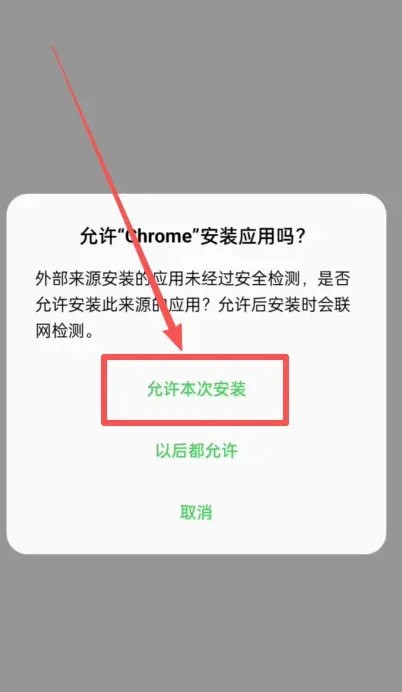
- Android will display a security warning; tap “Allow this installation”, and when a “Potentially harmful app” warning appears, choose “Install anyway”.
‑
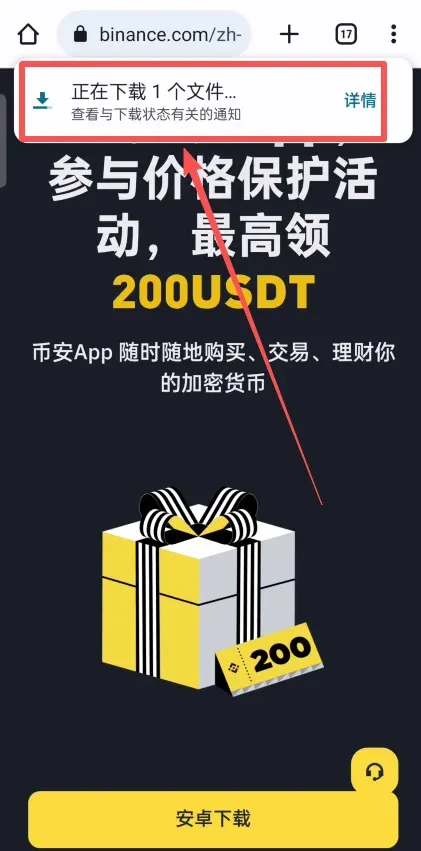
- Once the download finishes, open the APK and follow the on‑screen prompts to complete the installation.
‑
---
Step 3: Identity Verification (KYC)
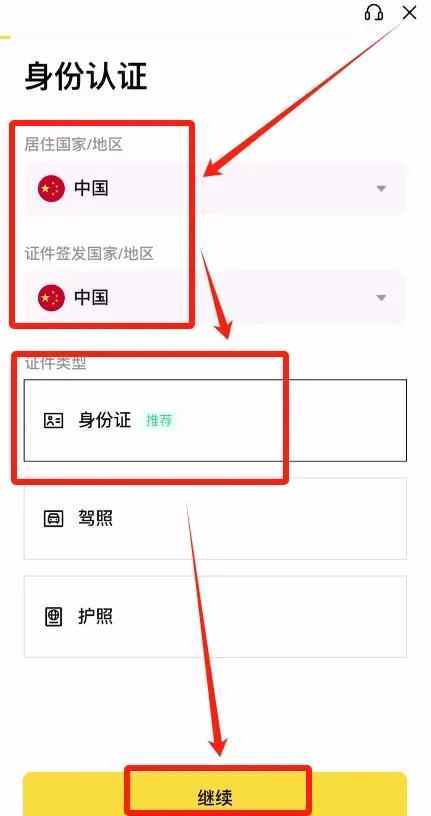
After logging into the app, a verification prompt will appear automatically.
- Document Country & Residence: Choose “China” for both fields. Even if you are currently abroad, as long as you hold a mainland Chinese ID card you can list “China” as the issuing country and residence, which yields the highest approval rate.
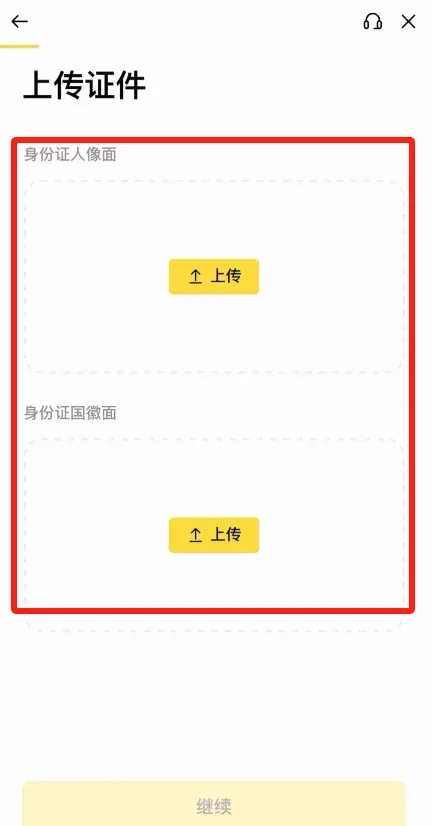
- Upload Documents: Take clear photos of the front and back of your ID card (or passport) and upload them.
- Enter Residential Address: Use the detailed address printed on the ID card, ensuring it matches the document exactly.
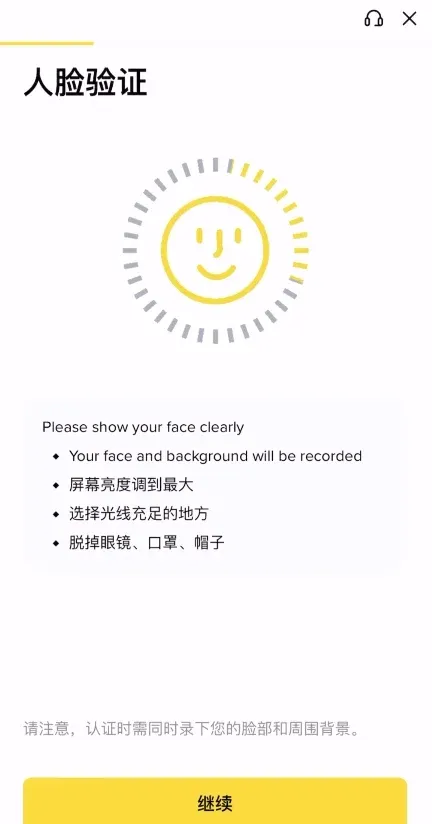
- Facial Recognition: Take a selfie as instructed; the system will perform a live‑face match with the uploaded ID.
- Review Time: Verification usually completes within 5–10 minutes. Once approved, you can start buying crypto, trading, and using other platform features.
Tax reminder: Cryptocurrency gains may be subject to taxation in your local jurisdiction. Be sure to consult a tax professional regarding reporting obligations.
---
Step 4: Security Enhancements (Two‑Factor Authentication & Security Key)
To maximize asset protection, it is strongly recommended to enable the following security measures in your account:
- Two‑Factor Authentication (2FA) – set up either Google Authenticator, Authy, or another TOTP app.
- Security Key (U2F) – for hardware‑based protection, you can register a YubiKey or compatible device.
- Anti‑Phishing Code – create a custom code that will appear in all genuine Binance emails, helping you spot spoofed messages.
Important for U.S. Residents: If you reside in the United States, you must use Binance.US (accessible via https://www.binance.us) rather than the global Binance platform, as regulatory restrictions apply.
After configuring these safeguards, your Binance account will be ready for safe and compliant trading on the global market.
Related Reading
- Binance BNB Fee Discount: How to Enable & Maximize Savings
- Binance: Leading Crypto Exchange with Deep Liquidity
- Binance Account Registration & KYC Guide 2026 – Steps
💡 Register on Binance with referral code B2345 for the maximum trading fee discount. See Binance complete guide.



